
Close Menu
TechUpdateAlert

    Subscribe to Updates

    Get the latest creative news from FooBar about art, design and business.

    What's Hot

    My Health Anxiety Means I Won’t Use Apple’s or Samsung’s Smartwatches. Here’s Why

    December 22, 2025

    You can now buy the OnePlus 15 in the US and score free earbuds if you hurry

    December 22, 2025

    Today’s NYT Connections: Sports Edition Hints, Answers for Dec. 22 #455

    December 22, 2025
    Facebook X (Twitter) Instagram
    Trending
    • My Health Anxiety Means I Won’t Use Apple’s or Samsung’s Smartwatches. Here’s Why
    • You can now buy the OnePlus 15 in the US and score free earbuds if you hurry
    • Today’s NYT Connections: Sports Edition Hints, Answers for Dec. 22 #455
    • Android might finally stop making you tap twice for Wi-Fi
    • Today’s NYT Mini Crossword Answers for Dec. 22
    • Waymo’s robotaxis didn’t know what to do when a city’s traffic lights failed
    • Today’s NYT Wordle Hints, Answer and Help for Dec. 22 #1647
    • You Asked: OLED Sunlight, VHS on 4K TVs, and HDMI Control Issues
    Facebook X (Twitter) Instagram Pinterest Vimeo
    TechUpdateAlertTechUpdateAlert
    • Home
    • Gaming
    • Laptops
    • Mobile
    • Software
    • Reviews
    • AI & Tech
    • Gadgets
    • How-To
    TechUpdateAlert
    Home»AI & Tech»Does your M.2 SSD need a cooler? How to make the right call
    AI & Tech

    Does your M.2 SSD need a cooler? How to make the right call

    techupdateadminBy techupdateadminSeptember 18, 2025No Comments3 Mins Read
    Share Facebook Twitter Pinterest LinkedIn Tumblr Reddit Telegram Email
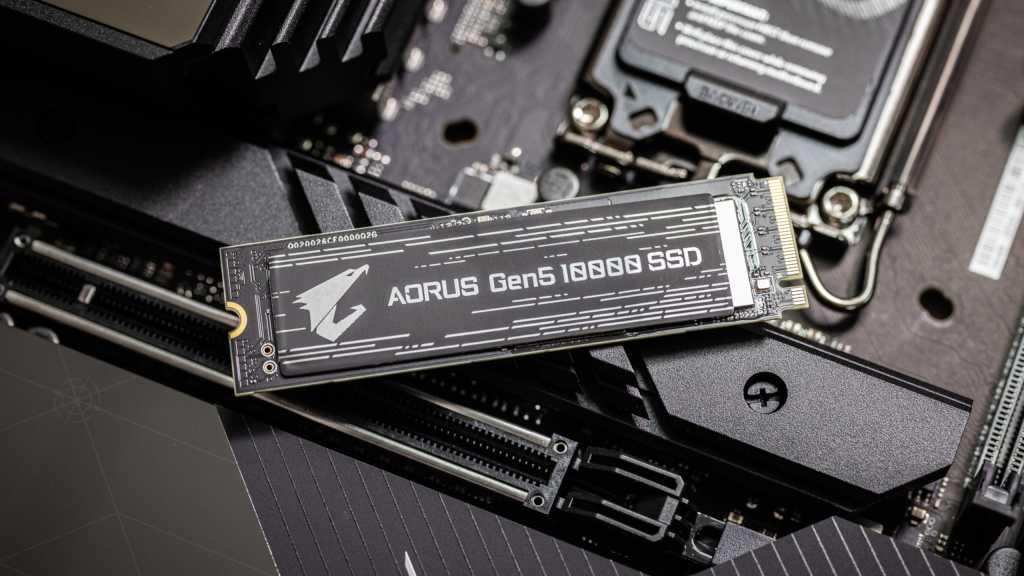
    Aorus Gen5 10000 PCIe SSD
    Share
    Facebook Twitter LinkedIn Pinterest Email

    Do you need a cooler for your M.2 NVMe SSD? The short answer is yes, unless your SSD is operating within its defined temperature range. Read on to find out more.

    Your SSD and temperature

    M.2 NVMe SSDs, like most other PC components, are designed to operate within a defined temperature range. In most cases that’s a standard operating temperature of between 32 and 158 degrees Fahrenheit (0 to 70 degrees Celsius). If temps stay within that range, performance will be optimal, and you don’t have to worry about extra cooling.

    However, if an SSD gets hotter than 158 degrees, it will start to throttle its performance, and extra cooling will be required for best performance.

    Your motherboard might already be cooling it

    How hot your SSD runs is different in every case and will be determined by things like the airflow in your system and the generation of SSD you have.

    Your motherboard, too, plays a big role. That’s because most modern motherboards ship with cooling apparatus to deal with the higher cooling demands of second-generation PCIe Gen 4 SSDs or the latest PCIe Gen 5. These range from simple heat spreaders to full-on cooling solutions.

    So, there’s a good chance some kind of cooling apparatus will already be working with your SSD, and this will be sufficient for most users. If you know your motherboard doesn’t have anything cooling the SSD and you have one of those recent-generation SSDs I just mentioned, you should at least get a simple heatsink to sit on top of your SSD to get the best throughput from it.

    Check the temperature

    If you’re in doubt about whether you need cooling for your SSD, you’ll get a definitive answer by testing your drive’s temperature. This can be done using software that ships with the SSD.

    If you find temperatures are within the specified range, you’re fine, don’t worry. Otherwise, if your software shows it’s running hot, you should do one or two things. First, check to see that you’ve installed your motherboard’s cooler correctly.

    Christoph Hoffmann

    If you have and you’re still running hot, it may be the that the demands you’re making on your SSD, for high-performance work or gaming, is causing it to get hotter than it should be. Now’s the time to consider getting a an extra fan or two to improve airflow in your system.

    In summary, if you’ve got a modern motherboard, chances are you already have a heat spreader, heatsink, or cooler that is sufficiently cooling your M.2 NVMe SSD.

    But if don’t, or you’re pushing your system hard and find your SSD is running hot, you might like to consider investing in extra cooling to help disperse the heat from your SSD. Fortunately, you can pick up a name brand model for just $20, or under $10 if you’re willing to go with simpler option from a lesser-known brand.

    Further reading:

    Call Cooler M.2 SSD
    Share. Facebook Twitter Pinterest LinkedIn Tumblr Email
    Previous ArticleDyson V16 Piston Animal vs Gen5detect: which of Dyson’s most premium vacuums is better?
    Next Article DBrand Prism 2.0 for Nintendo Switch 2: one of the greatest Switch 2 screen protectors around
    techupdateadmin
    • Website

    Related Posts

    Gadgets

    What are we supposed to call AI, XR, or AR glasses?

    December 11, 2025
    Mobile

    Android phones can warn you if you open financial apps during a scam call

    December 4, 2025
    AI & Tech

    Don’t Overpay for a Travel Bag. My $20 Backpack Does the Job for Way Less

    November 26, 2025
    Add A Comment
    Leave A Reply Cancel Reply

    Top Posts

    NYT Strands hints and answers for Monday, August 11 (game #526)

    August 11, 202545 Views

    These 2 Cities Are Pushing Back on Data Centers. Here’s What They’re Worried About

    September 13, 202542 Views

    Today’s NYT Connections: Sports Edition Hints, Answers for Sept. 4 #346

    September 4, 202540 Views
    Stay In Touch
    • Facebook
    • YouTube
    • TikTok
    • WhatsApp
    • Twitter
    • Instagram
    Latest Reviews

    Subscribe to Updates

    Get the latest tech news from FooBar about tech, design and biz.

    Most Popular

    Best Fitbit fitness trackers and watches in 2025

    July 9, 20250 Views

    There are still 200+ Prime Day 2025 deals you can get

    July 9, 20250 Views

    The best earbuds we’ve tested for 2025

    July 9, 20250 Views
    Our Picks

    My Health Anxiety Means I Won’t Use Apple’s or Samsung’s Smartwatches. Here’s Why

    December 22, 2025

    You can now buy the OnePlus 15 in the US and score free earbuds if you hurry

    December 22, 2025

    Today’s NYT Connections: Sports Edition Hints, Answers for Dec. 22 #455

    December 22, 2025

    Subscribe to Updates

    Get the latest creative news from FooBar about art, design and business.

    Facebook X (Twitter) Instagram Pinterest
    • About Us
    • Contact us
    • Privacy Policy
    • Disclaimer
    • Terms and Conditions
    © 2026 techupdatealert. Designed by Pro.

    Type above and press Enter to search. Press Esc to cancel.