


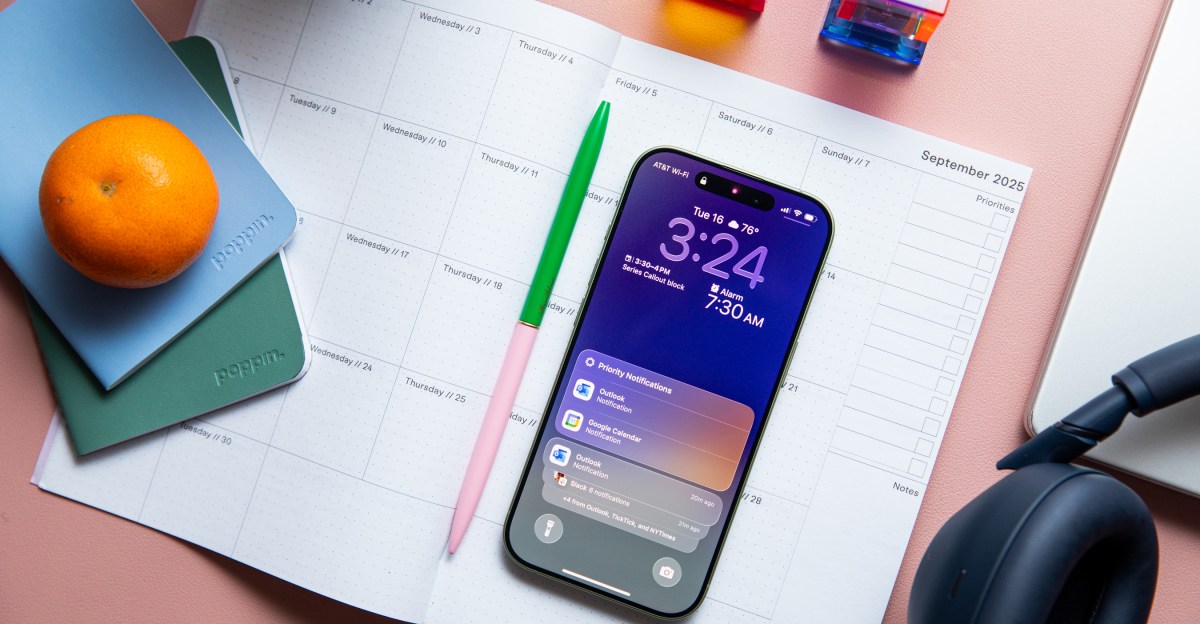
For a while now, choosing the standard iPhone has meant missing out. It’s not just that you missed out on classic “pro” features like a more powerful processor or a telephoto lens — it’s that you missed out on core make-your-phone better stuff. Stuff like the Dynamic Island or the Action Button or a screen that gets bright enough to read outdoors. Apple has slowly whittled down that list by bringing the most important features over to its standard phone, but the two biggest exclusions have, until now, remained: the always-on display and high-refresh-rate screen.
This year, they’ve finally arrived. And for the first time in a while, choosing the standard iPhone no longer means missing out.
I’ve been testing the iPhone 17 for the past week, and I can say that the addition of these two features has meaningfully improved the experience of using the base iPhone. The iPhone 17 feels faster, easier to use, and more convenient as a result of these upgrades. They’re upgrades so obvious and essential that my only gripe is how long Apple waited to make them standard.

$799
The Good
- Always-on-display makes it vastly more useful
- High-refresh rate makes using the phone smoother
- The cameras are solid
- Battery life lasts well through the day
- The price isn’t going up
- No redesign, but the green is nice
The Bad
- Zoom capabilities are weak compared to the Pro
- Gets hot during heavy gaming sessions
- Apple Intelligence is still somewhere between useless and MIA
In size, resolution, and specs, the iPhone 17’s display is the same as what you’ll find on this year’s Pro. And the most notable thing about the change is that the iPhone 17 finally has an always-on display. The feature works exactly the same as it does on the Pro phones, too. When you set the iPhone 17 down, the screen dims, showing a faint version of your wallpaper, widgets, clock, and notifications. The whole setup is customizable: you can turn it off, change the blur settings, or hide the wallpaper entirely for a cleaner black-and-white look.
Being able to quickly glance at your phone for information is extremely handy and instantly makes the device a whole lot more useful. It was far easier to understand what notifications I had, and manage them on an ongoing basis, because I was able to regularly look over at the phone on my desk and see what had rolled in. I added a calendar widget to keep an eye on upcoming meetings. Even just being able to peek at the current time is a perpetual help.


Leaving the always-on display enabled does use marginally more battery, and Apple allows you to turn it off entirely if you’re worried about that or find it distracting. By default, the wallpaper both blurs and dims enough that I never found the screen unduly drawing my attention. Its battery usage was in the low single-digit percentages throughout my time testing the phone. Not enough for me to care about when a single charge got me through one day of heavy usage and into the next afternoon.
What enabled Apple to add this feature was the switch to a variable-refresh-rate display, which Apple brands as ProMotion. When idle, it dips down to as low as 1Hz to conserve battery, then ramps up to 120Hz — twice the maximum refresh rate of the prior model — to present smoother animations when things start moving. If you’ve never used a high refresh rate display before, the difference may not be immediately apparent. But give it a few days, and you’ll get used to how much more fluid fundamental parts of the phone seem to feel, from opening apps to scrolling through a news story. Once you’re used to it, you’ll never want to go back.
That these screen upgrades dramatically improve the iPhone shouldn’t be a big surprise: they’ve both been present on Pro-series iPhones since 2022 and standard in the Android world — including on much cheaper phones — for just as long. They’re the kind of features that a premium device like the iPhone ought to have, and the iPhone 17 is significantly better for their arrival.
There are a few other less noticeable changes to the screen this year. It’s ever-so-slightly bigger (6.3 inches instead of 6.1 inches), owing partly to slimmed-down bezels and partly to the phone being imperceptibly taller. Apple says the screen is more scratch resistant; I didn’t deliberately try to ding up my review unit, so I can’t say how effective it is in practice. The screen also gets brighter, and it now has an anti-glare coating that cuts back reflections. The coating alone isn’t a game changer in terms of visibility, but combined with the screen’s increased brightness, it was easier to read in harsh lighting conditions.

The other big changes to this year’s phone are to the cameras. The ultrawide camera has been changed from a 12-megapixel sensor to a 48-megapixel sensor that’s supposed to provide more detail, and the selfie camera has a brand new sensor that allows for an assortment of automatic framing tricks to help get you and your friends all in the same photo.
The photos I took with the iPhone 17’s selfie camera weren’t materially better than ones I took with the iPhone 16’s. But the tech inside the camera has seen a major overhaul that changes how you take those photos.
Apple has given the iPhone 17 the same “Center Stage” front camera that it’s put in the iPhone Air and iPhone 17 Pro. The phones all use a square image sensor instead of a rectangular one, and they all have a higher resolution than Apple’s prior selfie cameras, 18MP instead of 12MP. These changes allow for two things: they give Apple more flexibility when cropping the frame, and they make the camera more suitable for use in portrait orientation — the way most people are going to take selfies.
When you go to take a photo with the front camera on the iPhone 17, it’ll start punched in and ready to frame up a single person. Have a friend join you, and it’ll automatically expand outward. Add even more people than the portrait shot can fit, and it’ll swap to an even-wider landscape framing, all while the phone remains upright. You can control this manually or let the phone automatically take it away. I found that letting the phone do its thing worked just fine. I wouldn’t say this hugely improved my experience taking selfies — turning the phone sideways isn’t that hard — but on a device made for tens of millions of people, many of whom just want to hold their phone out and see everyone around them, this change makes a whole lot of sense.


The quality story is similar on the ultrawide camera, which is also the same as the Pro’s. Despite the resolution bump, this year’s improvements are modest at best. In side-by-side shots with its predecessor, the iPhone 17’s ultrawide appeared slightly sharper and delivered slightly bolder colors. I was able to get some great photos with it. But in most cases, I had to look closely to see the improvements.
Apple didn’t make any hardware changes to the iPhone 17’s main camera, which has a smaller sensor than the main camera on the iPhone 17 Pro but the same 48MP resolution. It takes nice photos, even if they look slightly less rich to me than what you’d get out of the Pro camera. I occasionally got blown-out highlights in bright daylight and blurry motion in low light. But honestly, in a world of over-processed smartphone photos, I didn’t necessarily mind the imperfections.
1/13
The biggest distinction between the iPhone 17 and 17 Pro’s camera systems — and perhaps the biggest distinction between the phones overall — is their zoom capabilities. The 17 Pro has a dedicated telephoto lens with a 4x optical zoom. But the 17 only has what Apple bills as 2x “optical quality” zoom, which is just a fancy way of cropping a photo. Pictures still look good at 2x, but they start to look flat and noisy in lower light. And photos at its 10x maximum digital zoom lack the kind of detail you’d get from a proper lens and start to get a bit of that blurry watercolor look. If you don’t take a lot of zoomed-in photos, this omission won’t be a huge deal. But if you struggle to get pics of your cat from across the room, that’s still one reason you may need to go pro.
Beyond the cameras, the iPhone 17 has a number of other small improvements. It has the new A19 processor, starts with double the storage — 256 GB — compared to last year, supports faster wired and wireless charging, and has longer quoted battery life. And in a year where prices seem to be going up everywhere, it still starts at the same $829 unlocked price as its predecessor did.
Perhaps the most obvious thing the iPhone 17 doesn’t get is the flashy new camera bar design seen on the iPhone 17 Pro and the iPhone Air. Those higher-end models look nice, but so does the sage green iPhone that I’ve been testing, even if it looks basically the same as every iPhone for the past six years. If you’re worried about your phone not looking brand new, then maybe that’s a reason to consider the other models, but I don’t think you’re missing out anything significant here.

This is one of the best years in a long time to be looking at the standard iPhone. For the same price as last year, you get twice as much storage, slightly better cameras, and an immensely better screen that makes the phone immediately more useful. Sure, there are still some features reserved for the Pro: a new design, a faster chip, a telephoto lens and larger main camera sensor. But I think there’s an argument to be made that those are features for power users, meant for those who really want more out of their phone.
If you just want a great iPhone, and you don’t want to miss out on anything major, the iPhone 17 is finally that phone.
Photography by Amelia Holowaty Krales / The Verge
Agree to continue: Apple iPhone 17, 17 Pro, 17 Pro Max, and iPhone Air
Every smart device now requires you to agree to a series of terms and conditions before you can use it — contracts that no one actually reads. It’s impossible for us to read and analyze every single one of these agreements. But we’re going to start counting exactly how many times you have to hit “agree” to use devices when we review them since these are agreements most people don’t read and definitely can’t negotiate.
To use any of the iPhone 17 (and iPhone Air) models, you have to agree to:
- The iOS terms and conditions, which you can have sent to you by email
- Apple’s warranty agreement, which you can have sent to you by email
These agreements are nonnegotiable, and you can’t use the phone at all if you don’t agree to them.
The iPhone also prompts you to set up Apple Cash and Apple Pay at setup, which further means you have to agree to:
- The Apple Cash agreement, which specifies that services are actually provided by Green Dot Bank and Apple Payments Inc. and further consists of the following agreements:
- The Apple Cash terms and conditions
- The electronic communications agreement
- The Green Dot Bank privacy policy
- Direct payments terms and conditions
- Direct payments privacy notice
- Apple Payments Inc. license
If you add a credit card to Apple Pay, you have to agree to:
- The terms from your credit card provider, which do not have an option to be emailed
Final tally: two mandatory agreements, seven optional agreements for Apple Cash, and one optional agreement for Apple Pay.
0 Comments
