


At a glance
Expert’s Rating
Pros
- Provides up to four full-speed PCIe 5.0 NVMe M.2 slots
- Fantastically affordable
- Auxiliary power connector and fan control header
- Very good performance
Cons
- Motherboard PCIe bifurcation capabilities determine how many of the four slots will function
- No hardware RAID
Our Verdict
Carefully check your motherboard’s PCIe capabilities and BIOS bifurcation settings for its x16 slot before buying the Asus Hyper M.2 x16 Gen5. Those determine how many of the Hyper M.2 x16 Gen5’s four x4 M.2 ports you’ll be able to use. Given the price, even one slot will make it worthwhile.
Price When Reviewed
This value will show the geolocated pricing text for product undefined
Best Pricing Today
Best Prices Today: Asus Hyper M.2 x16 Gen5 NVMe adapter card
£83.35
When I first heard about the Asus Hyper M.2 x16 Gen5, I had visions of the 4-slot NVMe 5.0 adapter card as an uber-affordable four-SSD RAID 0 array cranking out 50GBps of sustained throughput.
Dream on, buddy. Asus’ product page doesn’t really highlight that this card relies on your system’s ability to divvy up (bifurcate) lanes in the x16 slot that the card occupies: four lanes per SSD slot.
Not a lot of systems can manage more than two. Our Intel test bed only allowed three, and performance maxxed out at 25GBps. To be fair to Asus, this is true for nearly all low-cost PCIe RAID cards. They just apparently assume that you’ll know this. I should have given the low cost.
Regardless, the Hyper M.2 x16 Gen5 is priced so low it’s a boon, even if you can use only one, two, or three of the slots. Especially on some Intel motherboards where adapter card PCIe 5.0 M.2 NVMe slots tend to perform better than those on the motherboard.
What are the Hyper M.2 x16 Gen5’s features?
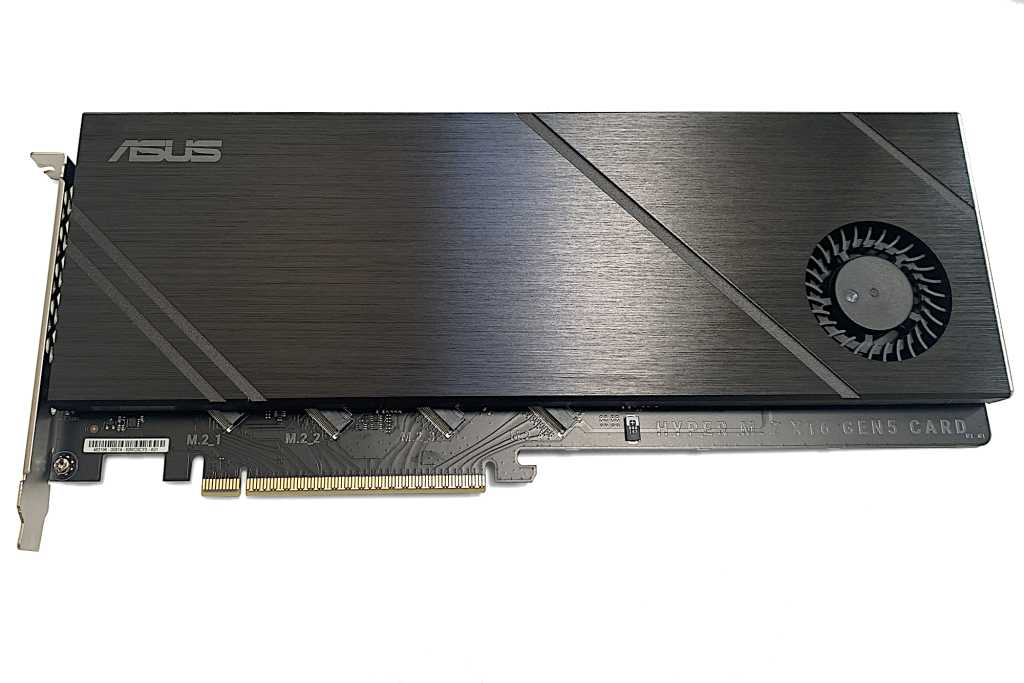
I’ve already described most of the card’s features, but to add a bit more detail… The card is a full-length, 11.5-inch, x16, PCIe 5.0 adapter featuring four M.2 NVMe slots. There are also plenty of thermal strips (top and bottom), a fan, plus a beefy heatsink (see the lead photo) that covers most of what you see in the image below.
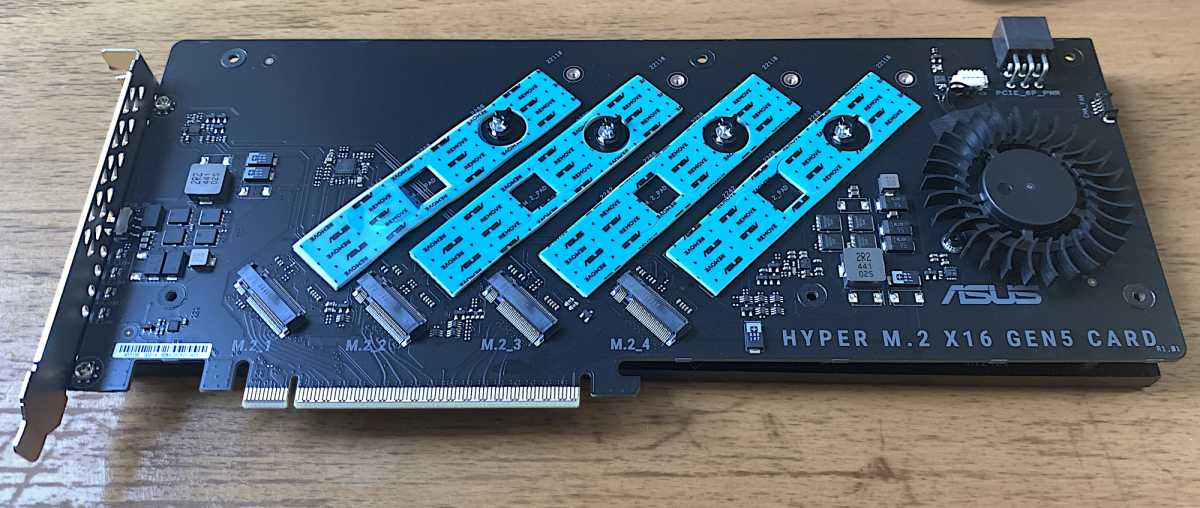
To make sure the card can handle any NVMe SSD or combination thereof, there’s a six-pin power connector. Nice touch, though even with four fast PCIe 5.0 SSDs on board, I didn’t need it. If for some reason you do, hopefully your power supply has a spare.
Finally, there’s also a fan control header that you can attach to the motherboard so that the Asus Fan Xper4 software can define the operational parameters for the cooling fan.
The endplate features a fan on/off switch (maybe you like quiet?) and status LEDs so you can tell if the slots are filled and power is supplied. However, they won’t tell you whether the SSD is actually available to the system or not. For that, check the BIOS or Windows Disk Management.
Caveats
My biggest issue with the Hyper M.2 x16 Gen5 is that the website product page doesn’t prominently call out the need for the proper motherboard bifurcation. Or that the RAID is only achieved via software, for that matter.
Again, to be fair to Asus, these caveats apply to nearly every low-cost PCIe NVMe RAID card I’ve seen, the Konyead PCIe 3.0 four-slot card, which I have not tested, excepted. Most however, saliently call out the need for bifurcation.
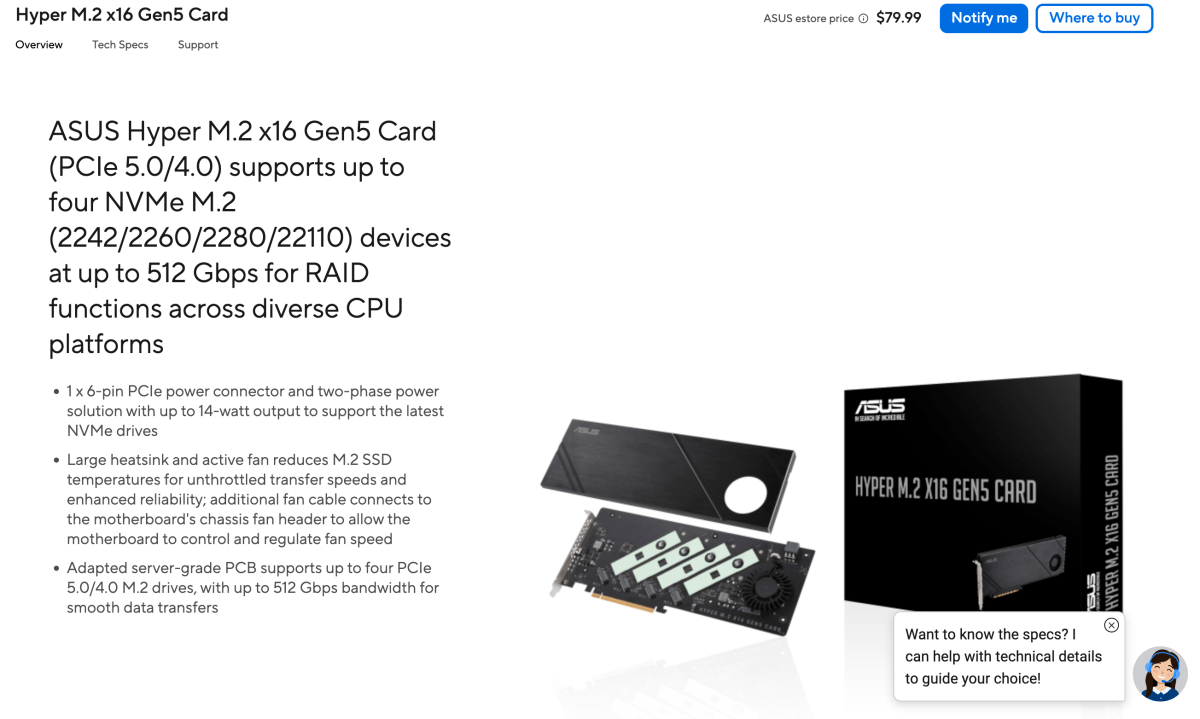
There is a small blurb about bifurcation under the “Support RAID” section (see below) when you scroll down, but it still doesn’t make the ramifications obvious and further muddies the waters by talking about the NVMe RAID function. There is no dedicated NVMe RAID function, just Windows RAID, Intel’s RST RAID, or software (I used OWC SoftRAID).
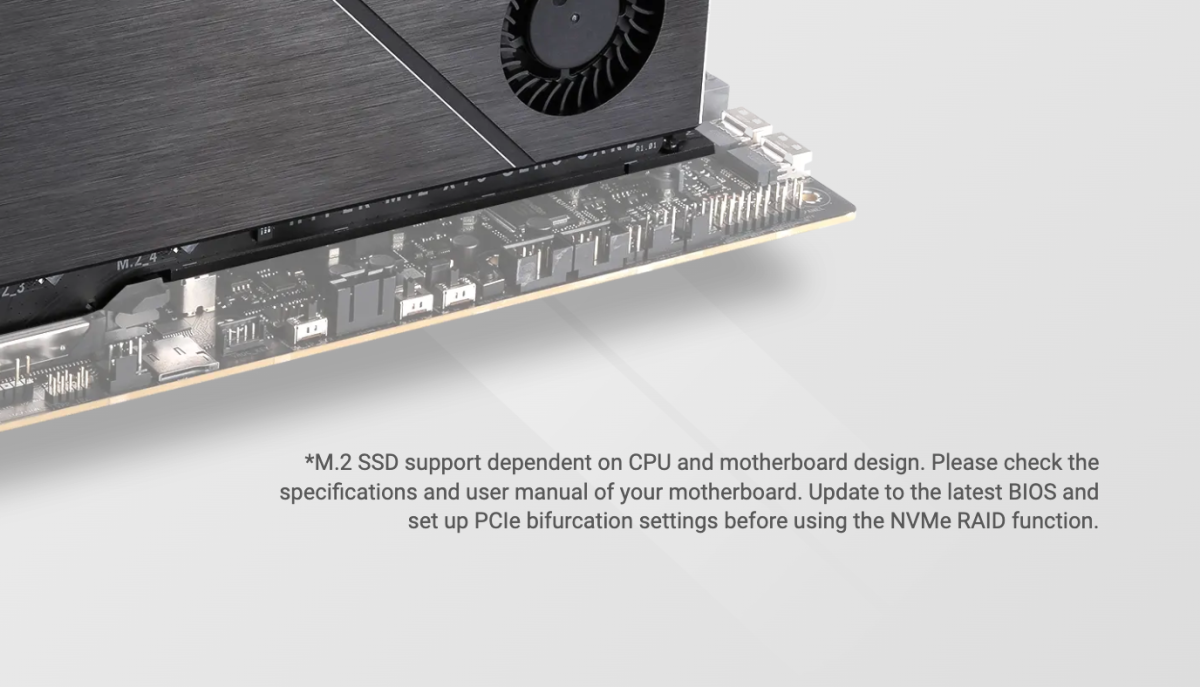
As already stated, the Hyper M.2 x16 Gen5 relies completely upon your motherboard to divvy up the 16 lanes of PCIe in your x16 slot to supply each slot with the four lanes it requires.
Upon query, AMD told me that bifurcation capabilities start with the CPU, but can also involve the chipset and BIOS. Intel had not answered my query at the time of this writing, but I suspect the same answer.
Our Asus ProArt Creator Z890 test bed does not support 4x4x4x4, only 8×8 (two slots) and 8x4x4 (three slots). I could not use all four. However, an Asus ProArt AMD X870E motherboard apparently does support 4x4x4x4.
This bifurcation chart from Asus covers all its motherboards, chipsets, and major CPUs. It also shows that apparently there’s a very good reason you might want to opt for AMD when it comes to cheap NVMe RAID storage. None of Intel’s mainstream CPUs/chipsets support 4x4x4x4 (also notated X4+X4+X4+X4), though some of their workstation products do.
Another consideration is how many PCIe lanes your CPU supports. But more PCIe lanes, say 48 as opposed to 24 doesn’t mean a 4x4x4x4 bifurcation setting; it just means that you might be able to run a x16 GPU as well as an x16 RAID card.
How much does the Hyper M.2 x16 Gen5 cost?
The Asus Hyper M.2 x16 Gen5 card costs only $80 — merely $15 more than I paid for the older single-slot Asus Hyper M.2 card. Even if you can only use one or two slots, that’s not a bad deal at all. And… If you ever get a motherboard that supports 4x4x4x4, you’re good to go.
Of course, if you want four guaranteed-functional PCIe 5.0 NVMe slots for your x16 slot, you can always opt for Highpoint’s excellent self-bifurcating 7604A card — for $1000. Gulp. Alas, we’ve had some odd issues with that card.
Even if you can only use one or two slots on the Asus Hyper M.2 x16 Gen5, it’s still a good deal at the $80 price.
How does the Hyper M.2 x16 Gen5 perform?
Obviously, I was hoping for a four-SSD RAID 0 array, but three had to do: a WD SN8100, Crucial 700 Premium, and a Lexar 790 Pro. All fast, all PCIe 5.0.
SSDs mounted in the card performed a bit faster individually than those same SSDs in our Z890 motherboard’s onboard PCIe 5.0 M.2 slot. This is not unheard of in the industry. The difference isn’t earth-shattering, but it is noticeable — 1GBps faster for the WD SN8100 results shown below.
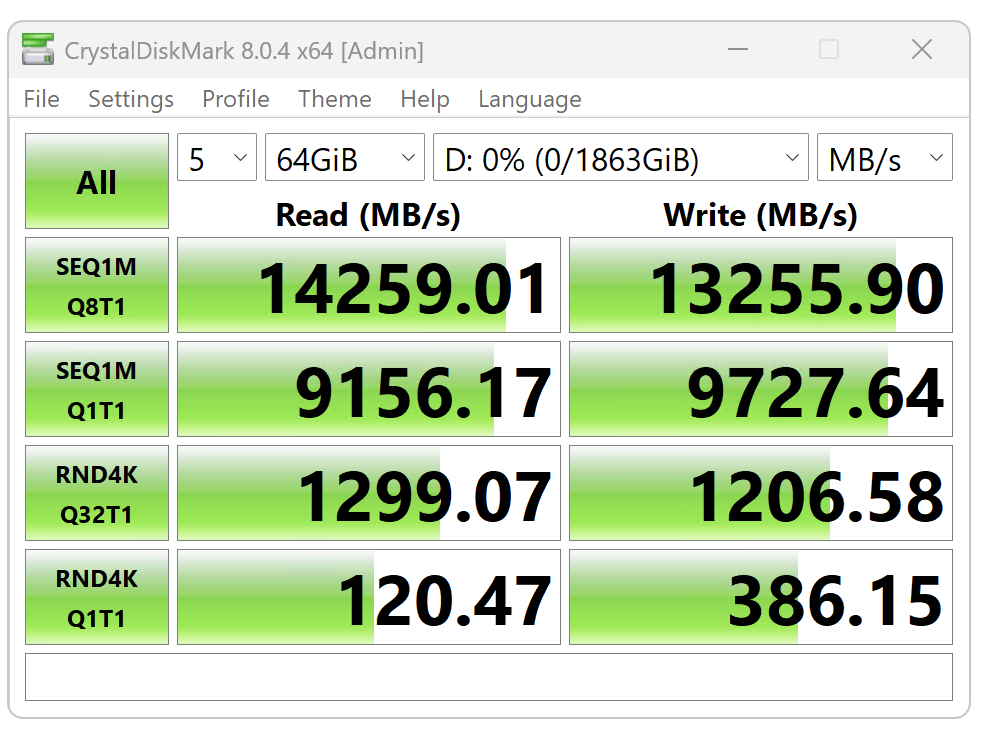
I first created the three-drive array using Windows own Disk Management (RAID 0, or Striped in Windows world). This is the most readily available and cheapest for most users as it’s built into Windows.
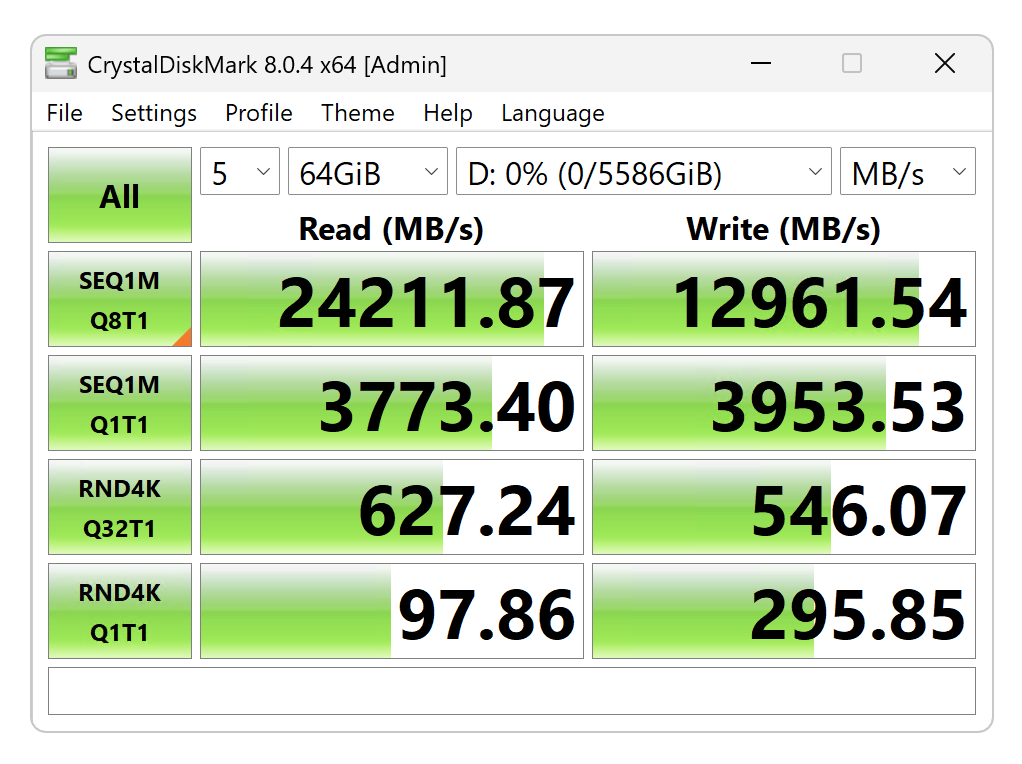
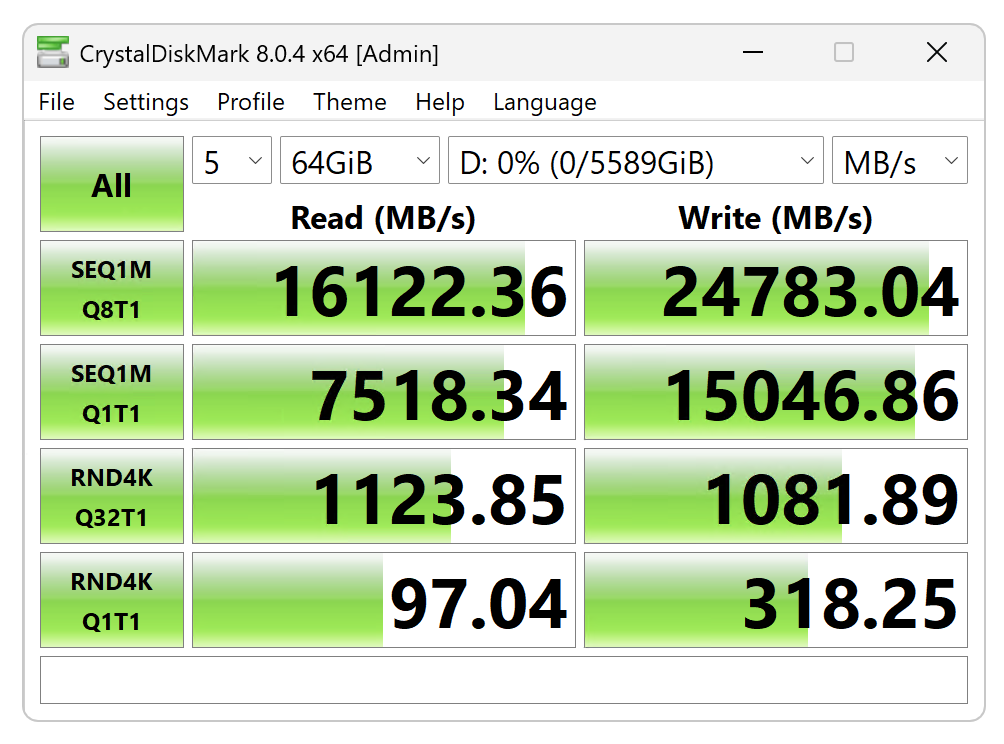
Windows RAID turned in a balanced, if unspectacular combination of read and write performance — faster than a single drive, but not by a ton. OWC’s SoftRAID was faster reading, but slower writing, and Intel’s RST was faster writing, but slower reading.

If you decide on Windows RAID, make sure you select quick format. It’s not selected by default and the long format process takes seemingly, and beats on your SSDs as if they were HDDs, chewing up write cycles as it goes.
OWC’s SoftRAID delivered 24GBps reading and 13GBps writing. Not nearly the write performance I was hoping for.
Using Intel’s (RST) Rapid Storage Technology, I got better write numbers and worse read numbers than with either Windows RAID or OWC’s SoftRAID. Go figure. It’s still not my fantasy 50GBps (or 40Gbps given only three SSDs).
In reality, your mileage will vary according to which SSDs you use, how many you combine in RAID, and the software you use. But it will be faster than a single SSD if you stripe them.
Note that RAID 0 offers zero fault tolerance — if one SSD dies, the data does as well without expensive recovery. While there is this risk with SSDs, it’s not nearly the danger that it is with mechanical HDDs. We haven’t really seen an SSD flat-out fail in a number of years.
On the upside, along with RAID 0’s increased performance, you get a larger volume size (the size of the smallest-capacity disk in the array times the number of disks). The one in our testing was 6TB (2TB times three).
In the end, the performance wasn’t what I’d hoped for, which is not so much a jab at Asus, but the software and drivers involved. Not shocking, but disappointing. I was most perturbed by Intel RST’s slower read performance, which I thought would be significantly faster. As to RST…
Before you decide on Intel RAID, beware that retreating from it once deployed can be a struggle. Somewhat surprisingly, RST RAID 0 enabled and configured solely in the BIOS was just as fast without the Windows drivers installed. I say stick with that arrangement as uninstalling the RST drivers from Windows rendered the OS on our testbed unbootable.
Additionally, either the BIOS RST, RST driver, or a combination of both seemingly corrupted the GPT on one of the SSDs. This created a BIOS error about said issue that I couldn’t get past (after disabling RST) without removing it from the Asus card and repairing it in an external enclosure. Fun, fun, fun.
Do yourself a favor, and image your OS drive before trying Intel RST.
Caveat: With our Z890 motherboard’s 8x4x4 bifurcation setting, both the 3rd and 4th slots on the Asus Hyper M.2 x16 Gen5 card had to be filled, or the third drive would not show up.
Should you buy the Hyper M.2 x16 Gen5?
If you’ve read this article thoroughly, and understand the requirements and limitations — sure. As much as I wish I could use all four slots, it was still a boon having three more fast PCIe 5.0 SSDs in addition to our motherboard’s solitary PCIe 5.0 type. If the testbed didn’t already employ the super-fast (and extremely pricey) Highpoint 7604A, I’d certainly use the Asus card in testing.
