


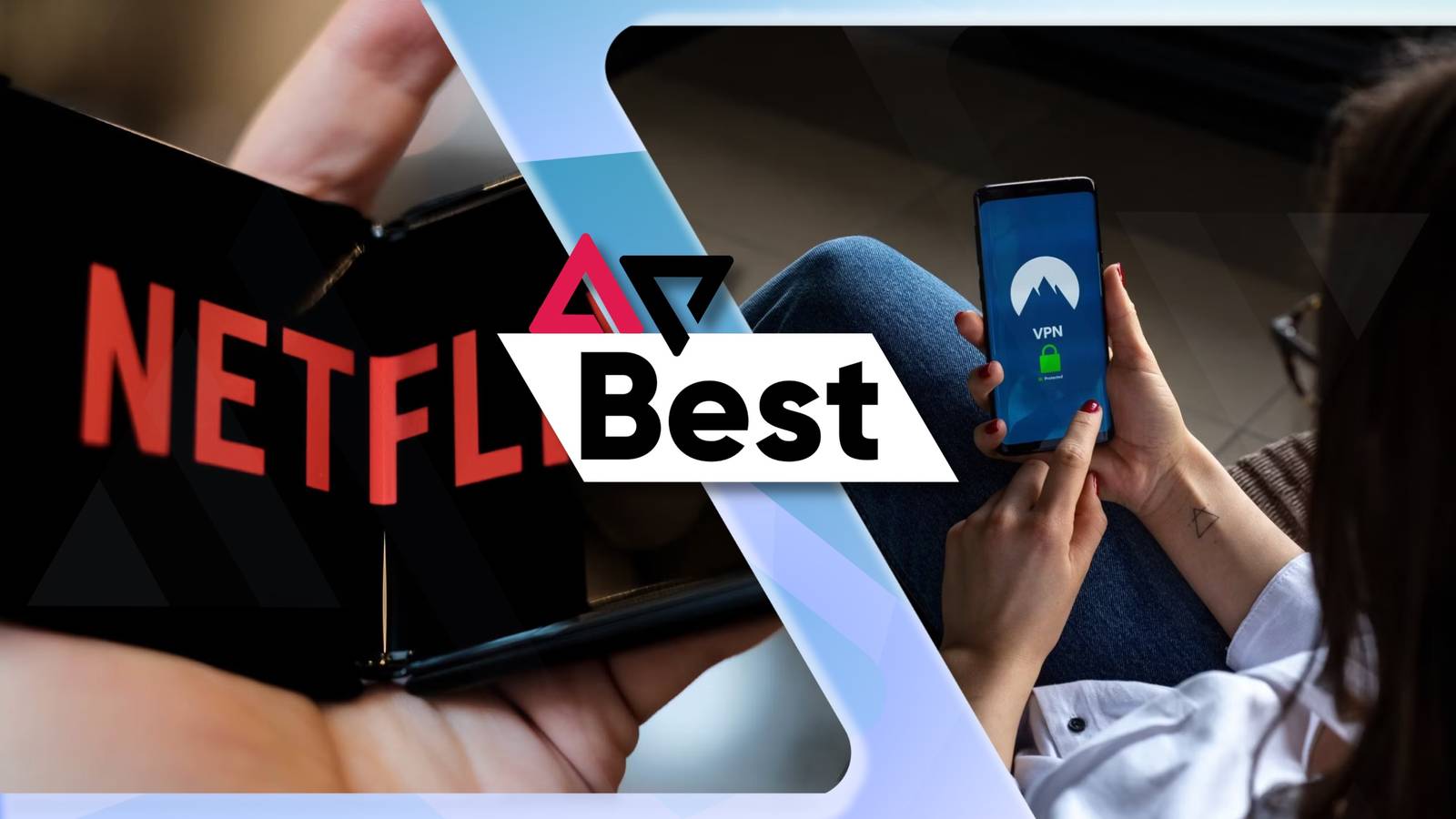
Whether you’re on a commute or want to relax before bed, one of the best ways to spend time is to watch Netflix on your Android. The streaming service is jam-packed with binge-able TV shows, show-stopping documentaries, and blockbuster hits, but there’s a way to expand its extensive library even further — a VPN (virtual private network).
With a VPN, you can virtually travel across borders to access a fresh catalog of the best new movies and TV series in a new region. No more subscribing to a new streaming service to find a show that’s already hiding on Netflix; a VPN can help you unlock Netflix’s global content library. Plus, it will put that great display on your Android phone to good use.
The thing is, you’ll need a VPN that can reliably get past geo-restricted content and that works well with your Android. There are plenty available, but only a few can sneak around Netflix, Disney+, Hulu, and other streaming service’s tough blockades. That’s where this list comes in, showcasing the best Android VPNs for Netflix and beyond.
There’s a variety of VPNs available that claim to get past streaming service blocks, but not all of them can be trusted (especially free VPNs). The best VPNs have a credited no-logs policy and include handy bonus features worth investing in — unlike SuperVPN, which exposed 360 million users’ data. If you prefer to test a VPN before making a purchase, we recommend taking advantage of 30-day free trials.
Top VPNs for Netflix and streaming on Android
- Logging policy
-
No-log policy
- Mobile app
-
Android and iOS
- Number Of Servers
-
164
- Free Trial
-
30 days
- Encryption
-
DES, RSA, AES
NordVPN allows Android users to hop around Netflix’s content libraries easily. With only a little over 6,000 servers in 111 countries, it may not provide access to every spot around the globe; however, it has no issues bypassing strict region restrictions thanks to its streaming-optimized servers and speedy NordLynx protocol. Plus, it has a handy trick that automatically connects to Netflix U.S., even if you’re connected to a server based in your location.
- Optimized speeds
- Plentiful servers for streaming
- Located in Panama with no required data logs
NordVPN is a no-brainer when it comes to speed, which makes it an ideal pick for streaming on Android. From consistent HD and 4K streams to quickly sneaking through Netflix’s strict blocks, it has all the right traits for anyone exploring a vast array of shows from around the globe. What makes it stand out are its optimized servers that automatically redirect users to Netflix’s U.S. library, even if you’re connecting to a location abroad. That doesn’t mean you can’t access other region-specific catalogs; you’ll still be able to watch content in the U.K., Japan, France, Germany, and beyond.
While its map-like user interface on Android isn’t the most convenient, it’s only a minor nuisance compared to everything else the VPN brings to the table. It has over 6,000 servers in 111 countries, a wicked-fast NordLynx protocol, and security features such as Threat Protection, split tunneling, and a Meshnet feature to keep connections between devices secure. If you get tired of Netflix, you can also check out Disney+, Amazon Prime, HBO Max, BBC iPlayer, YouTube TV, and more.
Like our top pick, NordVPN also has a zero-logs policy and Perfect Forward Secrecy. Since it’s based in Panama, a privacy-friendly country, rest assured your information will stay hidden.
- Logging policy
-
No-logs policy
- Mobile app
-
Android and iOS
- Number Of Servers
-
3,200+
- Free Trial
-
7-day
- Encryption
-
AES-256 encryption
Surfshark is an excellent choice for Android users streaming on a budget. Accessing Netflix easily is one thing, but its unlimited simultaneous connections, intuitive app, and reliable speeds give it an edge over many other VPNs, especially at its low-cost subscription price. Some of its 3,200 servers in 100 countries can struggle a tad, but switching to another and getting back to movie night is simple.
- Streamlined Android app
- Unlimited device connections
- British Virgin Islands jurisdiction
- Suffers from minor unblocking issues
Surfshark continues to amaze with its value-for-money VPN service, and it doesn’t slack on the streaming front. Unblocking Netflix libraries comes in its stride, and its reliable internet speeds ensure you’re getting stable HD streams. Oh, and you’ll have plenty of locations to choose from with its 3,200 servers in 100 countries. If that isn’t enough, its generous no-device limit means all your Android devices and beyond can stream the latest TV shows and movies in virtually any location.
Its wealth of security features also brings a lot to the table. Expect fortified AES 256-bit encryption, split tunneling, and its own CleanWeb blocks ads, trackers, and malware whenever you’re connected. While it can open international content libraries on other streaming platforms, including BBC iPlayer, Hulu, YouTube TV, and more, some servers may have trouble bypassing harsh blocks. Not to worry, as its Camouflage mode feature offers obfuscation to make your VPN connection look like a regular one, and its WireGuard protocol offers plenty of security and fantastic speeds for streaming.
Surfshark has British Virgin Islands jurisdiction, and a credited no-logs policy makes sure your information is kept private.

- Logging policy
-
No logs
- Mobile app
-
Yes
- Number Of Servers
-
More than 3,000
- Price Category
-
$12.95 per month; $59.94 per six months; $99.84 per year
- Free Trial
-
30-day free trial
ExpressVPN leads the pack with its extensive list of perks on Android, and it has plenty of experience getting past geo-restricted content on Netflix. It boasts over 3,000 servers in 105 countries and has a MediaStreamer feature, which improves streaming on devices that don’t support VPNs. With its superfast Lightway protocol and 24/7 live chat support, if there are any hiccups, expect buffer-free binge-watching sessions.
- Well-tuned Android app
- Blazing-fast speeds
- British Virgin Islands jurisdiction
ExpressVPN conquers Netflix’s streaming blocks with ease, making it an ideal choice for Android owners. Many of its 3,000 servers in 105 countries are consistently proven to bypass geo-restricted content on streaming services, and its lightning-fast Lightway protocol provides buffer-free streaming in HD and 4K content. Better yet, this will work for up to five devices under one subscription.
It can access Netflix libraries in the U.S., U.K., Japan, France, Canada, and more. Of course, you’ll also get access to different content catalogs on Amazon Prime, Disney+, Hulu, HBO Max, and plenty more. Even if a streaming service catches on, the reliable 24/7 live chat will help you get your show of choice back up and running in no time.
You can also expect a flurry of security tools that are easy to access thanks to the intuitive Android app, such as a kill switch, a Threat Manager feature to block trackers, and multiple security protocols. Throw in its streamer-friendly MediaStreamer smart DNS service that boosts the streaming experience on devices with no VPN support and scrubs traffic of any location-based data, and you have yourself a triumphant VPN service.
ExpressVPN has a strict no-logs policy and uses Perfect Forward Secrecy, meaning all your encrypted data can’t be captured and decrypted by threat actors. It’s also based in the British Virgin Islands, meaning it’s not subject to data retention laws.
- Logging policy
-
No-Logs Policy
- Mobile app
-
Android and iOS
- Number Of Servers
-
125
- Free Trial
-
45 day Money-Back Guarantee
- Encryption
-
AES 256-bit
CyberGhost VPN provides super smooth streaming and more than enough servers to combat Netflix’s blocking techniques, but they’re not the only things that make it a superb VPN for Android. With over 11,500 servers in 100 countries, great speeds with WireGuard, and an affordable two-year annual subscription plan, it’s hard to pass on what CyberGhost offers. Plus, it even has servers specifically made for streaming.
- Easy-to-navigate Android app
- Servers made for streaming
- 45-day free trial
CyberGhost combines affordability, speed, and streaming-focused features to create an excellent VPN for streaming Netflix on Android. Its dedicated streaming servers, which are continuously tested to ensure you’ll get access to content libraries in most parts of the world, are its greatest asset by far. CyberGhost takes this further by boasting over 11,500 servers in 100 countries, a considerable amount more than many VPNs on this list. These are constantly tested to ensure everything is hunky-dory. With this in mind, it goes without saying you’ll also get access to BBC iPlayer, Hulu, and more.
Thanks to its effective WireGuard protocol, expect high-quality streams with no buffering. CyberGhost delivers all the essentials for the security-conscious: a kill switch, split tunneling, and DNS leak protection. Sure, it could use a few more handy features, but if you’re on the hunt for a fantastic streaming optimizer that bypasses geo-locked content, then it won’t disappoint. If you aren’t sure if this VPN service is right for you, its favorable 45-day free trial gives you ample time to make up your mind.
To keep your data secure, CyberGhost VPN is under Romanian jurisdiction, outside the Five Eyes alliance, and it has a credited no-logs policy.
- Logging policy
-
No-Logs Policy
- Mobile app
-
Android and iOS
- Number Of Servers
-
13,000+
- Free Trial
-
Free version with limited features
- Encryption
-
AES-256, ChaCha20
Proton VPN is well-known for its serious stance on providing fortified security online, but it’s also an unblocking wizard as a VPN for streaming on Netflix. Its network of servers continues to grow, now standing at over 5,500 servers in 91 countries, and this open-source VPN service efficiently bypasses geo-blocked content. Security remains a priority over speed, but it has reliable connections that deliver stable streams.
- Effective Android app for easy use
- Brilliant security features and unblocking power
- Switzerland jurisdiction
- Inferior speeds
- Free-tier doesn’t unblock streaming platforms
Proton VPN’s reputation as one of the most secure VPN providers isn’t without merit, with it being from the same creators of the popular end-to-end encryption email service, Proton Mail. However, besides its variety of security tools — like its kill switch, split tunneling, Secure Core feature that routes your traffic through multiple servers, and NetShield adblocker — it also makes for a great Netflix VPN for Android.
With 10GB/s servers for solid speeds and offering access to over 5,500 servers in 91 countries, this open-source VPN provides an easy way to jump into plenty of regional Netflix libraries. Speeds aren’t incredible, but you can still get through a whole series in HD quality on plenty of its servers. While it shares a similar map interface with NordVPN, it lets you quickly access the countries and servers you want, along with a simple country list for quick connections. Furthermore, it offers a favorite list to save the VPN servers you often use, making it quick to connect to countries that have your top shows.
It’s important to note that its free-tier subscription plan doesn’t unblock streaming platforms, so getting the paid Proton VPN Plus plan is best. This will get past blocks from Disney+, Amazon Prime Video, and more.
Proton VPN ensures your online presence stays anonymous. It has Swiss jurisdiction and a no-logs policy that is fully audited by third-party professionals.
- Logging policy
-
No-Logs Policy
- Mobile app
-
Android and iOS
- Free Trial
-
30 day Money-Back Guarantee
- Encryption
-
AES 128-bit or 256-bit
- Supported platforms
-
Windows, macOS, Linux, Android, iOS, Chrome, Firefox, Opera
With PIA (Private Internet Access), you’re getting a staggering amount of benefits that are hard to beat. Most notably, its network has a whopping 35,000 servers in 91 countries. Bypassing geo-locked libraries on Netflix is a breeze, and you can expect stable speeds for quality streaming. With its unlimited device connections, PIA is a solid choice for any Android user, even if it’s based in the U.S. and has an underwhelming app interface.
- Fast speeds for streaming
- 35,000 servers in 91 countries
- Unlimited device connections
- U.S. jurisdiction
- Standard Android app
PIA (Private Internet Access) delivers quantity and quality in the right places for a low-cost price, making it a worthy Android VPN for streaming. You can bet it opens up Netflix’s location-based catalogs and provides smooth, HD-quality streams due to an insane 35,000 servers in 91 countries, 10GB/s servers with the always-reliable WireGuard protocol, and a varied list of security features.
Along with its reliable unblocking potential, PIA offers a selection of advanced security features, including split tunneling, a kill switch, anonymous cryptocurrency payments, and an email breach scanner to check if your email address has been compromised in a data breach. What brings it down is its lackluster app interface, but you’ll still be able to hop between countries and swap servers on the fly. As with many of the best VPNs, you can stream regional content on other streaming platforms, including Disney+, Paramount+, Amazon Prime Video, and more.
PIA is based in the U.S., meaning it’s open to scrutiny. However, it’s an open-source VPN with a strict no-logs policy, which has been reviewed and approved by an independent audit firm.
- Logging policy
-
Zero-Logs Policy
- Mobile app
-
Android and iOS
- Free Trial
-
30-Day Money-Back Guarantee
- Encryption
-
AES 256-bit
- Supported platforms
-
Windows, macOS, Android, iOS, Apple TV, Android TV, Chrome, Firefox, Edge, Brave
PrivadoVPN is your best option to stream abroad without paying a dime. Its free plan offers 11 countries to choose from, and it can bypass major streaming services like Netflix. Its speeds are good enough to deliver a stable connection, but beware that it will restrict speeds once you reach its 10GB data limit.
- Unblocks Netflix and other major streaming services
- Choice of servers in 11 countries
- Works well on Android
- Throttles speeds after 10GB
- Lack of advanced features
If you’re already paying for multiple subscription services, PrivadoVPN will help keep your streaming costs to a minimum. It boasts one of the best free VPN plans around, as its bypassing techniques are sneaky enough to access Netflix and other streaming services from anywhere in the world. Better yet, its speeds are identical to its premium plan, so you’ll get adequate streams to catch up on the latest shows without hassle.
What’s especially good about this freebie VPN is its choice of servers in 11 countries, including the U.S., U.K., Canada, Mexico, Brazil, India, and New Zealand. These are all major destinations for a variety of region-specific Netflix shows, meaning you can switch from US Netflix to UK Netflix in a jiffy. Moreover, if you’re having trouble getting past a streaming platform’s tough blocks, you can change between OpenVPN, IKEv2, or WireGuard protocols in its straightforward Android app.
Free VPNs have their limits, though. It has a 10GB data cap that restricts your speed once it’s exceeded, making streaming impossible, and it doesn’t offer advanced privacy features that will help you stay protected online. Still, all this without forking over cash? Not bad if you’re looking to stream without restrictions. PrivadoVPN is a Switzerland-based company, meaning it’s protected by strict privacy laws; it has a no-logs policy (but it has yet to have a third-party audit).
- Logging policy
-
No-Logs Policy
- Mobile app
-
Android and iOS
- Number Of Servers
-
2400+
- Free Trial
-
30 day Money-Back Guarantee
- Supported platforms
-
Windows, macOS, ChromeOS, Linux, Android, iOS, Chrome, Firefox, Edge, Apple TV
True to its name, IPVanish will make your IP address disappear, making it a solid Android VPN choice for streaming. Its value is well worth the affordable subscription price, as it offers reliable unblocking techniques, good internet speeds, and a fantastic array of security features. While it can struggle to access certain Netflix libraries, you’ll still be able to check out a host of shows in the U.S. and U.K. without hassle.
- Fantastic Android app
- Affordable yearly plans
- No device limit
- U.S. jurisdiction
- Some trouble with Netflix libraries
For value over all else, IPVanish is an exemplary VPN for streaming. With affordable plans that offer unlimited device connections, decent speeds, and various security features to help you stay under the radar, you’re getting a lot of bang for your buck. And even more so with its OpenVPN Scramble feature, which can trick geo-blocked content into thinking you’re not using a VPN.
It will give you access to the U.S. and U.K. versions of Netflix, but getting past other regional content can be tricky. If that’s all you’re after, however, IPVanish is worth checking out. It still sneaks past other services, including Amazon Prime, Disney+, BBC iPlayer, and plenty more, and you get an intuitive Android app that’s easy to navigate and provides a shortlist of your favorite VPN servers for quick access. With 2,400 servers in 56 countries, it could do with a few more servers in more locations. Nonetheless, you can expect stable speeds for buffer-free streaming.
IPVanish is based in the U.S. but has a no-logs policy verified by a third-party cybersecurity company. If you’re looking for the utmost privacy, look elsewhere. Otherwise, IPVanish is a solid VPN for streaming on Android.
Can Netflix detect VPNs?
Because of their ability to hop between countries on the fly, VPNs have become an increasingly popular method to bypass geo-restricted content libraries. As such, streaming giants like Netflix regularly employ strong security measures to ban IP addresses from known VPN servers. This is to keep Netflix in the clear, as it doesn’t have the right to broadcast every TV show or film it makes available on its platform in every country, which is why it has country-specific libraries.
When tuning into Netflix in one location, the platform will block the IP address if many users have the same IP address from a VPN server. Don’t fret; all is not lost. The top VPNs have countermeasures in place to get past these bans, including multiple servers to choose from in the same location, different VPN protocols, and special features used for streaming.
Switching to a server in the same location, choosing a different VPN protocol, or using streaming servers that open new IP addresses that aren’t blocked will help you binge-watch your favorite shows. If all else fails, you can also try clearing the cache on your Android.
Choosing the right Android VPN for streaming on Netflix
The main purpose of a VPN is to hide your IP address and encrypt your internet traffic, keeping you anonymous while you browse the web. Any ol’ VPN should be able to do this, but a few additional measures are needed when it comes to unblocking restrictions for streaming on Netflix. It requires fast, stable speeds, a wide server selection, and an intuitive app (especially for Android, in this case).
NordVPN should be on your radar if you need the fastest speeds around. Expect stable connections for high-resolution streams, a growing selection of over 6,000 servers in 111 countries, and strong bypassing techniques to unlock any of Netflix’s country-specific content libraries. It can be pricey, but you’ll get your money’s worth with its handy features like Meshnet, Threat Manager, and more. Plus, its annual plans offer even more value.
However, Surfshark is the way to go if value is all that matters. Offering unlimited device connections is one thing, but also boasting over 3,200 servers in 100 countries, some of the fastest speeds around, and a simple yet effective Android app makes you wonder how it can be all so affordable. While uncommon, it has trouble unblocking some streaming services. That said, its continuously updated list of servers and Camouflage mode feature can fix that problem promptly.
- Logging policy
-
No-log policy
- Mobile app
-
Android and iOS
- Number Of Servers
-
164
- Free Trial
-
30 days
- Encryption
-
DES, RSA, AES
NordVPN allows Android users to hop around Netflix’s content libraries easily. With only a little over 6,000 servers in 111 countries, it may not provide access to every spot around the globe; however, it has no issues bypassing strict region restrictions thanks to its streaming-optimized servers and speedy NordLynx protocol. Plus, it has a handy trick that automatically connects to Netflix U.S., even if you’re connected to a server based in your location.
- Optimized speeds
- Plentiful servers for streaming
- Located in Panama with no required data logs
