


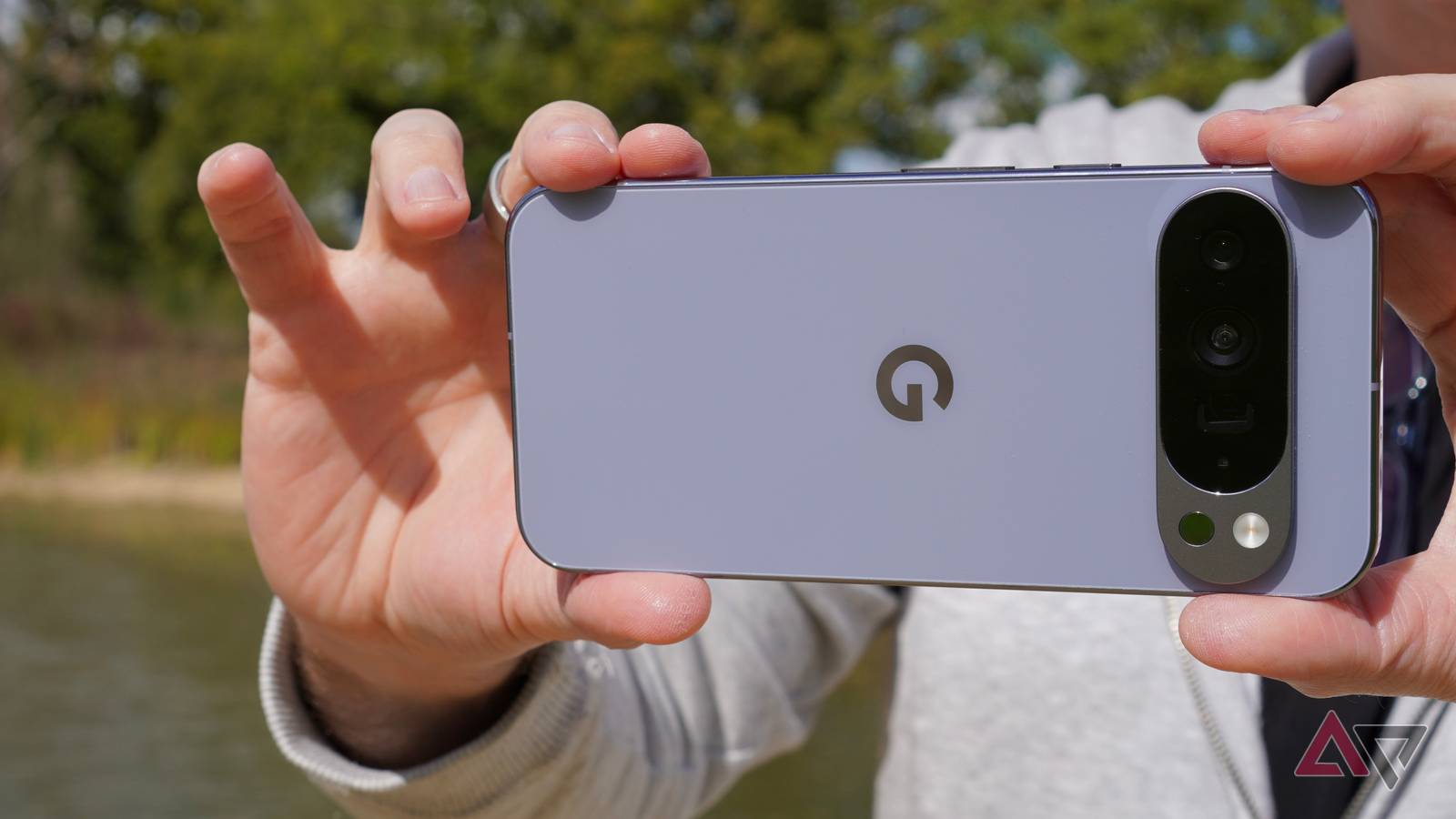
While reviewing the Google Pixel 10 Pro XL and taking photos with it, I often gave the new Camera Coach feature the chance to see if it saw photographic opportunities I was missing.
Camera Coach lets Google’s AI loose inside the camera, ready to help you compose, frame, and shoot the best photo.
However, instead of fueling my creativity or teaching me new things, what I found was yet another sorry AI feature made for a limited audience, and I couldn’t have been more disappointed by it.
Who is Camera Coach for?
Not even newbies need to bother
Here’s what Camera Coach does. It’s activated using a dedicated button above the viewfinder, and when pressed, Gemini examines the scene in front of it for different photographic opportunities.
It then presents them to you as options, and when you choose the one you want, it provides a four or five-step how-to guide to take the photo.
On its own, this sounds like a potentially helpful feature for camera newbies or beginners who want to hone their skills but have no access to a more experienced photographer to give them guidance.
I’ve been there, and finding inspiration and knowing where good angles are is a constant challenge, and a really hard part of those early days as a keen photographer.
Unfortunately, the advice provided by Camera Coach is so basic and the guidance so simple that it’ll probably only be useful to someone who has never picked up a camera before. Even then, I can’t see it being used more than once.
Let’s talk more about what makes it yet another AI failure.
Something goes wrong a lot

A lot of the time, Camera Coach doesn’t actually work.
During my tests in various locations, after activating Camera Coach and waiting while it looks at the scene you’ve pointed the camera at, it returns a “Something went wrong” message and a button to try again.
This initial examination of the scene, regardless of whether it’s going to work or not, takes a minute or two, so don’t expect to get instant feedback.
Quite often, the problem is data. Camera Coach performs its duties online, and if you don’t have a very good phone signal, it struggles to complete the process.
Because it takes a while for all this to be confirmed, you’ll stand there like a statue, the camera probably held out in front of you, while it ponders things and often, ultimately fails.
The signal may not be a problem in the city, but if you want to take photos out in nature, where the signal may be poor, Camera Coach is not going to be any help at all.
It only works if you’re taking photos of stationary objects

When Camera Coach does work, Gemini likes to think about things before coming up with its suggestions.
What this means is, if you want Camera Coach to teach you to take photos of a moving object, then it’s useless, because by the time it has come up with options, whatever was in the shot when you began will have moved on with its life.
Unless you nail down your cat, dog, or child before you start, then don’t even bother with Camera Coach.
In the same way, being reliant on a phone signal limits the locations where Camera Coach can be used, the slow speed limits what you take a photo of, and this relaxed pace doesn’t stop there.
Let’s say you’ve found an immovable object in a location with full data coverage. Camera Coach uses on-screen text-based prompts, and moving through them is a slow manual process, where you press the forward button to go to the next tip.
You get a single sentence telling you what to do, and as we’ll see next, it’s not exactly insightful.
It’s a bit condescending

You’ve chosen to photograph something that doesn’t move, and you’ve entrusted Camera Coach to give you advice. What can you expect? It’s shockingly basic.
There’s no ghost image to line the shot up, and no arrows or anything to point you in the right direction.
It’s a line of text, and almost always, one of them is to “move closer” to whatever you’ve decided to capture, and the last of the steps is “take the photo.”
I understand that Camera Coach is not really aimed at me, but even if I’d never seen a camera or taken a photograph before, I’m fairly sure I’d know to move closer to an object if I wanted it to fill the frame.
Additionally, telling you to take the photo seems, well, superfluous even for the absolute beginner.
It leaves me questioning who I would recommend the Camera Coach to. I ultimately think it would be far more valuable to take as many photos as possible, of as many things as possible, and learn as you go along.
It’s not like you’re limited to 12 photos on a piece of film, and it’s not like Camera Coach is churning out pearls of wisdom all the time either.
It has absolutely no sense at all

While Camera Coach “sees” what the camera is looking at, it doesn’t see what’s in the frame or the environment, and its advice may not be tailored to the scene or take personal safety into account.
When I tasked Camera Coach to help me take a good photo of some swans (which were helpfully being a bit lazy, so no nails were required), after I’d chosen the incredibly creative “Swans on grass” option, the very first thing it told me to do was move closer to the swan.

Swans are known for being pretty feisty, and crowding them in your quest for a good photo isn’t wise. Moving closer to the swan made it move closer to me, and not in a way that suggested it was about to pose.
After abandoning the photo, I wondered how Camera Coach would approach, say, a cliff edge or slippery surface.
It certainly didn’t warn me to be aware of my environment or that swans may not welcome my presence, so it may treat other potentially hazardous environments with the same recklessness.
You may think good sense would stop people from making a terrible mistake, but people are still driving into the sea when blindly following the GPS route, so don’t be so sure.
The photos are rarely very good

Now we get down to the most important part. If Camera Coach’s advice resulted in brilliant, creatively exciting photos I’d have never thought of taking myself, I could forgive its ponderous nature and carefree attitude to my safety.
They’re not. They’re entirely ordinary. There’s nothing wrong with them, and it’s not like Camera Coach gives bizarre advice, but I can’t see how it would help anyone grow as a photographer.
It’s all just very generic, and the photos it produces are therefore generic. To take the photo you see above, Camera Coach told me to reframe the shot to remove a fence and to line up the shoreline with the top-third grid line.
Solid advice, and it can only work with what it’s shown, but was it something most people wouldn’t have been able to work out for themselves? I’m not so sure.
Camera Coach sums up AI on a smartphone today. It’s another “because we can” non-feature that doesn’t seem to cater to real people at all.
Camera Coach was proudly shown off during the Pixel 10’s launch event as a reason we should be excited about the new camera. Sadly, it’s not.
Thankfully though, the Pixel 10 Pro XL’s camera is otherwise up to the usual high standard, and it even puts AI to good use in the Pro Res Zoom feature. My advice is to use that and forget all about Camera Coach.

- SoC
-
Google Tensor G5
- Display type
-
Super Actua
- Display dimensions
-
6.8-inches
- Display resolution
-
2992 x 1344
