


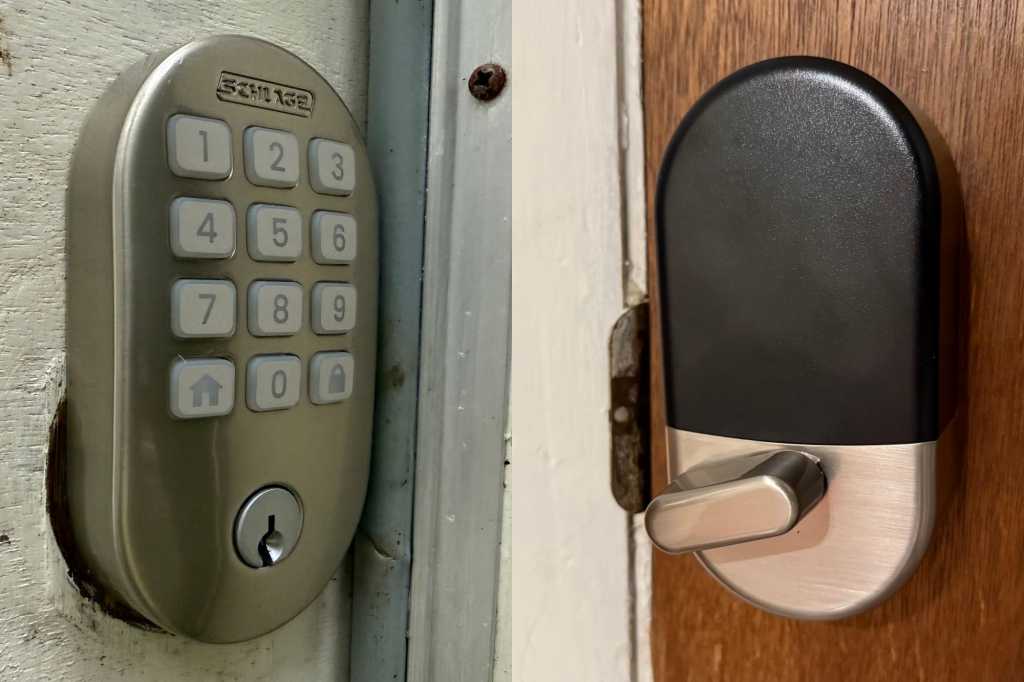
At a glance
Expert’s Rating
Pros
- 2.4GHz Wi‑Fi adapter onboard—no hub or bridge needed
- Triple-A BHMA and ANSI Grade 1 certifications
- Buttons provide tactile feedback
- Supports up to 250 PINs
Cons
- No support for Apple Home or Matter
- No door open/close sensor
- Wi-Fi connectivity decreases battery life
Our Verdict
The Schlage Arrive Smart WiFi Deadbolt Lock is a well-made smart lock that concentrates on the most important tasks, but some will find its price tag a bit high for its limited feature set.
Price When Reviewed
This value will show the geolocated pricing text for product undefined
Best Pricing Today
Best Prices Today: Schlage Arrive Smart WiFi Deadbolt Lock
Schlage has manufactured premium locks for more than a century, and the company successfully transitioned to the smart home era more than a decade ago. The Schlage Arrive Smart Wi-Fi Deadbolt Lock is a lower-cost alternative to the company’s earlier Wi-Fi deadbolts, the Encode and Encode Plus, but the entry-level Arrive still commands a premium price.
You’ll get an incredibly well-made unit for your money, one with physical buttons, stellar triple-A BMHA certification (as well as ANSI Grade 1 commercial certification), direct connection to your Wi-Fi network (no hub or bridge required), and a satisfying clunk when the deadbolt engages.
If you’re looking for a smart deadbolt that offers outstanding security but don’t need a lot of advanced features, the Schlage Arrive is an outstanding choice. That’s assuming you’re shopping for a replacement lock versus a retrofit model for an existing lock. Our guide to retrofit vs. replacement smart lock will help you make that decision.
Hardware
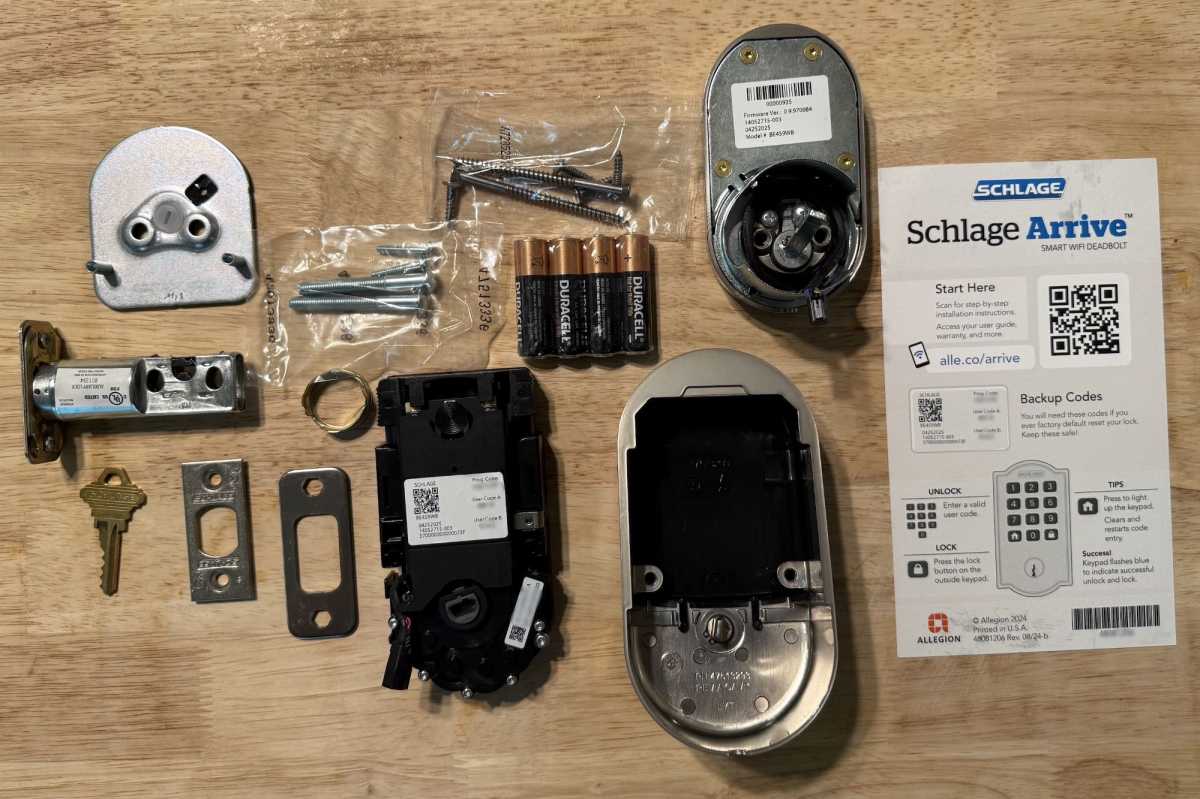
You won’t encounter any surprises when you unbox the Schlage Arrive Smart WiFi Deadbolt Lock (well, apart from getting just a single key).
James Barber/Foundry
The Arrive Smart Wi-Fi Deadbolt Lock comes in either matte black or satin nickel finishes, with a choice of three trim designs: Century is a straight-line rectangle, Remsen (reviewed here) features rounded corners, and Camelot is a more traditional, medallion-like design. Schlage uses raised, rubberized, and backit buttons for the keypad. While I imagine this material costs less than the glass capacitive touchscreen the company uses on its more expensive locks, I prefer the feel of it. The lock also has a conventional key cylinder, but Schlage provides only one key.
The AAA BHMA certification means that after 15 separate standardized tests, it has earned a top grade in all three of the trade group’s categories: Security, durability, and finish. So, it should hold up against heavy residential use. Its ANSI Grade 1 certification, meanwhile, indicates that it’s also certified for use in commercial buildings. For those tests, the lock must survive a minimum of 250,000 open/close cycles and 10 blows with a hammer delivering 75 foot-pounds of force. Here’s even more information on BHMA and ANSI certifications as they apply to deadbolt locks.
Installation
Since I was replacing a previously installed deadbolt, I didn’t need to replace the strike plate on my door jamb. That made for quick 10-minute install requiring only a Phillips-head screwdriver. I had one small issue. The inside of the door had been stained around a previous deadbolt and the Remsen was narrow enough that a sliver of the unstained door underneath is now visible. That’s an issue caused by the original door installation, but it’s worth noting.
After installing the Schlage app on my phone and inserting four AA batteries (included) into the interior escutcheon, I was able to use the app to connect the lock to my 2.4GHz Wi-Fi network. There is no requirement for a bridge or smart home hub, so the process could not have been easier.
The Schlage app
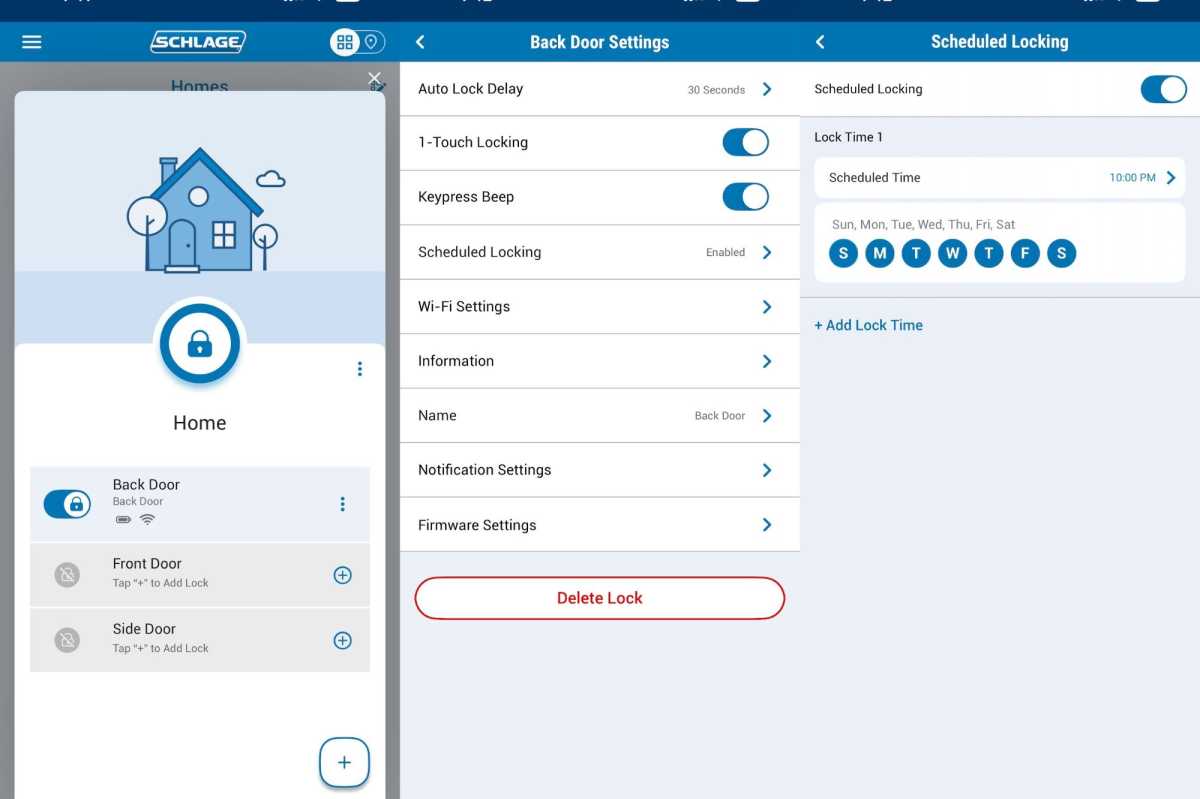
The Schlage Arrive app supports all the features you’d expect, and it lets you assign as many as 200 user PINs.
James Barber/Foundry
The Schlage Home app has been redesigned for 2025, and it feels cleaner and more unified than in years past. The new Home View shows all your Schlage locks at once, with quick buttons for locking and unlocking, plus lock history and battery status. The app makes it easy to create and manage access codes, track usage, and configure push notifications.
Here’s where the Arrive stands out the Schlage lineup: it supports up to 250 access codes, compared to 100 on the Encode and Encode Plus. That’s overkill for most households, but it’s a huge convenience if you’re managing short-term rentals (here’s where that ANSI Grade 1 certification comes in) or giving regular access to service providers. Codes can be time-limited or revoked remotely, and notifications can be tuned to alert you only when certain codes are used.
Smart home integration
One of the features that makes the Arrive an entry-level smart deadbolt is its limited support for smart home ecosystems. The Arrive works with Amazon Alexa, Google Assistant, and Ring Alarm systems through cloud integration, but that’s where the list ends. If you want Apple and NFC tap-to-unlock via an iPhone or Apple Watch, you’ll need to step up to Schlage’s $329 Encode Plus.
The upcoming Schlage Sense Pro (available this fall, price TBA) goes further with Matter-over-Thread and ultra-wideband hands-free unlocking. If you live in Apple’s ecosystem, the Arrive won’t check all your boxes, but it’s perfectly adequate for anyone who just wants reliable Wi-Fi control.
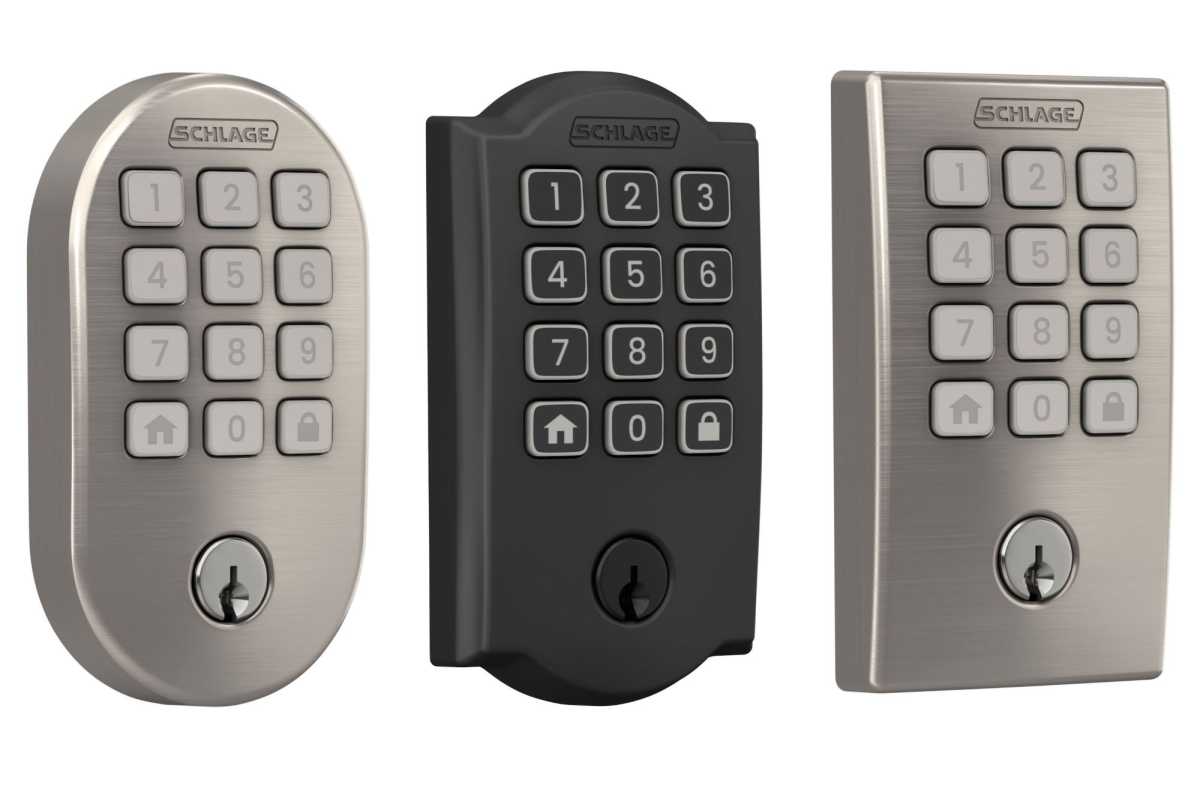
The Schlage Arrive is available in three trims, (from L to R: Remsen, Camelot, and Century) and two finishes (satin nickel and matte black).
Schlage
Everyday use
The Schlage Arrive Smart Wi-Fi Deadbolt Lock has proven to be a “set it and forget it” lock. The unit works exactly as you’d hope after you use the app to set up a four- or eight-digit security code and define how long you want the unit to wait before automatically relocking. Unlocking is instantaneous when you punch in the key and there’s only a slight lag when using the app.
As with all Wi-Fi locks, you’ll be without remote access if your Wi-Fi network goes down. The battery-powered lock will still accept a punch-in code and there’s that single key if your batteries die (you can have more made at your local hardware store).
Where the Arrive fits into Schlage’s lineup
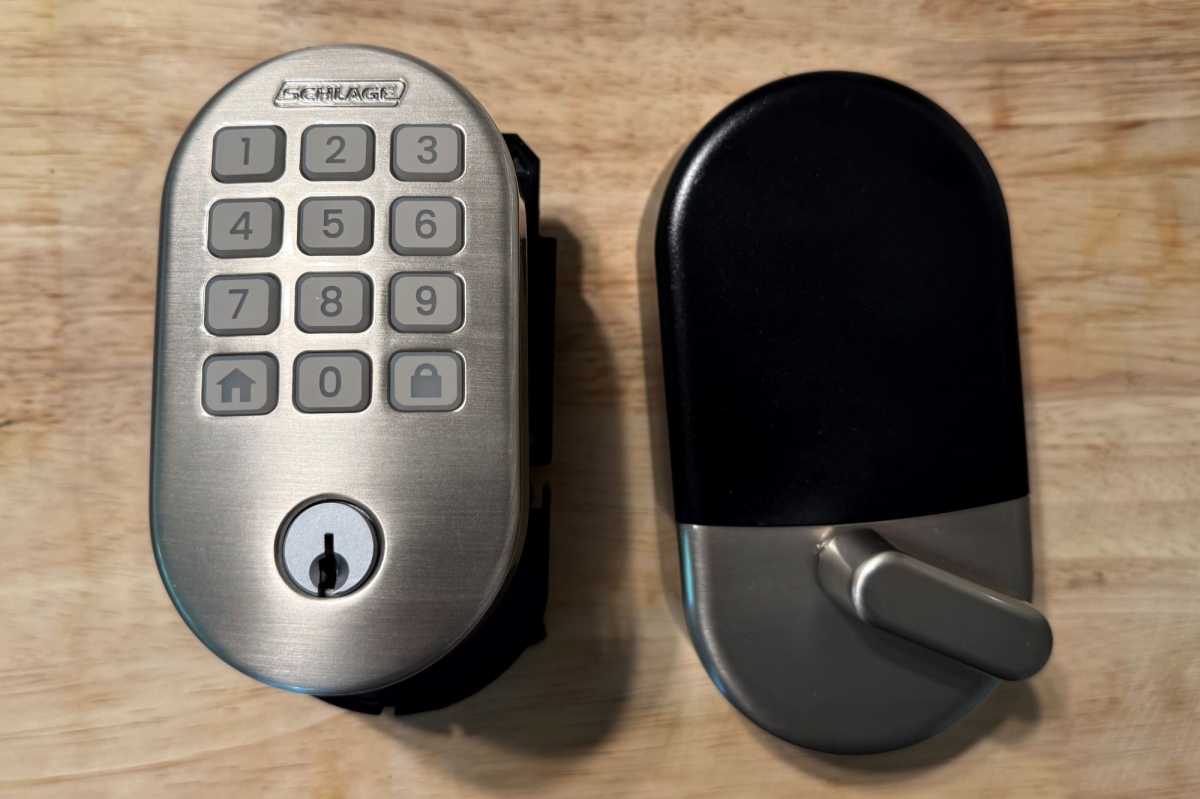
Higher-end locks tend to feature touchscreens, but I prefer the tactile feedback that rubber buttons provide.
James Barber/Foundry
Schlage positions the Arrive as its entry-level smart lock, but I prefer its physical buttons to the touchscreen that’s the primary upgrade included in the $225 Encode. The Arrive also offers support for more than twice as many distinct codes as the Encode.
- Arrive: Push-button keypad, Wi-Fi, 250 codes, Alexa/Google, no Apple HomeKit, no Matter support
- Encode: Capacitive touchscreen keypad, Wi-Fi, 100 codes, Alexa/Google, no Matter support
- Encode Plus: Touchscreen keypad, Wi-Fi, 100 codes, Alexa/Google, Apple Home, NFC tap-to-unlock, no Matter support
- Sense Pro (coming later in 2025): Matter-over-Thread, ultra-wideband intent-based unlocking, NFC, hands-free entry
The Arrive doubles down on the basics: code capacity, tactile usability, and simplified setup. It’s the smart lock you’d put on a garage door, rental property, or side entry; any place where reliability matters more than advanced ecosystem support.
Should you buy the Schlage Arrive Smart WiFi Deadbolt Lock?
The Schlage Arrive Smart Wi-Fi Deadbolt Lock doesn’t push boundaries, and that’s exactly the point. It’s Schlage’s most approachable smart lock yet: easy to install, easy to use, and robust enough to handle daily life without calling attention to itself.
If you want a Schlage lock that supports Apple Home, go for the Schlage Encode Plus. If you’re looking for hands-free entry and Matter support, the Sense Pro might be worth the wait. But if all you want is a dependable, tactile, Wi-Fi smart lock you can manage from your phone, the Schlage Arrive is an excellent choice.
This review is part of TechHive’s in-depth coverage of the best smart locks.
