
Close Menu
TechUpdateAlert

    Subscribe to Updates

    Get the latest creative news from FooBar about art, design and business.

    What's Hot

    My Health Anxiety Means I Won’t Use Apple’s or Samsung’s Smartwatches. Here’s Why

    December 22, 2025

    You can now buy the OnePlus 15 in the US and score free earbuds if you hurry

    December 22, 2025

    Today’s NYT Connections: Sports Edition Hints, Answers for Dec. 22 #455

    December 22, 2025
    Facebook X (Twitter) Instagram
    Trending
    • My Health Anxiety Means I Won’t Use Apple’s or Samsung’s Smartwatches. Here’s Why
    • You can now buy the OnePlus 15 in the US and score free earbuds if you hurry
    • Today’s NYT Connections: Sports Edition Hints, Answers for Dec. 22 #455
    • Android might finally stop making you tap twice for Wi-Fi
    • Today’s NYT Mini Crossword Answers for Dec. 22
    • Waymo’s robotaxis didn’t know what to do when a city’s traffic lights failed
    • Today’s NYT Wordle Hints, Answer and Help for Dec. 22 #1647
    • You Asked: OLED Sunlight, VHS on 4K TVs, and HDMI Control Issues
    Facebook X (Twitter) Instagram Pinterest Vimeo
    TechUpdateAlertTechUpdateAlert
    • Home
    • Gaming
    • Laptops
    • Mobile
    • Software
    • Reviews
    • AI & Tech
    • Gadgets
    • How-To
    TechUpdateAlert
    Home»Reviews»Microsoft engineer saves Windows mixed reality devices
    Reviews

    Microsoft engineer saves Windows mixed reality devices

    techupdateadminBy techupdateadminSeptember 5, 2025No Comments4 Mins Read
    Share Facebook Twitter Pinterest LinkedIn Tumblr Reddit Telegram Email
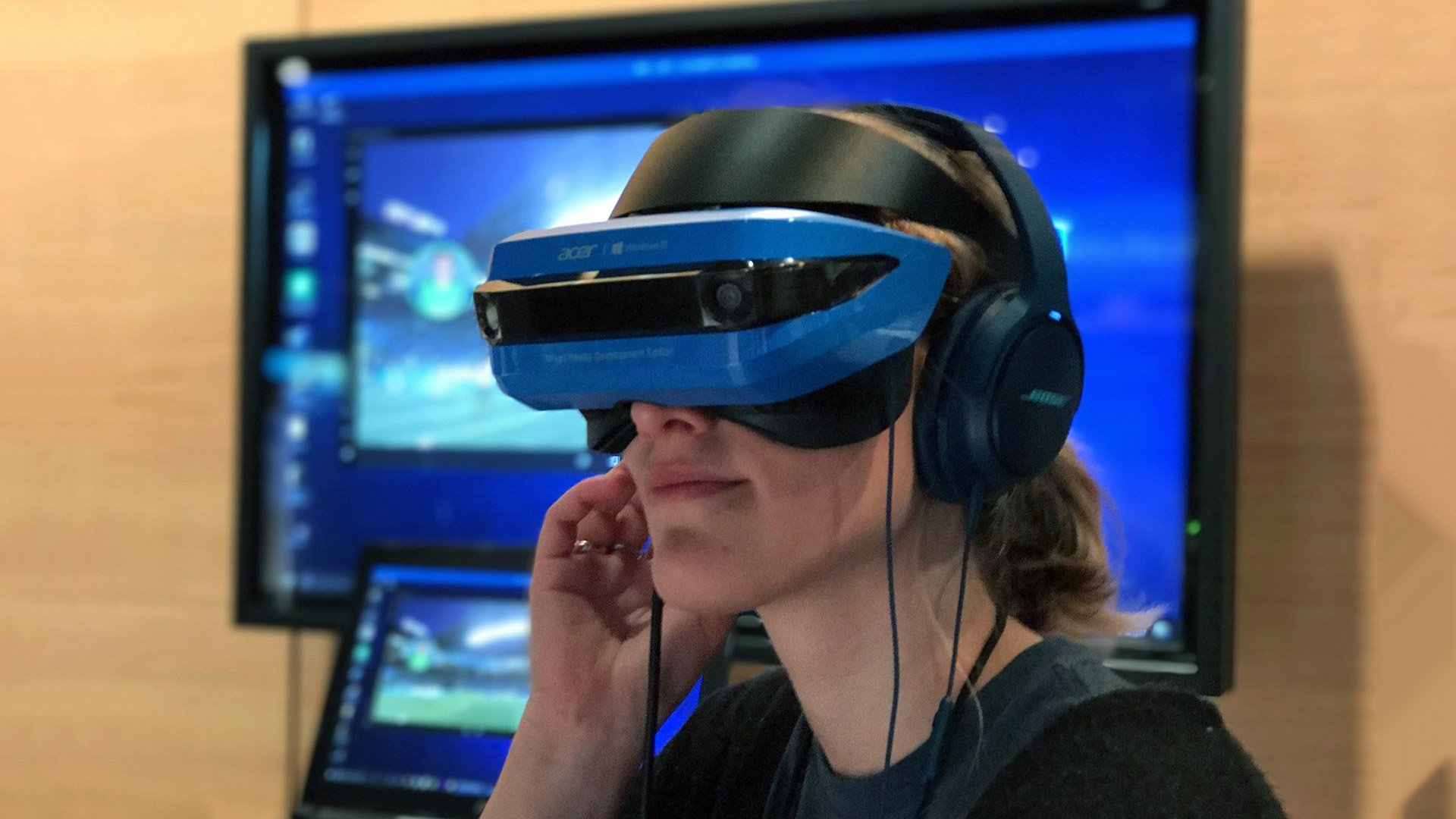
    Acer Mixed Reality
    Share
    Facebook Twitter LinkedIn Pinterest Email

    Last year, Microsoft inexplicably rendered thousands of virtual reality headsets useless as the company pulled support for the Windows Mixed Reality platform. Those who were still using a Windows Mixed Reality headset would find that their device no longer works when updating to Windows 11 version 24H2.

    While it made some sense for Microsoft to end support for the Windows Mixed Reality platform, it didn’t make sense to render the headsets entirely useless along with it. These headsets were still entirely capable devices, and worked very well with third-party platforms like SteamVR.

    Rest assured, a lone Microsoft employee by the name of Matthieu Bucchianeri has done the hard work for Microsoft, and reverse engineered a driver he calls “Oasis” that restores functionality to these Windows Mixed Reality headsets on Windows 11 version 24H2 and above.


    You may like

    The driver re-enables the headsets for use with SteamVR, offering full headset and motion controller tracking with a native SteamVR rendering pipeline. Because it bypasses the old Windows Mixed Reality platform, it does not require the Windows Mixed Reality portal to be installed.

    Bucchianeri is a principle firmware engineering manager at Microsoft, and previously worked on the Mixed Reality team and on HoloLens, so if anyone was going to do it, it makes sense that Bucchianeri stepped up to the challenge. He says the Oasis driver is a “deep reverse-engineering” effort that involved “a combination of luck and perseverance.”

    Because of the nature of Bucchianeri’s employment, he says the driver will not be open sourced as to avoid any potential NDA breaches. The driver is free and available to download directly through Steam, and should work with any Windows Mixed Reality headset.

    The process for unlocking your Windows Mixed Reality headset is straightforward. (Image credit: Windows Central)

    I tested the driver with an old HP Mixed Reality device, and can confirm that it works as advertised on Windows 11 version 24H2 and Windows 11 version 25H2. The process for enabling the headset and controllers for use on these newer versions of Windows is straightforward, requiring the peripherals to be disconnected and reconnected to “unlock” the headsets for use with SteamVR.

    All the latest news, reviews, and guides for Windows and Xbox diehards.

    From there, just download SteamVR through the Steam client and launch it. The Windows Mixed Reality headset and controllers should be picked up as a native SteamVR headset, and you’ll be able to run any SteamVR games and apps of your choosing.

    Unfortunately, the driver only works with PCs powered by NVIDIA graphics. Bucchianeri says this is due to features that are missing in the AMD and Intel graphics drivers. It sounds like this isn’t something that can be addressed on Bucchianeri’s end.

    So, if you’ve got an old Windows Mixed Reality headset lying around that you’ve retired because Microsoft pulled support for it on Windows 11 version 24H2, and a PC with an NVIDIA graphics card, it’s time to dust it off and give it a try with SteamVR. Valve’s VR platform is far richer compared to the Windows Mixed Reality platform, with thousands of games and apps available in the Steam Store that weren’t available on Microsoft’s.

    There are some known issues with the driver that you might want to check out before you attempt to install, but the overall experience works surprisingly well.

    The life and death of Windows Mixed Reality
    Man wearing HoloLens 2

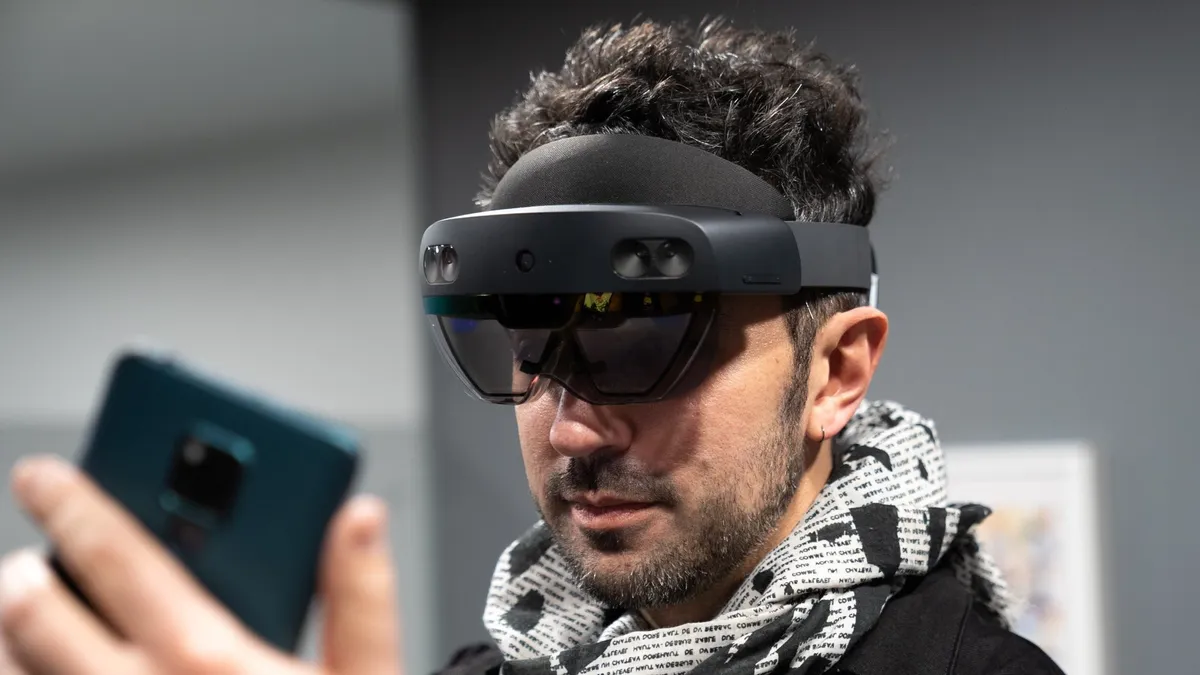
    HoloLens 2 is dead. (Image credit: Windows Central)

    Microsoft’s Windows Mixed Reality platform first launched in 2017, and would be included on all Windows 10 PCs. It required special Windows Mixed Reality hardware from OEMs like Dell, HP, and Lenovo, and was built on a similar platform as HoloLens, featuring the same interface and app platform.

    The platform existed until 2023, when Microsoft announced the deprecation and removal of the Windows Mixed Reality platform with the Windows 11 version 24H2 update. Unfortunately, the removal of the platform also rendered the headsets inoperable.

    Microsoft also ended production on HoloLens around the same time, marking a disappointing end to Microsoft’s mixed reality efforts. The Oasis driver is a saving grace for anyone with an older Windows Mixed Reality headset that wants to continue using it to play the latest VR games from Steam or via OpenXR!

    What are your thoughts on the Oasis driver for Windows Mixed Reality headsets? Will this encourage you to jump back into VR gaming on Windows 11? Let us know in the comments.

    via UploadVR

    Devices engineer Microsoft mixed reality saves Windows
    Share. Facebook Twitter Pinterest LinkedIn Tumblr Email
    Previous Article3 ways ChatGPT’s free Projects feature upgrades your daily routine
    Next Article Today’s NYT Connections: Sports Edition Hints, Answers for Sept. 5 #347
    techupdateadmin
    • Website

    Related Posts

    Gadgets

    Your next Legion Go 2 might run SteamOS instead of Windows 11

    December 21, 2025
    Gadgets

    The Best Wellness Devices That Fitness Pros Recommend and Use Themselves

    December 16, 2025
    Gadgets

    Microsoft makes theming your Windows 11 PC as easy as phones, but not as much fun

    December 15, 2025
    Add A Comment
    Leave A Reply Cancel Reply

    Top Posts

    NYT Strands hints and answers for Monday, August 11 (game #526)

    August 11, 202545 Views

    These 2 Cities Are Pushing Back on Data Centers. Here’s What They’re Worried About

    September 13, 202542 Views

    Today’s NYT Connections: Sports Edition Hints, Answers for Sept. 4 #346

    September 4, 202540 Views
    Stay In Touch
    • Facebook
    • YouTube
    • TikTok
    • WhatsApp
    • Twitter
    • Instagram
    Latest Reviews

    Subscribe to Updates

    Get the latest tech news from FooBar about tech, design and biz.

    Most Popular

    Best Fitbit fitness trackers and watches in 2025

    July 9, 20250 Views

    There are still 200+ Prime Day 2025 deals you can get

    July 9, 20250 Views

    The best earbuds we’ve tested for 2025

    July 9, 20250 Views
    Our Picks

    My Health Anxiety Means I Won’t Use Apple’s or Samsung’s Smartwatches. Here’s Why

    December 22, 2025

    You can now buy the OnePlus 15 in the US and score free earbuds if you hurry

    December 22, 2025

    Today’s NYT Connections: Sports Edition Hints, Answers for Dec. 22 #455

    December 22, 2025

    Subscribe to Updates

    Get the latest creative news from FooBar about art, design and business.

    Facebook X (Twitter) Instagram Pinterest
    • About Us
    • Contact us
    • Privacy Policy
    • Disclaimer
    • Terms and Conditions
    © 2026 techupdatealert. Designed by Pro.

    Type above and press Enter to search. Press Esc to cancel.