


At a glance
Expert’s Rating
Pros
- Good multitasking performance
- Beautiful display
- Punchy speakers
Cons
- Keyboard took some getting used to
- AI stuff still feels unnecessary
Our Verdict
The Acer Chromebook Plus Spin 514 mixes a premium-feeling build with solid multitasking chops.
Price When Reviewed
This value will show the geolocated pricing text for product undefined
Best Pricing Today
Best Prices Today: Acer Chromebook Plus Spin 514

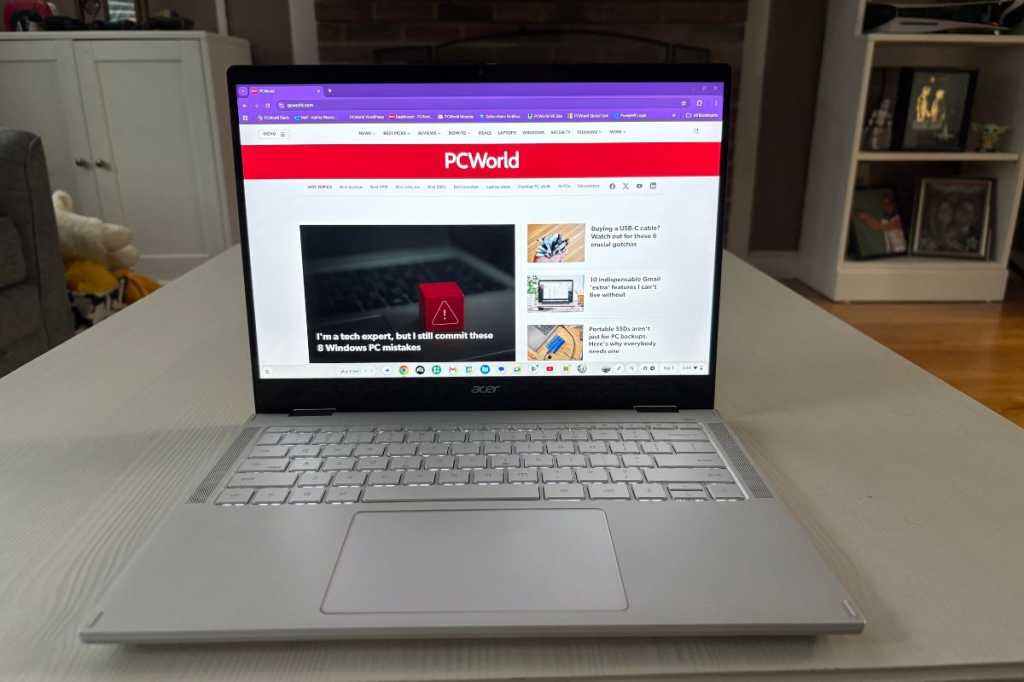
The Chromebook Plus Spin 514 is Acer’s newest addition to the Plus lineup, and it’s trying to carve out a spot in a sea of similar-looking midrange laptops. First impressions? This is an amazing Chromebook. You get peppy performance, a flexible 2-in-1 design, and a 120Hz touchscreen that feels more premium than the price tag suggests.
Inside it’s running MediaTek’s Kompanio Ultra 910 chip, which promises solid performance without totally killing the battery. Sprinkle in the latest batch of Chromebook Plus AI extras and, on paper, it’s got all the basics covered. But the real question is–does it actually excel? Let’s find out.
Acer Chromebook Plus Spin 514: Specs
There are two configurations I’m aware of. The unit I tried out was running MediaTek’s new Kompanio Ultra 910, with 12GB of RAM (odd number, right?) and 256GB of UFS storage tossed in. The screen’s a 14-inch touchscreen, 1920×1200 at 16:10, and it runs at a smooth 120Hz. Mine came with a 1080p webcam, but the version you can actually buy has a 5MP camera, so video calls should look a bit sharper.
The higher-end model comes with a 14-inch 2880×1800 display (60Hz) and 16GB of RAM, and will be available through the Acer store on September 4th for $749.99. The lower-end model, which I reviewed here, launches at Best Buy on September 19th for $699.99.
- Model number: CP514-5HN-K6DY
- CPU: MediaTek Kompanio Ultra 910
- GPU: Immortalis-G925
- RAM: 12GB RAM
- Storage: 256GB UFS
- Display: 14-inch 1920×1200 touchscreen, 16:10 aspect ratio, 120Hz refresh rate, USI 2.0 stylus supportive
- Webcam: 1080p
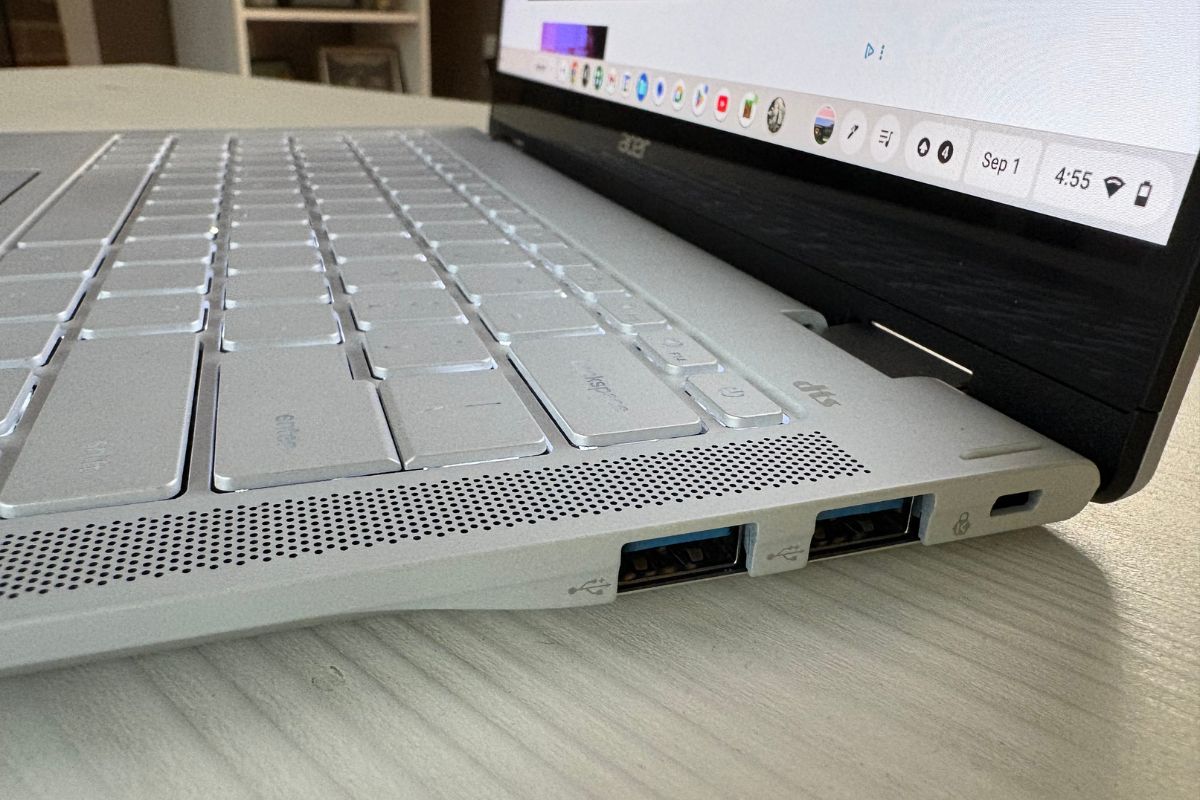
- Ports: 2 USB Type-C ports, two USB-A 3.2 Gen 1 ports, 3.5 mm headphone/speaker jack
- Networking: Wi-Fi 7
- Dimensions: 313 (W) x 232 (D) x 15.5 (H)
- Weight: 3 pounds
- Price: $699.99
The Acer Chromebook Plus Spin 514 does a stellar job of mixing the practical stuff with a bit of polish.
Acer Chromebook Plus Spin 514: AI stuff
AI is really inescapable, isn’t it?
I tried the Plus Spin 514’s on-device Smart Grouping feature again, which you can access via F4, and found it handy in some respects. I had Slack, PCWorld, Docs, and Gmail open on my work deck, and YouTube and Discord running on my play deck. It helped me keep work and leisure time totally separate.
It’s great when I’ve got loads of open tabs, but on slower days it sort of feels like overkill. Would I use Smart Grouping on a day to day basis? Nah.
Acer Chromebook Plus Spin 514: Design, build quality
IDG / Ashley Biancuzzo
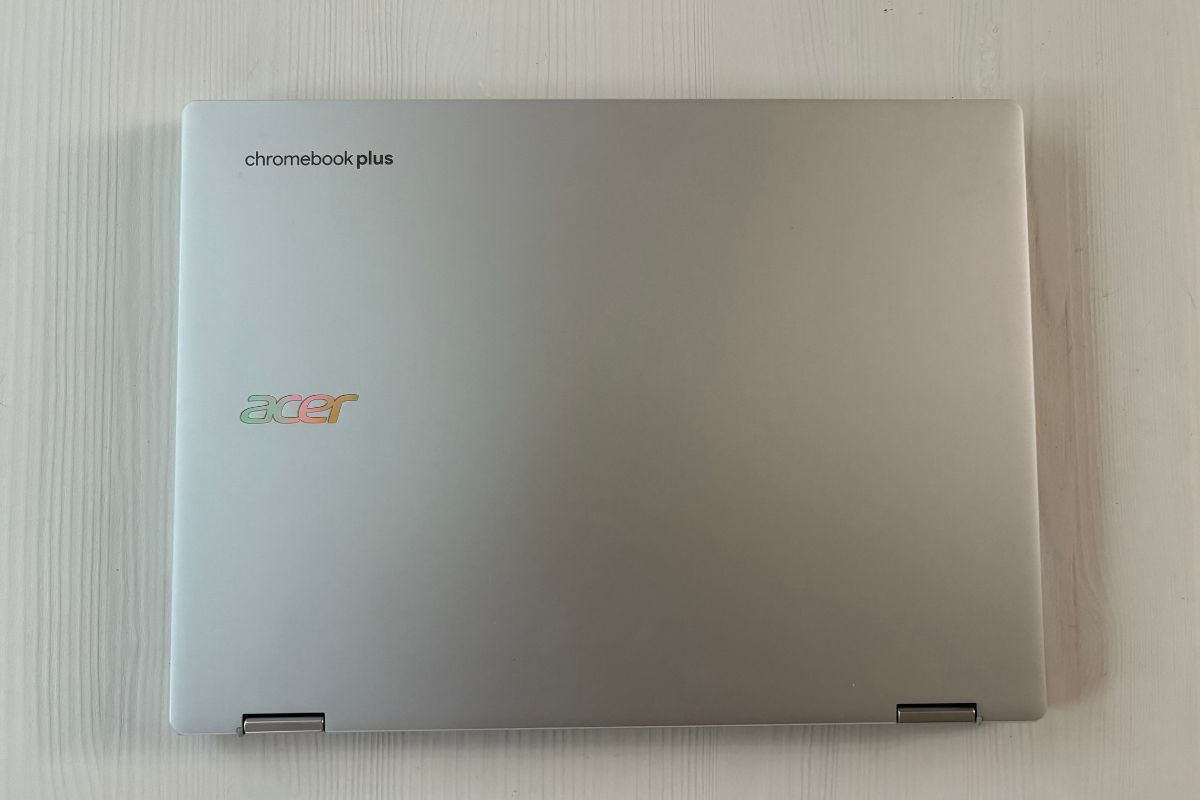
Design-wise, the Acer Chromebook Plus Spin 514 actually resembles the Lenovo Chromebook Plus 14–it’s sleek, sophisticated, and it definitely feels more like a higher-end machine than a budget one. Although the silver exterior is nice, personally I like the Lenovo’s colorway, which changes a bit under the light. I just like a gold undertone, what can I say?
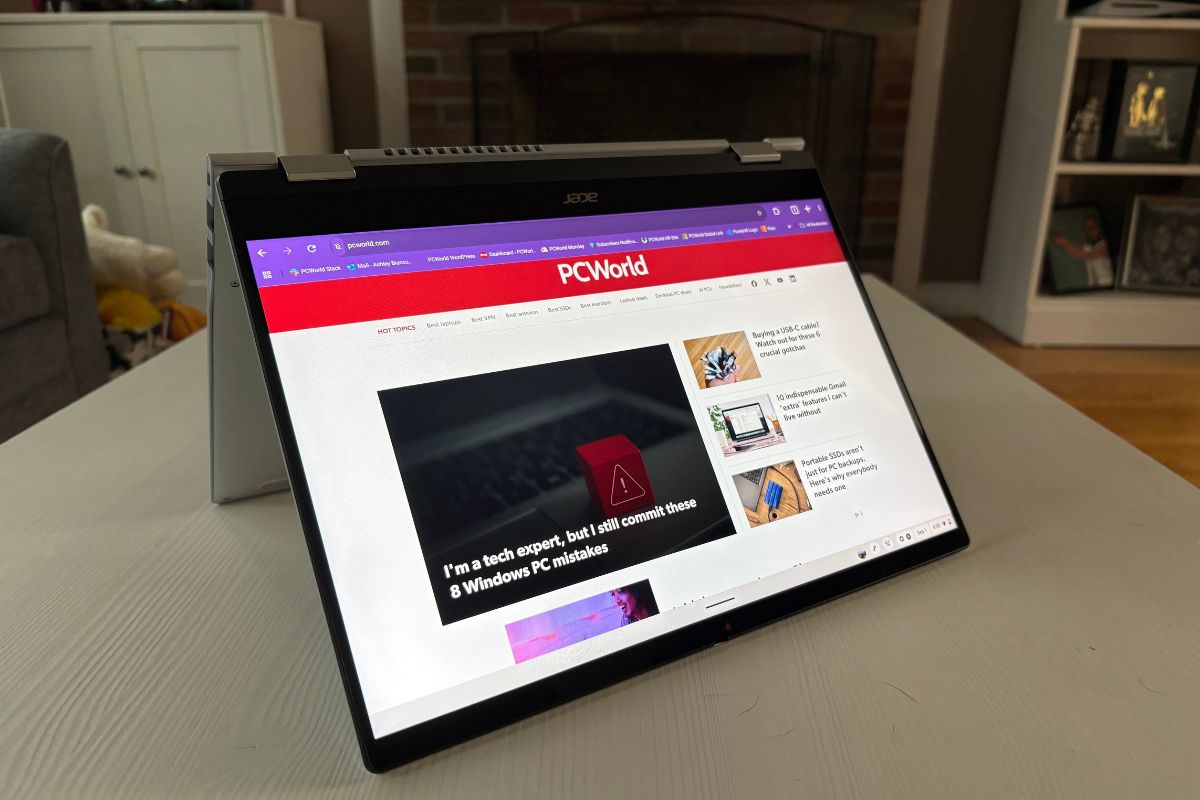
The Acer’s 2-in-1 design is what really makes it stand out. You can flip it around, doodle on it, or take notes. You can also set it up in tent mode and binge your favorite anime. I’m not knocking traditional clamshells, as they work perfectly fine, but having the extra flexibility of a convertible is nice.
As for build quality, it’s far from flimsy, which is what you want in a midrange machine. The display is more rigid than you might expect, and the keyboard deck feels solid, like it’ll hold up well over time.
Acer Chromebook Plus Spin 514: Keyboard, touchpad
IDG / Ashley Biancuzzo
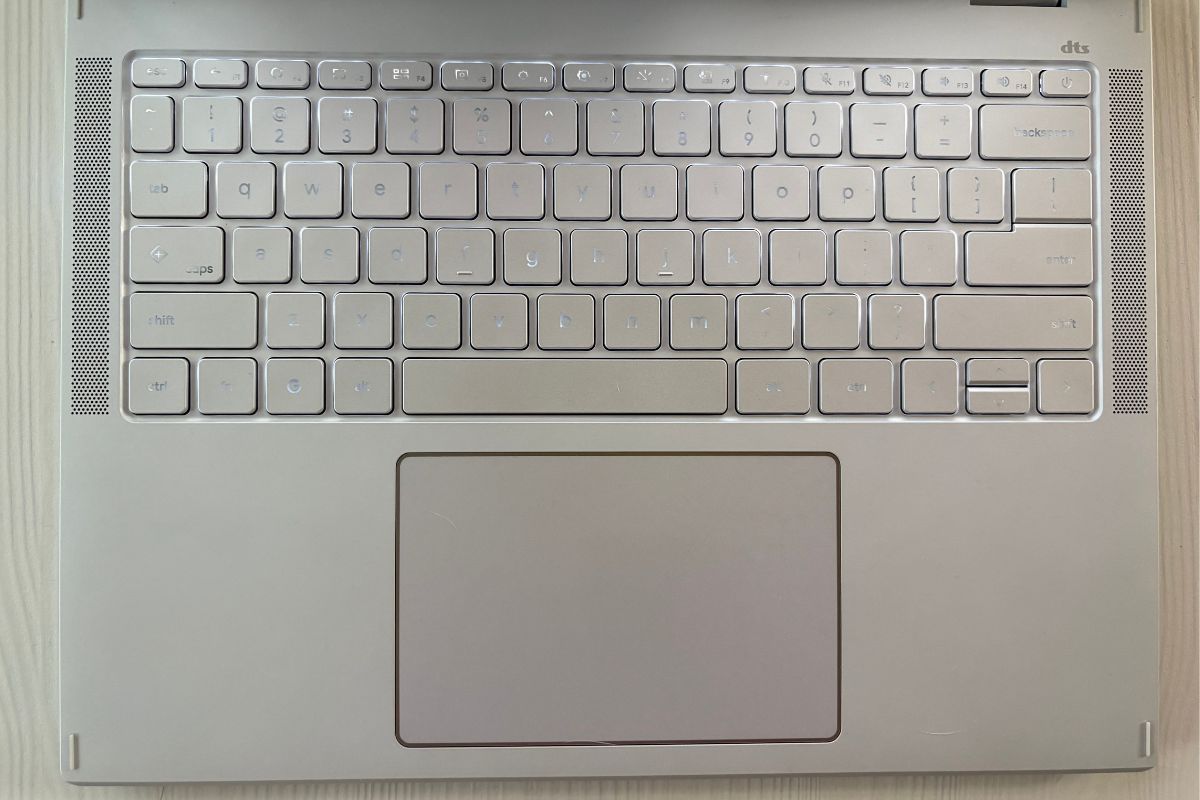
The keys have a nice bounce to them, that’s for sure. But the whole keyboard sits slightly higher than I’m used to, so I often overshot and hit the mute button. The first few days were a little annoying, as I kept accidentally muting the documentary I was watching–I hate it when something interrupts me while I’m deep in the zone. That said, this is more of a personal quirk than a genuine complaint, and you get acclimated to new keyboard layouts quickly.
It didn’t take long before my fingers were flying across the keys at their normal rhythm. Oh, and did I mention the white backlighting? This comes in handy on nights when I dim my living room lights.
The OceanGlass touchpad–made from ocean-bound plastics, by the way–feels great under your fingertips and is generously sized. It’s also centered beneath the keyboard, which I personally prefer. Off-center touchpads are more common on gaming laptops anyway because of dedicated number pads and the fact that most gamers tend to use an external mouse.
Acer Chromebook Plus Spin 514: Display, speakers
IDG / Ashley Biancuzzo
The 14-inch 1920×1200 touchscreen is a pleasure to use. Colors are rich and vibrant, and even in darker scenes—like those in Netflix’s Wednesday—the blacks show impressive depth. It’s sharp and colorful enough for both checking e-mail and watching movies, though it’s not 4K-level of goodness. It’s basically a nice step up from your standard 1080p screen. It’s got Gorilla Glass on top as well, so you don’t have to worry about scratches.
The dual upward-firing speakers are shockingly punchy. I usually throw on a playlist while cooking and, somehow, even with all the sizzling and bubbling, I could still make out Chappell Roan’s vocals soaring above the chaos.
The only time the sound got a bit muffled was in tablet mode, when the speakers pointed down into your lap or a desk.
Acer Chromebook Plus Spin 514: Connectivity, webcam
IDG / Ashley Biancuzzo
For connectivity options, it’s a decent spread. You get two USB 3.2 Gen 2 Type-C ports and two USB 3.2 Gen 1 Type-A ports. The first lets you charge or connect multiple peripherals at the same time, the latter is good for older accessories. It also has Wi-Fi 7, making the device future-proof.
The review model came with a 1080p webcam, but the final version will have an 5MP camera. That should capture more detail than the 1080p one. I’m a bit bummed I didn’t get to test the upgraded model, but oh well.
I used the 1080p webcam during a couple of Zoom calls and found it to be both sharp and color accurate. I was sitting under the white lights in my kitchen in the late afternoon and I didn’t look ghostly pale, so that was a nice surprise.
Acer Chromebook Plus Spin 514: Performance
Since both the Acer Chromebook Plus Spin 514 and the Lenovo Chromebook Plus 14 are running MediaTek’s new Kompanio Ultra 910 chip, it feels only fair to see how they stack up. On paper they look similar, but the benchmarks give Acer a bit of an edge.
In Speedometer 3.1, the Spin 514 hits 27.9 versus Lenovo’s 25.2. The gap is even bigger in Basemark Web 3.0—1,662 versus 1,151—indicating that the Acer handles web apps and multiple tabs with a bit more finesse.
Lenovo does take a slight win in Kraken (407ms vs Acer’s 428.2ms) and also scores a bit higher in Jetstream 2 (344.875 vs 318.747), which measures how efficiently it executes JavaScript and WebAssembly code respectively. For most folks, you won’t see a difference.
For the usual stuff like Google Docs and YouTube, the Acer handles things with a bit more breathing room. Both laptops manage the Kompanio chip well, but the Spin 514 runs a little faster.
So, why are these two laptops with almost identical specs behaving differently in benchmarking? It comes down to a few things, but I suspect the main culprits are the Lenovo’s OLED panel and the Acer’s chassis size. OLEDs put more demand on the processor and draw more power, limiting performance. The Acer, which is bigger than the Lenovo, manages heat better because of its size. On top of that, Acer also has an active cooling fan and the Lenovo is a fanless design.
- WebXPRT 4: 265
- Speedometer 3.1: 27.9
- Basemark Web 3.0: 1662
- Kraken: 428.2ms
- Jetstream 2: 318.747
By the way, for transparency’s sake, CrXPRT 2 is dead (it stopped working in July, also RIP), so I grabbed WebXPRT 4 instead—it’s a solid replacement that gets the job done.
Acer Chromebook Plus Spin 514: Battery life
I wasn’t able to run the battery benchmark we normally use because CrXPRT 2 is no longer working. I also wasn’t able to find a suitable replacement in time for this review. Instead, I recorded the number based on real-world usage–I just used the laptop like I normally would until it died. I watched YouTube videos, typed up this review in a Google doc, drafted e-mails to the freelancers I work with, chatted with coworkers on Slack, and so on.
With the brightness turned down some (about 80 percent), the Plus Spin 514 lasted roughly 15 hours on a single charge. That’s enough for a full work day, and pretty close to Acer’s initial claim of 17 hours. My day-to-day workflow consists of lighter tasks, though, so battery life may vary. Just keep in mind that running loads of tabs all day will drain it faster.
Acer Chromebook Plus Spin 514: Conclusion
The Acer Chromebook Plus Spin 514 does a stellar job of mixing the practical stuff with a bit of polish. It feels sturdier than you’d expect, and both the screen and speakers punch way above what most midrange Chromebooks usually offer. The AI features? Cool but unnecessary.
And when you put it up against Lenovo’s Chromebook Plus 14, both of which are running the same Kompanio Ultra 910 chip, the Acer simply feels like the snappier, more versatile option. Lenovo can do the basic stuff just fine, but Acer gives you more wiggle room if you’re more of a multitasker.
