
Close Menu
TechUpdateAlert

    Subscribe to Updates

    Get the latest creative news from FooBar about art, design and business.

    What's Hot

    My Health Anxiety Means I Won’t Use Apple’s or Samsung’s Smartwatches. Here’s Why

    December 22, 2025

    You can now buy the OnePlus 15 in the US and score free earbuds if you hurry

    December 22, 2025

    Today’s NYT Connections: Sports Edition Hints, Answers for Dec. 22 #455

    December 22, 2025
    Facebook X (Twitter) Instagram
    Trending
    • My Health Anxiety Means I Won’t Use Apple’s or Samsung’s Smartwatches. Here’s Why
    • You can now buy the OnePlus 15 in the US and score free earbuds if you hurry
    • Today’s NYT Connections: Sports Edition Hints, Answers for Dec. 22 #455
    • Android might finally stop making you tap twice for Wi-Fi
    • Today’s NYT Mini Crossword Answers for Dec. 22
    • Waymo’s robotaxis didn’t know what to do when a city’s traffic lights failed
    • Today’s NYT Wordle Hints, Answer and Help for Dec. 22 #1647
    • You Asked: OLED Sunlight, VHS on 4K TVs, and HDMI Control Issues
    Facebook X (Twitter) Instagram Pinterest Vimeo
    TechUpdateAlertTechUpdateAlert
    • Home
    • Gaming
    • Laptops
    • Mobile
    • Software
    • Reviews
    • AI & Tech
    • Gadgets
    • How-To
    TechUpdateAlert
    Home»Gadgets»Dirty Lens? This iOS 26 Beta Feature Can Help You Take Better Pictures
    Gadgets

    Dirty Lens? This iOS 26 Beta Feature Can Help You Take Better Pictures

    techupdateadminBy techupdateadminSeptember 1, 2025No Comments3 Mins Read
    Share Facebook Twitter Pinterest LinkedIn Tumblr Reddit Telegram Email
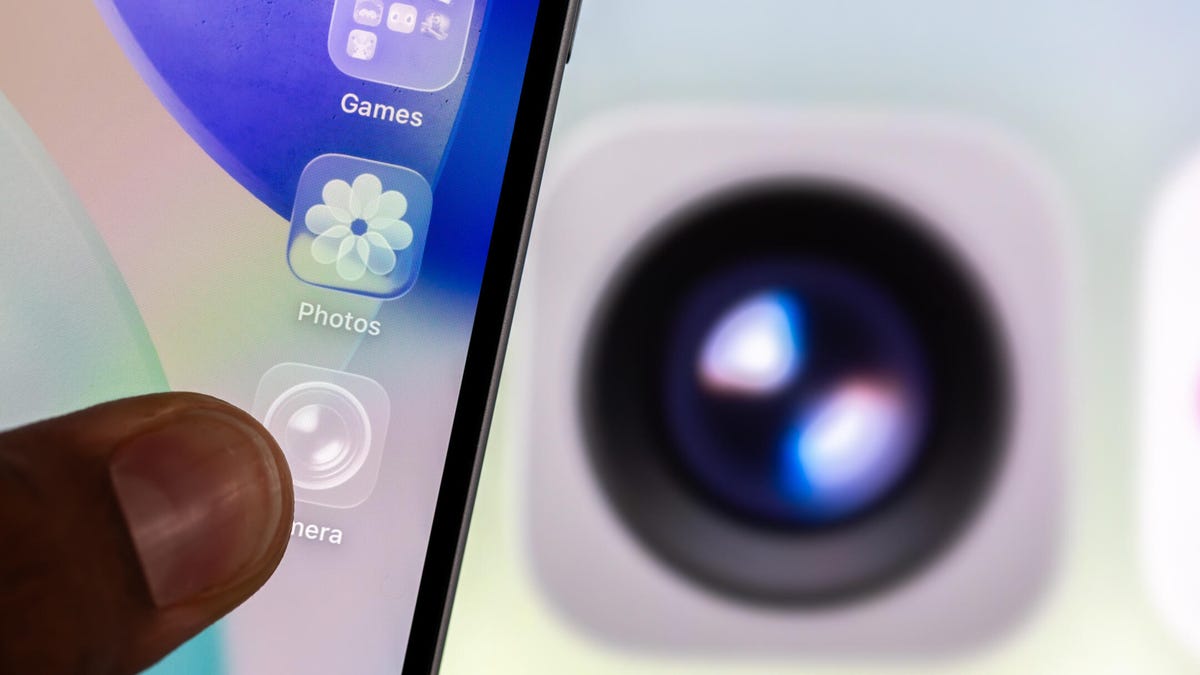
    An iPhone with clear app icons. The Camera app icon is behind the iPhone.
    Share
    Facebook Twitter LinkedIn Pinterest Email

    Kids have sticky fingers. If they touch your iPhone, expect smudges on your camera lens. That means the next time you take a photo, the pic might have a weird haze about it, and you’ll have to take the photo multiple times. It’s not always your kids’ fault either. Even adults can be to blame for a dirty camera lens. Luckily, with the iOS 26 beta there is a feature that can warn you when your camera lens needs cleaning, that way you don’t waste a perfectly good sunset or other Instagrammable moment.

    Tech Tips

    Apple released the fifth public beta of iOS 26 on Aug. 25. The update brought a new Liquid Glass design, call screening and more to the iPhones of developers and beta testers. The beta also introduced an easy-to-overlook feature called Lens Cleaning Hints. When this feature is enabled, your iPhone will display a warning that your lens needs to be cleaned. 

    This feature was automatically enabled for me after I downloaded the iOS 26 beta, but here’s where to find it in case it’s not turned on for you. It’s important to note that this feature is only available on iPhone 15 and later models, so if you have an iPhone 14 Pro, you won’t see this option. 

    And don’t forget, iOS 26 is still in beta. That means the update might be buggy for you, and your device’s battery life may be negatively affected, so it’s best to keep those troubles off your primary device. If you want to try the beta out, I recommend downloading it on a secondary device. 

    It’s also possible that Apple could adjust Lens Cleaning Hints and other update features before the final version of iOS 26 is released this fall — I’m predicting in the next few weeks.


    Don’t miss any of our unbiased tech content and lab-based reviews. Add CNET as a preferred Google source.


    How to enable Lens Cleaning Hints

    1. Tap Settings.
    2. Tap Camera.
    3. Tap the Lens Cleaning Hints toggle near the bottom of the menu.

    Lens Cleaning Hints in the Camera menu in Settings.

    Apple/Screenshot by CNET

    Once enabled, your iPhone’s camera will detect if the lens is smudged, and your device will tell you to clean it to improve your image quality. It’s a nice way to make sure you always get a good picture, and it could be helpful if you let your kids play with your phone, leaving smudges all over it. 

    For more iOS news, here are my first impressions of the beta version of iOS 26, how to enable call screening in the beta and all the new features Apple said it will bring to your device later this year. You can get an early view of the upcoming iPhone features with our iOS 26 cheat sheet.

    Watch this: iPhone 17 Event Clues: Everything to Expect on Sept. 9

    06:38

    beta Dirty Feature iOS Lens pictures
    Share. Facebook Twitter Pinterest LinkedIn Tumblr Email
    Previous ArticleHow to Make Distilled Water at Home for an Emergency Supply
    Next Article Latam-GPT: The Free, Open Source, and Collaborative AI of Latin America
    techupdateadmin
    • Website

    Related Posts

    Gadgets

    My Health Anxiety Means I Won’t Use Apple’s or Samsung’s Smartwatches. Here’s Why

    December 22, 2025
    Gadgets

    You can now buy the OnePlus 15 in the US and score free earbuds if you hurry

    December 22, 2025
    Gadgets

    Today’s NYT Connections: Sports Edition Hints, Answers for Dec. 22 #455

    December 22, 2025
    Add A Comment
    Leave A Reply Cancel Reply

    Top Posts

    NYT Strands hints and answers for Monday, August 11 (game #526)

    August 11, 202545 Views

    These 2 Cities Are Pushing Back on Data Centers. Here’s What They’re Worried About

    September 13, 202542 Views

    Today’s NYT Connections: Sports Edition Hints, Answers for Sept. 4 #346

    September 4, 202540 Views
    Stay In Touch
    • Facebook
    • YouTube
    • TikTok
    • WhatsApp
    • Twitter
    • Instagram
    Latest Reviews

    Subscribe to Updates

    Get the latest tech news from FooBar about tech, design and biz.

    Most Popular

    Best Fitbit fitness trackers and watches in 2025

    July 9, 20250 Views

    There are still 200+ Prime Day 2025 deals you can get

    July 9, 20250 Views

    The best earbuds we’ve tested for 2025

    July 9, 20250 Views
    Our Picks

    My Health Anxiety Means I Won’t Use Apple’s or Samsung’s Smartwatches. Here’s Why

    December 22, 2025

    You can now buy the OnePlus 15 in the US and score free earbuds if you hurry

    December 22, 2025

    Today’s NYT Connections: Sports Edition Hints, Answers for Dec. 22 #455

    December 22, 2025

    Subscribe to Updates

    Get the latest creative news from FooBar about art, design and business.

    Facebook X (Twitter) Instagram Pinterest
    • About Us
    • Contact us
    • Privacy Policy
    • Disclaimer
    • Terms and Conditions
    © 2026 techupdatealert. Designed by Pro.

    Type above and press Enter to search. Press Esc to cancel.