


I recently moved to a much more rural area, so getting Starlink set up was one of my top priorities. My area is an internet dead zone where you might get a bit of 4G on a nearby hill, but that’s about it. No cellular for phone calls, and the best I can hope from a landline connection is 3 Mbps. As a modern man with a modern family full of modern devices, I need fast internet—so I readied Starlink even before my kids’ beds.
It worked pretty well, too. At first I heard a bunch of buzzing noises that I was not expecting, but that sort of coil whine is apparently pretty typical. A few minutes later, I was online!
But it wasn’t all smooth sailing. Having Starlink isn’t like having fiber internet, and I ran into several surprises along the way. Here are all the things I wish I’d known before getting Starlink at home.
Starlink is better when it’s mounted
As soon as I had Starlink working, I messaged my friends saying “Space internet installed!” with the following image:
Jon Martindale / Foundry
That’s right. The Starlink dish is propped up in the cardboard box it came in, sitting on some steps leading to a lawn that was never intended as its permanent home. It worked well enough for the first night—but that’s as long as I would ever want it to be there.
Turns out, Starlink performs best when the dish is mounted in a location that’s free from obstructions and oriented in a way that maintains a connection with as many Starlink satellites as possible. The Starlink app makes the whole process pretty straightforward, with dynamically adjusting on-screen graphics that help you rotate the dish into its optimal facing. My ground-mounted performance was (obviously) bad, so taking the time to get it into a better position was worthwhile.
But I’m no handyman. I can build a PC, sure, but hoofing up a ladder and drilling into red brick isn’t something I’m super comfortable doing—so I brought in a local professional TV antenna installer.
Within a couple of hours, he had the dish mounted by my roof. Performance jumped from 50 Mbps to nearly 200 Mbps downstream. A huge improvement with better coverage, less chance of someone just wandering into my yard and stealing the dish, and no chance of my kids riding their bikes over the cable. That’s a win-win-win.
…but Starlink can be ugly when mounted
Personally, I think the Starlink dish looks pretty cool. Its a unique sight compared to all those rounded satellite dishes that you’ve likely seen in urban centers over the last several decades. It’s more modern.
Jon Martindale / Foundry
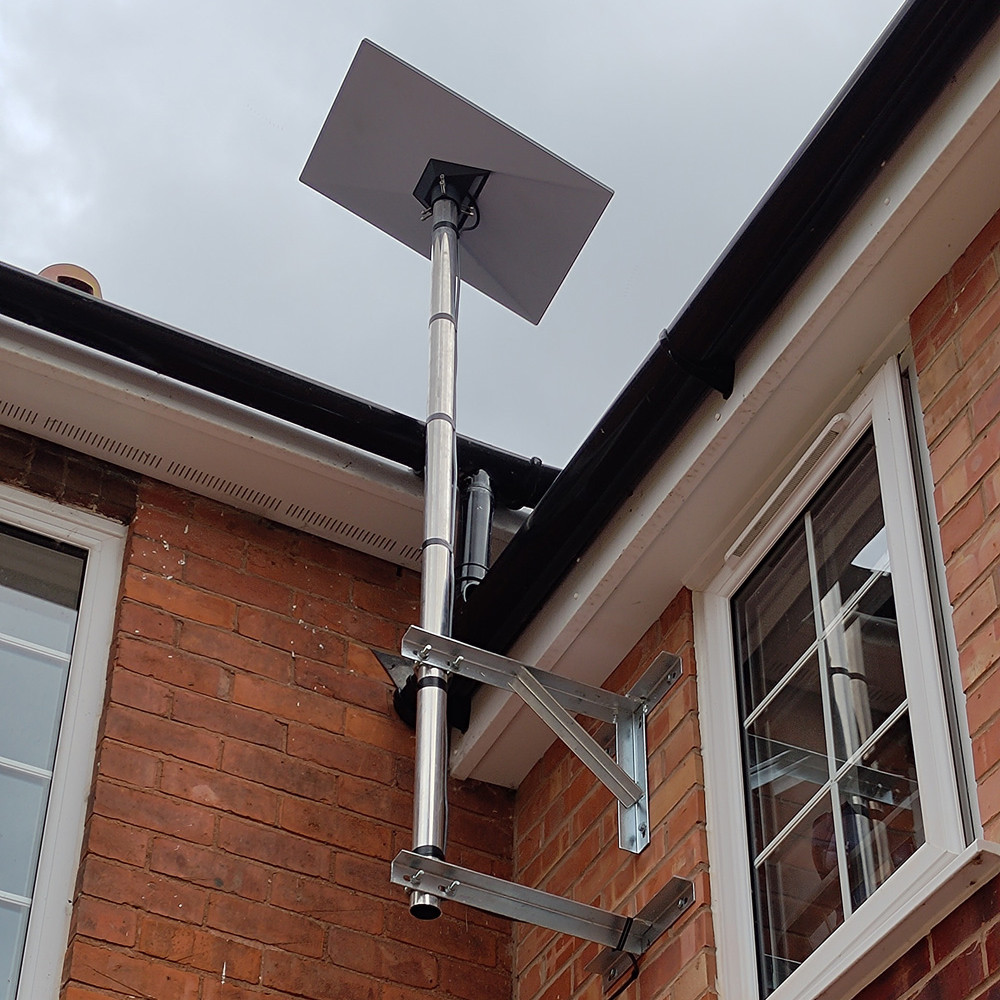
But the makeshift pipe-mount system I used? Eh, that leaves a lot to be desired. There are more attractive first-party mounts you can buy at additional cost, but a giant pipe on an unpainted brace is cheaper. Unfortunately, my wife is even less of a fan.
It’s not like I’m going to be looking at it much up there. But if the exterior aesthetics of your home are important to you, it’s probably worth spending some more time (and money) than I did to get it mounted in a way that gets you great performance while looking good.
Starlink’s upload speed is still lacking
One aspect of fiber internet that’s easy to overlook is that it isn’t just blazingly fast for downloads—you can get upload speeds that are often as fast as your download speeds. That makes quick work when uploading work documents, personal photos, YouTube videos, and more.
Jon Martindale / Foundry
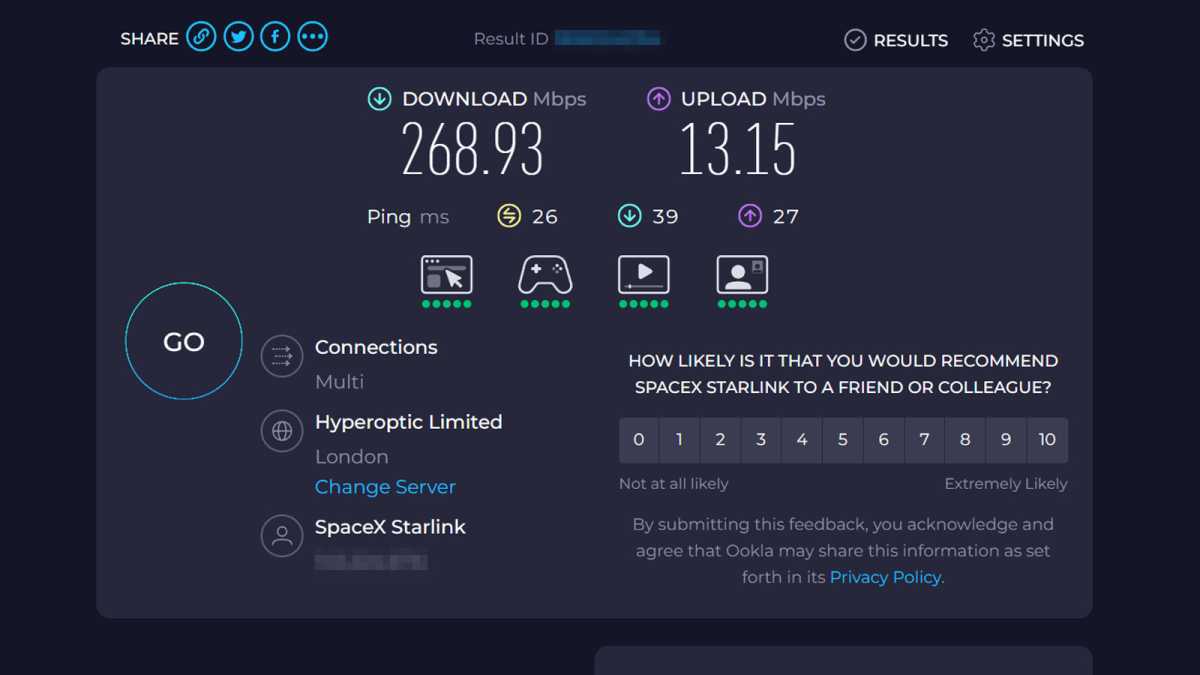
As I said at the start, though, Starlink isn’t fiber. I’m getting around 150 Mbps average download speeds with peaks up to 300 Mbps, but my upload speeds are decidedly slower. I’ve seen some people post screenshots of 50 Mbps uploads, but I’ve yet to see mine break 30 Mbps. More often than not, it’s closer to 15 Mbps.
To be fair, 15 Mbps is plenty for sending photos over messaging apps and streaming my webcam during Discord D&D sessions, but it’s a lot more noticeable when I’m trying to send long videos to friends and family. And I don’t think I’d get far trying to livestream my gaming on Twitch at anything over 1080p with this kind of internet.
Starlink’s router is underwhelming
This might sound like a humblebrag, but the bundled Starlink Gen 3 router—a tri-band Wi-Fi 6 router with a claimed coverage of just over 3,000 square feet—wasn’t enough for my new house. Truth is, my place is about half of that, yet I still had trouble getting signal everywhere due to walls, obstructions, and other sources of interference.
Could I have place the Starlink router in a better spot for better coverage? Yeah, maybe. And there’s even a mesh system I could’ve employed if I was married to Starlink’s hardware.
TP-Link
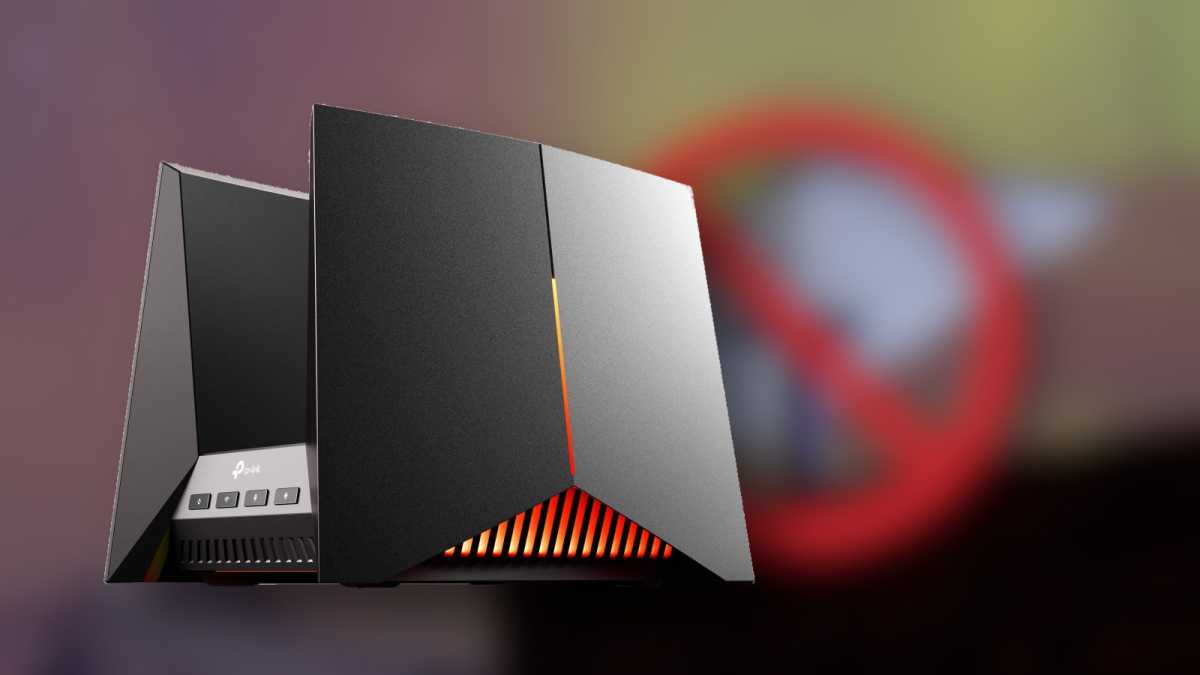
But, fortunately, I have a much better TP-Link Archer GE800 Wi-Fi 7 router, so I didn’t need to bother. It’s complete overkill for a civilian gamer like myself, but it does offer fantastic coverage in my wonky-walled home, and I already know my way around it from the past year of faithful operation. (Lean more about why you should get your own router.)
Props to Starlink for making the bridging process super simple, though. Just plug them in, switch the router to bypass mode in the app, a quick router reboot, and it was good to go in less than 10 minutes.
There’s no planning for a global outage
Two days after I got my Starlink dish mounted, my service went down. My wife had just left the house and closed the door the very second my PC connection dropped, so I thought it was her fault. Maybe she knocked the mount loose by slamming the door too hard?
But as it turns out, it wasn’t anything so innocuous. In fact, the entire global Starlink network had gone down.

Jon Martindale / Foundry
I managed to text a few friends from my board game group to see if they could send me tips on how to get it working again. They sent me screengrabs from Reddit, Twitter, DownDetector. It confirmed that it wasn’t just my router or my dish. Indeed, all of Starlink was down.
Apparently something like this has happened a few times before, but I also have friends who’ve had Starlink for years who claim there’s never been any outages as far as they know. So I’m not expecting this to happen again anytime soon, but tech is tech and it can fail. Even the magic of space internet can stop working from time to time.
Your friends will judge you for Starlink
Since November 2024, people around the world have been protesting against Elon Musk and those who support him. Many Tesla owners have added stickers to their vehicles, promising that their Teslas were bought before the CEO went crazy, all to fend off potential attacks.
It hasn’t gotten that bad for Starlink, but I do have to put up with friends who ask if I couldn’t have found another way to get online. Indeed, if I could have, I would have! But while Amazon is working on Project Kuiper, its own low-Earth-orbit network of broadband satellites, that’s still years away from being fully operational and may take even longer to catch up to Starlink. Plus, as far as billionaire CEOs go, it’s more a lateral move than anything to go from Musk to Bezos.
There are other providers with geostationary satellites that might have bandwidth, but the latency is poor. Eutelsat might be a legitimate option for me at some point, but not yet. Ultimately, the performance and viability of Starlink trumps my own misgivings about supporting a Musk-related company. Until that changes, I’ll have to swallow my pride and the condescension of a few friends.
Starlink: Incredible tech, flawed execution
There’s no denying it: Starlink feels like the kind of Jetsons-era future tech that has always captivated me. It just works, it’s nearly flawless, and it doesn’t have many real competitors. It’s really cool that I get super-fast, low-latency internet in a place that’s otherwise barely online.
But I wish I’d paid more for a better-looking, less-obvious mounting system. I wish I’d had a better backup solution in place just in case it went down. I wish it wasn’t tied to one of the most odious CEOs in the world.
For now, it’s the best solution available and a joy to use. It’s hard not to see how it could be even better, though.
