
Close Menu
TechUpdateAlert

    Subscribe to Updates

    Get the latest creative news from FooBar about art, design and business.

    What's Hot

    My Health Anxiety Means I Won’t Use Apple’s or Samsung’s Smartwatches. Here’s Why

    December 22, 2025

    You can now buy the OnePlus 15 in the US and score free earbuds if you hurry

    December 22, 2025

    Today’s NYT Connections: Sports Edition Hints, Answers for Dec. 22 #455

    December 22, 2025
    Facebook X (Twitter) Instagram
    Trending
    • My Health Anxiety Means I Won’t Use Apple’s or Samsung’s Smartwatches. Here’s Why
    • You can now buy the OnePlus 15 in the US and score free earbuds if you hurry
    • Today’s NYT Connections: Sports Edition Hints, Answers for Dec. 22 #455
    • Android might finally stop making you tap twice for Wi-Fi
    • Today’s NYT Mini Crossword Answers for Dec. 22
    • Waymo’s robotaxis didn’t know what to do when a city’s traffic lights failed
    • Today’s NYT Wordle Hints, Answer and Help for Dec. 22 #1647
    • You Asked: OLED Sunlight, VHS on 4K TVs, and HDMI Control Issues
    Facebook X (Twitter) Instagram Pinterest Vimeo
    TechUpdateAlertTechUpdateAlert
    • Home
    • Gaming
    • Laptops
    • Mobile
    • Software
    • Reviews
    • AI & Tech
    • Gadgets
    • How-To
    TechUpdateAlert
    Home»Gadgets»iPhone Users, Find Calls Faster With This Trick
    Gadgets

    iPhone Users, Find Calls Faster With This Trick

    techupdateadminBy techupdateadminAugust 10, 2025No Comments2 Mins Read
    Share Facebook Twitter Pinterest LinkedIn Tumblr Reddit Telegram Email
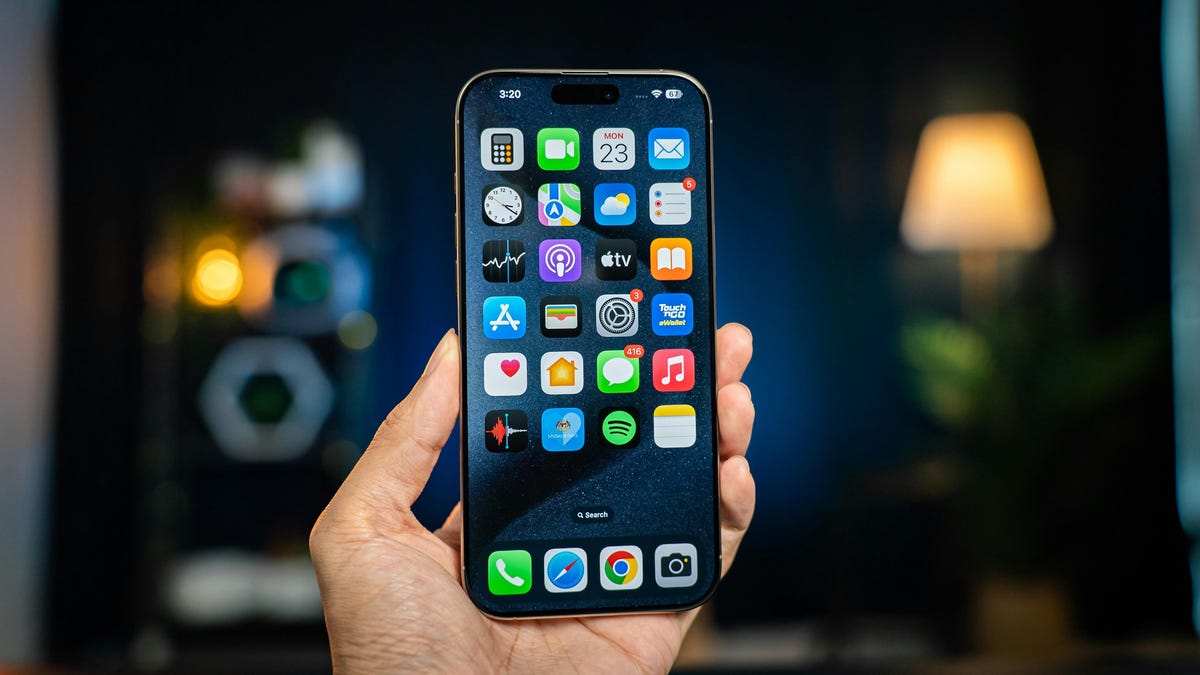
    The iPhone 16 Pro Max
    Share
    Facebook Twitter LinkedIn Pinterest Email

    It can be frustrating to scroll through your iPhone’s Recent calls tab to find the right voicemail or to remember when you talked to someone last. But when Apple introduced iOS 18 in 2024, it included a trick that let you find calls faster in your recent call history. 

    tips-tech.png

    That update brought a lot of new features, like customizable home screens and RCS messaging, as well as a search bar in your iPhone’s Phone app. This lets you easily search your call history and voicemails. Before iOS 18, your Phone app’s Recent calls tab was a running list of all the calls made to and from your iPhone. But now you can easily search through the list, so you aren’t needlessly scrolling.

    Here’s what to know about the search function in your iPhone’s Recents tab.

    Can I search recent calls on my iPhone?

    A search in the Recents tab in the Phone app on iPhone

    Explaining why my spouse is saved in my iPhone as “El Hoppo” is a long story.

    Apple/Screenshot by CNET

    With iOS 18, yes. To search your recent calls, go to your Phone app and tap Recents across the bottom of the menu. Tap the search bar across the top of the page to open a new menu that shows the sections Calls and Voicemails. Both of these options also have the option to See All. 

    You can use the search bar to search for a specific contact’s name, a contact’s number or dates. For example, typing “mom” or “dad” pulls up all the phone calls and voicemails from your mom or dad, as well as their contact card. Similarly, typing “August” or “July” into the search bar pulls up all calls and voicemails from that month. 

    You can also type a specific date, like “July 5,” and that pulls up calls and voicemails from that particular date.

    For more on iOS, here are my first impressions of the iOS 26 beta, how to enable call screening in the beta and all the other new features Apple said that update will bring to your device later this year.

    Watch this: Apple Has Nothing to Fear With AI

    06:40

    calls faster Find iPhone trick users
    Share. Facebook Twitter Pinterest LinkedIn Tumblr Email
    Previous ArticleThis Gmail Trick Saved My Overflowing Inbox, and It’s Completely Free
    Next Article Otherworldly Munchkin: Let’s Speedrun the Dungeon with Only 1 HP OTT Release Date Revealed
    techupdateadmin
    • Website

    Related Posts

    Gadgets

    My Health Anxiety Means I Won’t Use Apple’s or Samsung’s Smartwatches. Here’s Why

    December 22, 2025
    Gadgets

    You can now buy the OnePlus 15 in the US and score free earbuds if you hurry

    December 22, 2025
    Gadgets

    Today’s NYT Connections: Sports Edition Hints, Answers for Dec. 22 #455

    December 22, 2025
    Add A Comment
    Leave A Reply Cancel Reply

    Top Posts

    NYT Strands hints and answers for Monday, August 11 (game #526)

    August 11, 202545 Views

    These 2 Cities Are Pushing Back on Data Centers. Here’s What They’re Worried About

    September 13, 202542 Views

    Today’s NYT Connections: Sports Edition Hints, Answers for Sept. 4 #346

    September 4, 202540 Views
    Stay In Touch
    • Facebook
    • YouTube
    • TikTok
    • WhatsApp
    • Twitter
    • Instagram
    Latest Reviews

    Subscribe to Updates

    Get the latest tech news from FooBar about tech, design and biz.

    Most Popular

    Best Fitbit fitness trackers and watches in 2025

    July 9, 20250 Views

    There are still 200+ Prime Day 2025 deals you can get

    July 9, 20250 Views

    The best earbuds we’ve tested for 2025

    July 9, 20250 Views
    Our Picks

    My Health Anxiety Means I Won’t Use Apple’s or Samsung’s Smartwatches. Here’s Why

    December 22, 2025

    You can now buy the OnePlus 15 in the US and score free earbuds if you hurry

    December 22, 2025

    Today’s NYT Connections: Sports Edition Hints, Answers for Dec. 22 #455

    December 22, 2025

    Subscribe to Updates

    Get the latest creative news from FooBar about art, design and business.

    Facebook X (Twitter) Instagram Pinterest
    • About Us
    • Contact us
    • Privacy Policy
    • Disclaimer
    • Terms and Conditions
    © 2026 techupdatealert. Designed by Pro.

    Type above and press Enter to search. Press Esc to cancel.