


Of all the finance and wallet apps available on Android, Google Wallet remains one of my favorites.
While most wallet apps, like Samsung Wallet, let you store cards and even digital keys, Google Wallet offers features you don’t often see in other wallet apps.
You can store your passport, various IDs, including your driver’s license, loyalty cards, and hotel keys, all within the Google Wallet app.
While these features are already impressive, I recently came across a feature that completely changed how I use the app, and it might be useful for you too.
Nearby pass notifications show up just when you need them most
No more digging through passes at the checkout counter
If you’re like me, you’ve stored a plethora of cards and passes in your Google Wallet.
My Wallet is filled with loyalty cards for nearby stores, airline boarding passes, concert tickets, credit cards, a few IDs, and a lot more.
So, when I’m at checkout or need to open the app to show a QR code or tap a card at an NFC terminal, I often scroll through a long list to find the right one.
Yes, you can favorite frequently used cards and passes, but if you’re like me and use a mix of both, you’re still stuck hunting through the list.
That is when I discovered the Nearby Passes notification feature in Google Wallet. It uses your device’s location and the cards or passes in your wallet to surface the right one at the right time.

For example, say you have a loyalty card for a coffee shop near your place. Google Wallet, using your device’s location, sends a notification to your phone’s lock screen so you can access that card instantly, without opening the app or scrolling through everything.
This feature has saved me a lot of time, especially at airports or sports events when my hands are full.
The only catch is that it’s not always activated by default, particularly on devices that have had Google Wallet installed for a while or are running an older version of Android. Thankfully, you can activate it easily on your phone.
How to turn on nearby pass notifications in Google Wallet
Takes less than a minute, but saves so much time later
Google announced Nearby Pass notifications in Google Wallet at I/O 2025, and the feature has since rolled out to all users.
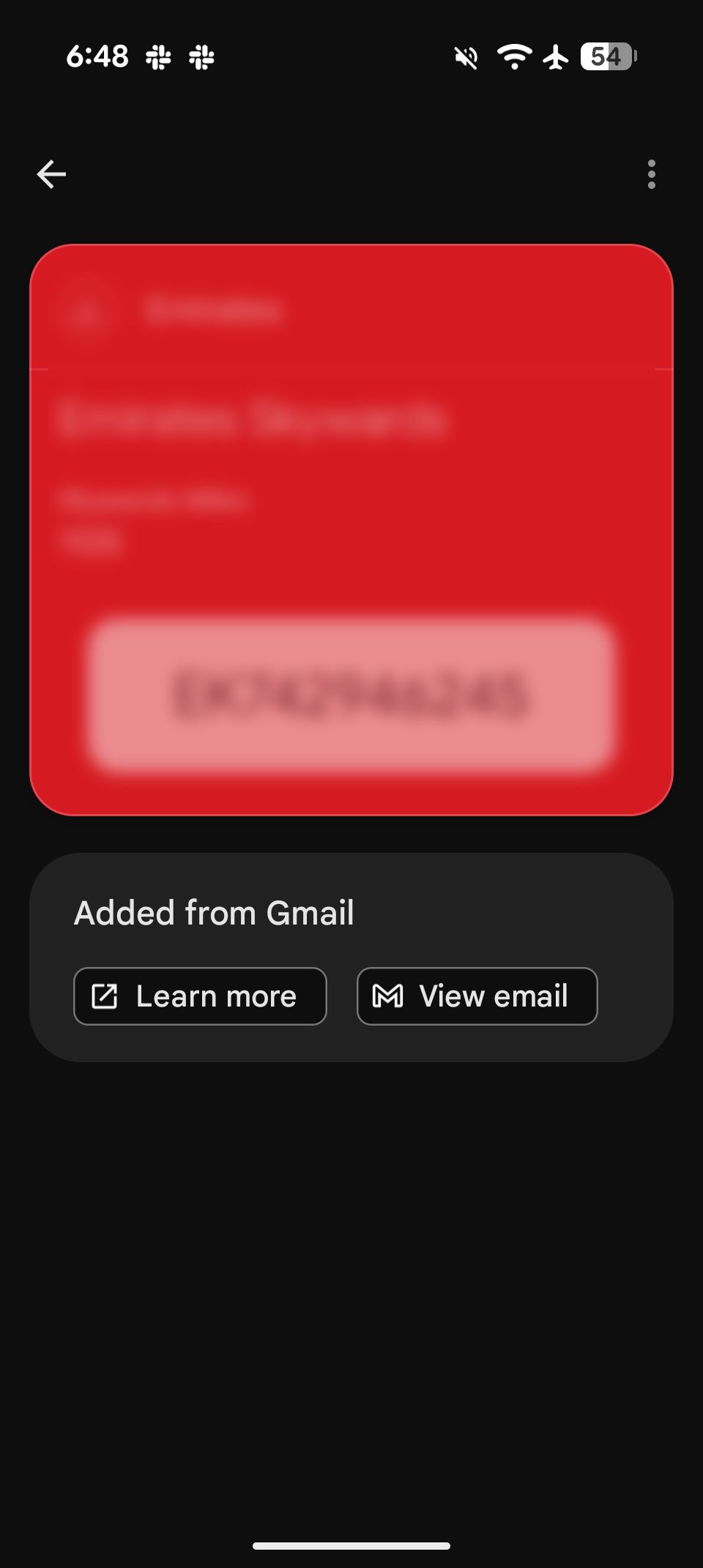
From what I’ve seen, it’s activated by default for any new passes you add to Google Wallet. However, if you don’t have it on your device, here’s how to turn it on manually:
- Open the Google Wallet app.
- Go to the pass or card for which you want to turn on notifications.
- Tap the three-dot menu in the upper-right corner.
-
Toggle on Get notifications for this card.
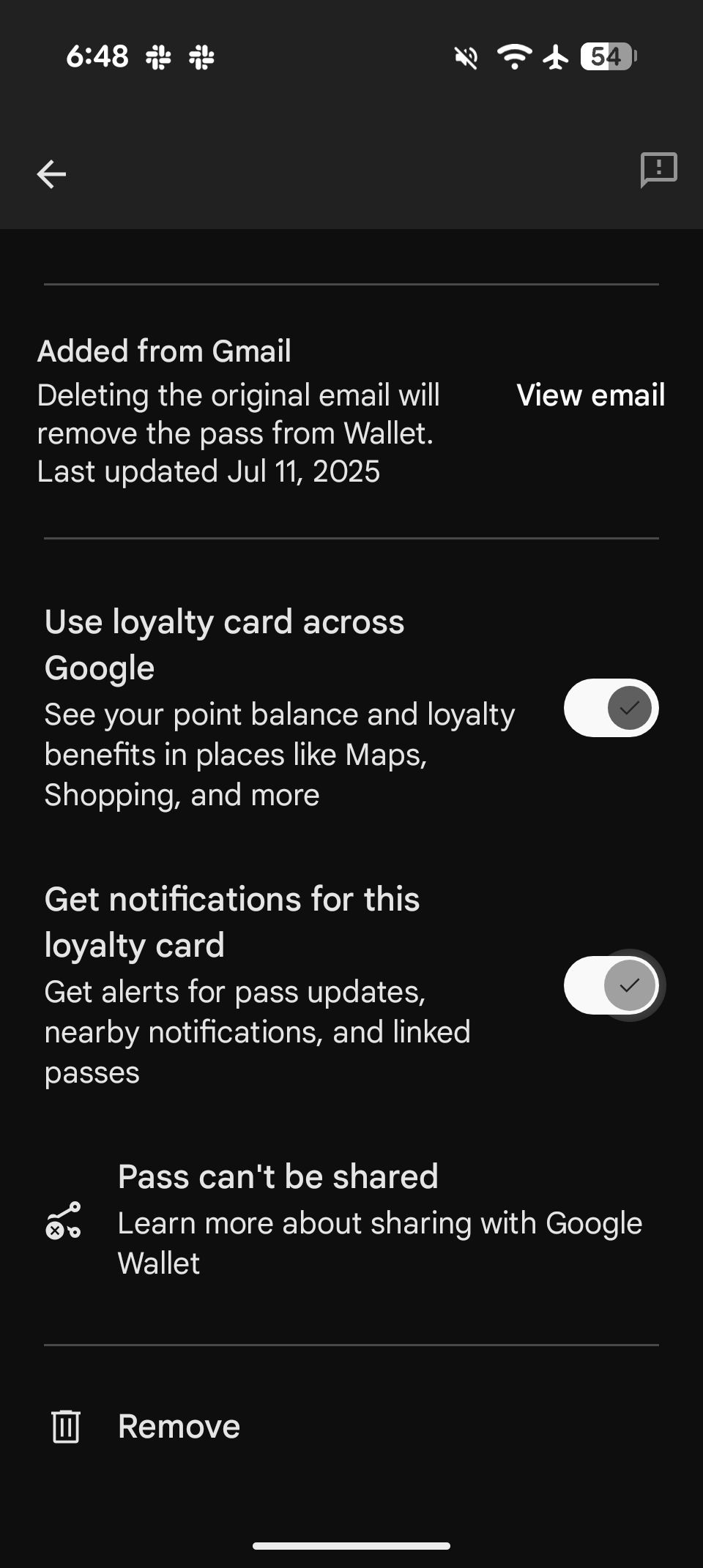


That’s it. You should receive a notification for that card or pass when you’re near the location where it can be used.
In addition to this, make sure you’ve granted location access to Google Wallet for this feature to work. To check that, go to Settings > Apps > Google Wallet > Permissions, and ensure Location is turned on.
You can even save a pass straight from a photo
A clever workaround for anything not supported natively

In addition to the feature mentioned above, another Google Wallet feature I’ve been using a lot is the ability to create a loyalty card or pass, even for items that aren’t natively supported by the app.
You can manually add unsupported passes to the app. So, if you need to access a card but don’t have your physical wallet on hand, this can be incredibly useful.
For example, if you have a gym pass or library card that isn’t officially supported by Google Wallet, you can add it to the app and access it if your physical version is lost or unavailable.
It’s a lifesaver and allows you to create a centralized place to store all your passes.
To add unsupported cards, tap the + button in the app and choose Everything else. You’re prompted to take a photo of your card, and Google Wallet handles the rest, including generating a QR code for your membership ID if applicable.
While some features might not work with these manually added cards, it’s still a great way to digitize your physical passes and keep everything in one place.
Google Wallet is far more capable than it looks
All said, Google Wallet has become an essential part of my Android experience. It lets you store everything from your physical wallet seamlessly.
With the upcoming support for Material 3 Expressive, I’m looking forward to using the app even more on my Pixel 9 Pro.
