


There are a ton of models for less than $1,000 on the market at any given moment, and a large fraction of those are less than $500. As long as you manage your expectations regarding options and specs, you can still get quite a bit from a budget laptop model, including good battery life and a reasonably lightweight laptop body. (If you’re replacing an old Windows laptop that’s not up to running Windows anymore, consider turning it into a Chromebook.)
Price
If the statistics Intel and PC manufacturers hurl at us are correct, you’ll be holding onto this laptop for at least three years so don’t skimp if you can afford to stretch your budget a little to better specs.
Even better, think about a laptop with a replaceable battery (if you can find one), upgradable memory (although memory is usually soldered to the motherboard), graphics card and storage, or all of the above. If you do, trawl the user reviews and comments for people’s experiences with upgrading a particular model. Sometimes they require proprietary parts or require accessing hard-to-access locations in the system.
For a cheap gaming laptop, you’ll still have to break the $500 ceiling to support most games. The least expensive budget laptops suitable for a solid gaming performance experience — those with moderately powerful discrete graphics processors — will run you closer to $700. Here are our recommendations if you’re looking for the best gaming laptop under $1,000. If you like to live on the bleeding edge, cloud gaming services such as Nvidia GeForce Now and Microsoft Xbox Game Pass Ultimate’s Cloud Gaming will let you play games on laptops with specs that hit the under-$500 mark.
A bright spot is you don’t have to settle for a traditional clamshell laptop with a fixed display and keyboard. You can also get a convertible laptop (aka, a two-in-one), which has a screen that flips around to turn the screen into a tablet, to position it for comfortable streaming or to do a presentation.
You can also try to make your current laptop last a little longer. If you need something to tide you over for a few months, dig into possible places to buy refurbished machines and explore nonprofit or educational discounts if you’re eligible.
Windows, Mac or Chromebook
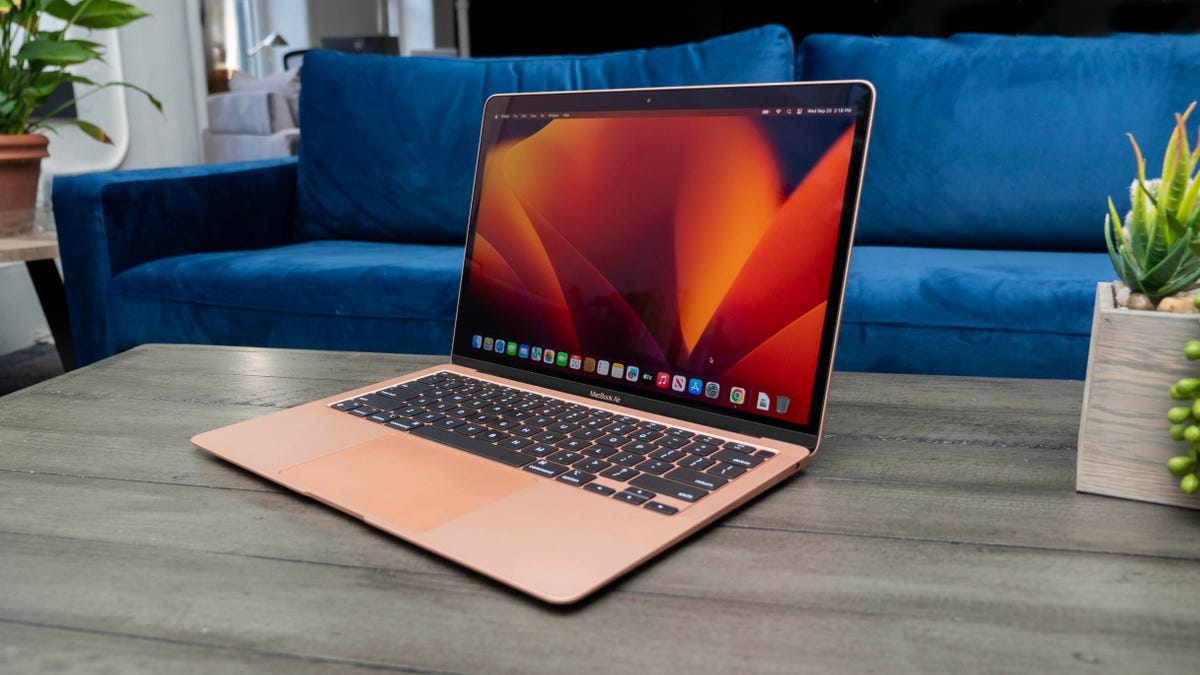
You won’t find cheap laptop prices for a MacBook or any other Apple laptop. At best you can get the current entry-level model of the MacBook Air for $999. On sale, you may be able to get it for less than that but it will never reach truly “budget” territory. Even an iPad will run you more than $500 once you buy the optional keyboard (although it might work out to less if you look for sales on the tablet or keyboard), which is above our budget here. A base-model iPad with an inexpensive Bluetooth keyboard and a cheap stand for the iPad might suffice.
It’s easier to find inexpensive Chromebooks than cheap Windows laptops, making them one of the most popular budget laptops on the market, although we’re also seeing a lot more Chromebooks in the $500-to-$1,000 range and more Windows laptops in the $500 range. Those Windows systems are frequently repurposed Chromebook configurations that really aren’t up to running Windows comfortably.
Google’s ChromeOS isn’t nearly as power-hungry as Windows, so you can get by with a lower-end processor, slower storage and less screen resolution or RAM; just a few of the components that make a laptop expensive. The flip side is Chrome and Google apps are more of a memory hog than you’d expect, and if you go too low with the processor or skimp on memory, the system will still feel slow.
While Chromebooks can run ChromeOS-specific and Android apps, some people need the full Windows OS to run heftier applications, such as video-editing suites. With that comes a need for a faster processor with more cores, more memory — 8GB RAM is the bare minimum, although 16GB is preferable — and more storage for applications and the operating system itself.
ChromeOS is also a much different experience than Windows; make sure the applications you need have a Chrome app, Android app or Linux app before making the leap. Since Chromebooks are cloud-first devices, you don’t need a lot of storage built-in.
That also means if you spend most of your time roaming the web, writing, streaming video or playing Android games, they’re a good fit. If you hope to play Android games, make sure you get a touchscreen Chromebook.
Size
Remember to consider whether having a lighter, thinner laptop or a touchscreen laptop with a good battery life will be important to you in the future. Size is primarily determined by the screen, which in turn factors into battery size, laptop thickness and weight.
Ultraportable laptops, generally 13 inches or smaller, are a rarity below $700. It turns out, making things smaller doesn’t always equate to cheaper. Generally, you’ll find budget laptops at 14-, 15.6- and 17.3-inch sizes. Also, because of their low prices, 11.6-inch Chromebooks are attractive. We don’t recommend that size for any but the youngest students.
In the budget price range, you have to watch out for screen terminology when it comes to specs: An “HD” screen may not always be a truly high-definition screen. HD, which has a resolution of 1,920×1,080 pixels, is called “Full HD” so marketers can refer to lesser-resolution displays (1,280×720 pixels) as HD. In Chromebooks, HD usually refers to a screen with a resolution of 1,366×768 pixels. On the upside, the boom in 14-inch laptops trickles down to this price range, which allows for more FHD options in that size.
A frequent complaint we see is about “washed-out” looking displays with poor viewing angles. Unfortunately, that’s one of the trade-offs: A lot of these use TN (twisted nematic) screen technology, which is cheap but meh. Look for IPS (in-plane switching) LCDs which are better for off-angle viewing, brightness and color.
Processor, memory and storage
A lot of Windows laptops in this range use AMD Athlon and lower-end A series or Intel Celeron and Pentium processors to hit the lower prices. We don’t recommend going with an Athlon instead of a Ryzen or a Celeron/Pentium instead of a Core: Windows is too heavy for them, and in conjunction with the 4GB memory a lot of them have, you may find them abysmally slow at best.
SSDs can make a big difference in how fast Windows performance feels compared with a spinning hard disk, although thankfully old hard disks have become a lot rarer. Not all SSDs are equally speedy and cheaper laptops typically have slower drives. If you need to go with a smaller drive — they tend to max out at 256GB in this price range — you can always add an external drive or two (or five, for some of us) at some point down the road or use cloud storage to bolster a small internal drive.
For memory, we highly recommend 16GB of RAM (8GB absolute minimum). RAM is where the operating system stores all the data for currently running applications, and it can fill up fast (for example, right now Chrome is taking up 7GB of my memory). After that, it starts swapping between RAM and SSD, which is a bit slower. A lot of sub-$500 laptops have 4GB or 8GB, which in conjunction with a slower disk can make for a frustratingly slow Windows laptop experience. Also, many laptops now have the memory soldered onto the motherboard. Most manufacturers disclose this, but if the RAM type is LPDDR, it is soldered on and can’t be upgraded. Some PC makers will solder memory on and also leave an empty internal slot for adding a stick of RAM. You may need to contact the laptop manufacturer or find the laptop’s full specs online to confirm.
