
Close Menu
TechUpdateAlert

    Subscribe to Updates

    Get the latest creative news from FooBar about art, design and business.

    What's Hot

    My Health Anxiety Means I Won’t Use Apple’s or Samsung’s Smartwatches. Here’s Why

    December 22, 2025

    You can now buy the OnePlus 15 in the US and score free earbuds if you hurry

    December 22, 2025

    Today’s NYT Connections: Sports Edition Hints, Answers for Dec. 22 #455

    December 22, 2025
    Facebook X (Twitter) Instagram
    Trending
    • My Health Anxiety Means I Won’t Use Apple’s or Samsung’s Smartwatches. Here’s Why
    • You can now buy the OnePlus 15 in the US and score free earbuds if you hurry
    • Today’s NYT Connections: Sports Edition Hints, Answers for Dec. 22 #455
    • Android might finally stop making you tap twice for Wi-Fi
    • Today’s NYT Mini Crossword Answers for Dec. 22
    • Waymo’s robotaxis didn’t know what to do when a city’s traffic lights failed
    • Today’s NYT Wordle Hints, Answer and Help for Dec. 22 #1647
    • You Asked: OLED Sunlight, VHS on 4K TVs, and HDMI Control Issues
    Facebook X (Twitter) Instagram Pinterest Vimeo
    TechUpdateAlertTechUpdateAlert
    • Home
    • Gaming
    • Laptops
    • Mobile
    • Software
    • Reviews
    • AI & Tech
    • Gadgets
    • How-To
    TechUpdateAlert
    Home»Gadgets»Here’s How to Show the Volume Bar on Your iPhone’s Lock Screen Again
    Gadgets

    Here’s How to Show the Volume Bar on Your iPhone’s Lock Screen Again

    techupdateadminBy techupdateadminAugust 4, 2025No Comments2 Mins Read
    Share Facebook Twitter Pinterest LinkedIn Tumblr Reddit Telegram Email
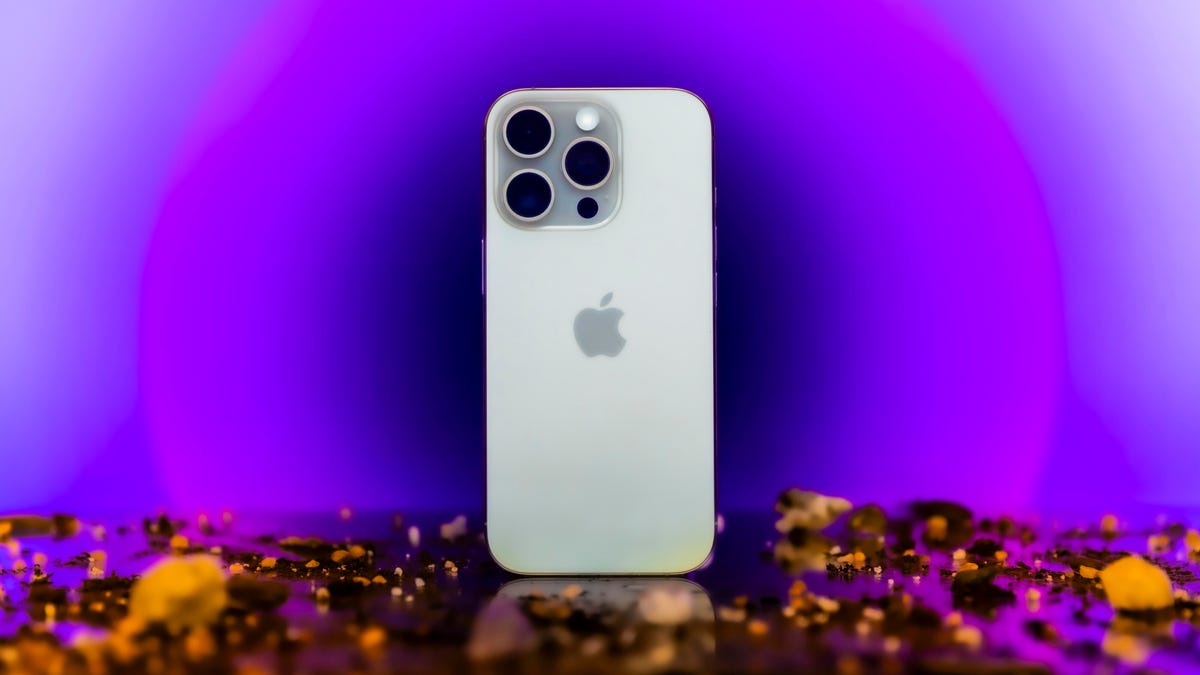
    Apple's iPhone 16 Pro Max
    Share
    Facebook Twitter LinkedIn Pinterest Email

    If you’re listening to music or a podcast and want to change the volume without unlocking your iPhone, then you probably press the buttons on the side of your phone. Those buttons can increase or decrease your volume a set amount, but they could leave you choosing between a volume that is slightly too loud or a bit too quiet. If you keep your iPhone up to date with the latest iOS releases, you can bring the volume bar back to your device’s Lock Screen, giving you more precise control over your iPhone’s volume without unlocking your device.

    Tech Tips

    Apple removed the volume bar from your Lock Screen when the company released iOS 16 in 2022. But when the company released iOS 18.2 in December, that update allowed you to bring the volume bar back to your iPhone’s Lock Screen. If you like using the volume bar, you can return it to your Lock Screen.

    Here’s how you can reintroduce the volume bar to your Lock Screen in a few easy steps.

    How to get the volume bar on your iPhone

    1. Open Settings.
    2. Tap Accessibility.
    3. Tap Audio & Visual under Hearing.
    4. Tap the toggle next to Always Show Volume Control.

    Volume icon

    Apple/CNET

    Now, the next time you’re listening to music or a podcast at the gym or on the bus, you can change the volume by using the slider on your Lock Screen. 

    For more on iOS 18, here’s what you need to know about iOS 18.6 and iOS 18.5, as well as our iOS 18 cheat sheet. You can also check out what you should know about iOS 26 and my first impressions of the iOS update.

    Watch this: 26 More Things Hidden in iOS 26

    05:29

    Bar Heres iPhones lock Screen Show volume
    Share. Facebook Twitter Pinterest LinkedIn Tumblr Email
    Previous ArticleToo Hot Inside? These Houseplants Actually Help Beat the Heat
    Next Article NYT Strands hints and answers for Monday, August 4 (game #519)
    techupdateadmin
    • Website

    Related Posts

    Gadgets

    My Health Anxiety Means I Won’t Use Apple’s or Samsung’s Smartwatches. Here’s Why

    December 22, 2025
    Gadgets

    You can now buy the OnePlus 15 in the US and score free earbuds if you hurry

    December 22, 2025
    Gadgets

    Today’s NYT Connections: Sports Edition Hints, Answers for Dec. 22 #455

    December 22, 2025
    Add A Comment
    Leave A Reply Cancel Reply

    Top Posts

    NYT Strands hints and answers for Monday, August 11 (game #526)

    August 11, 202545 Views

    These 2 Cities Are Pushing Back on Data Centers. Here’s What They’re Worried About

    September 13, 202542 Views

    Today’s NYT Connections: Sports Edition Hints, Answers for Sept. 4 #346

    September 4, 202540 Views
    Stay In Touch
    • Facebook
    • YouTube
    • TikTok
    • WhatsApp
    • Twitter
    • Instagram
    Latest Reviews

    Subscribe to Updates

    Get the latest tech news from FooBar about tech, design and biz.

    Most Popular

    Best Fitbit fitness trackers and watches in 2025

    July 9, 20250 Views

    There are still 200+ Prime Day 2025 deals you can get

    July 9, 20250 Views

    The best earbuds we’ve tested for 2025

    July 9, 20250 Views
    Our Picks

    My Health Anxiety Means I Won’t Use Apple’s or Samsung’s Smartwatches. Here’s Why

    December 22, 2025

    You can now buy the OnePlus 15 in the US and score free earbuds if you hurry

    December 22, 2025

    Today’s NYT Connections: Sports Edition Hints, Answers for Dec. 22 #455

    December 22, 2025

    Subscribe to Updates

    Get the latest creative news from FooBar about art, design and business.

    Facebook X (Twitter) Instagram Pinterest
    • About Us
    • Contact us
    • Privacy Policy
    • Disclaimer
    • Terms and Conditions
    © 2026 techupdatealert. Designed by Pro.

    Type above and press Enter to search. Press Esc to cancel.