
Close Menu
TechUpdateAlert

    Subscribe to Updates

    Get the latest creative news from FooBar about art, design and business.

    What's Hot

    My Health Anxiety Means I Won’t Use Apple’s or Samsung’s Smartwatches. Here’s Why

    December 22, 2025

    You can now buy the OnePlus 15 in the US and score free earbuds if you hurry

    December 22, 2025

    Today’s NYT Connections: Sports Edition Hints, Answers for Dec. 22 #455

    December 22, 2025
    Facebook X (Twitter) Instagram
    Trending
    • My Health Anxiety Means I Won’t Use Apple’s or Samsung’s Smartwatches. Here’s Why
    • You can now buy the OnePlus 15 in the US and score free earbuds if you hurry
    • Today’s NYT Connections: Sports Edition Hints, Answers for Dec. 22 #455
    • Android might finally stop making you tap twice for Wi-Fi
    • Today’s NYT Mini Crossword Answers for Dec. 22
    • Waymo’s robotaxis didn’t know what to do when a city’s traffic lights failed
    • Today’s NYT Wordle Hints, Answer and Help for Dec. 22 #1647
    • You Asked: OLED Sunlight, VHS on 4K TVs, and HDMI Control Issues
    Facebook X (Twitter) Instagram Pinterest Vimeo
    TechUpdateAlertTechUpdateAlert
    • Home
    • Gaming
    • Laptops
    • Mobile
    • Software
    • Reviews
    • AI & Tech
    • Gadgets
    • How-To
    TechUpdateAlert
    Home»AI & Tech»8 easy ways to make the Internet safer for your kids
    AI & Tech

    8 easy ways to make the Internet safer for your kids

    techupdateadminBy techupdateadminOctober 7, 2025No Comments4 Mins Read
    Share Facebook Twitter Pinterest LinkedIn Tumblr Reddit Telegram Email
    Kids online safety
    Share
    Facebook Twitter LinkedIn Pinterest Email

    Online can be a dangerous place for kids. Explicit content, predators, and harassment and bullying are just some of the dangers that kids can be exposed to.

    But with a bit of know-how, the internet can be safe, fun, and educational for kids. Here are some quick things you can do to help keep your kids out of harm’s way.

    1. Download parental control apps

    There is a plethora of apps to keep kids safe online. Two commonly used ones are Qustodio and Bark. Qustodio is often cited as being one of the best because it offers features like web filtering, app blocking, screen time limits, and detailed activity reports.

    Bark excels in monitoring social media and online interactions. It uses AI to scan for signs of cyberbullying, online predators and other dangerous content, sending real-time alerts to parents. For that reason, it’s considered an excellent parental control app for teens.

    2. Set up Microsoft Family Safety

    Microsoft Family Safety gets a special mention being the parental control that a lot of users of Microsoft 365 will turn to. It allows you to set screen time limits and apply content filters.

    The content filters block inappropriate apps and games and limit browsing to kid-friendly websites using Microsoft Edge. It also allows you to view activity reports and to track the location of family members.

    3. Have a discussion about online safety

    Parental controls are helpful but they’re not a first line of defense against online dangers, that’s your child! Be sure that your child knows the dangers of making friends online, including sharing information about themselves and any images, so that they are well versed in how to protect themselves against online predators.

    Pexels: Fernando Arcos

    4. Have a supervised device-time rule

    If you’re worried about what your kids are doing when you can’t see them, try mandating a compulsory supervision rule for when kids are using their devices, which essentially means they can only do so in common family areas of the home like the living room. That way you can look over their shoulders and ensure they’re not accessing inappropriate content, and you can quiz them about anyone they’re communicating with online.

    5. Download the YouTube Kids app

    Chances are your kids are going to be spending a lot of time on YouTube. YouTube Kids is a free app built to provide safe video content for kids under 12. Parents can decide what content to make available to their children. They can either take full control and approve content themselves, or they can choose from categories that contain content suitable for specific age groups.
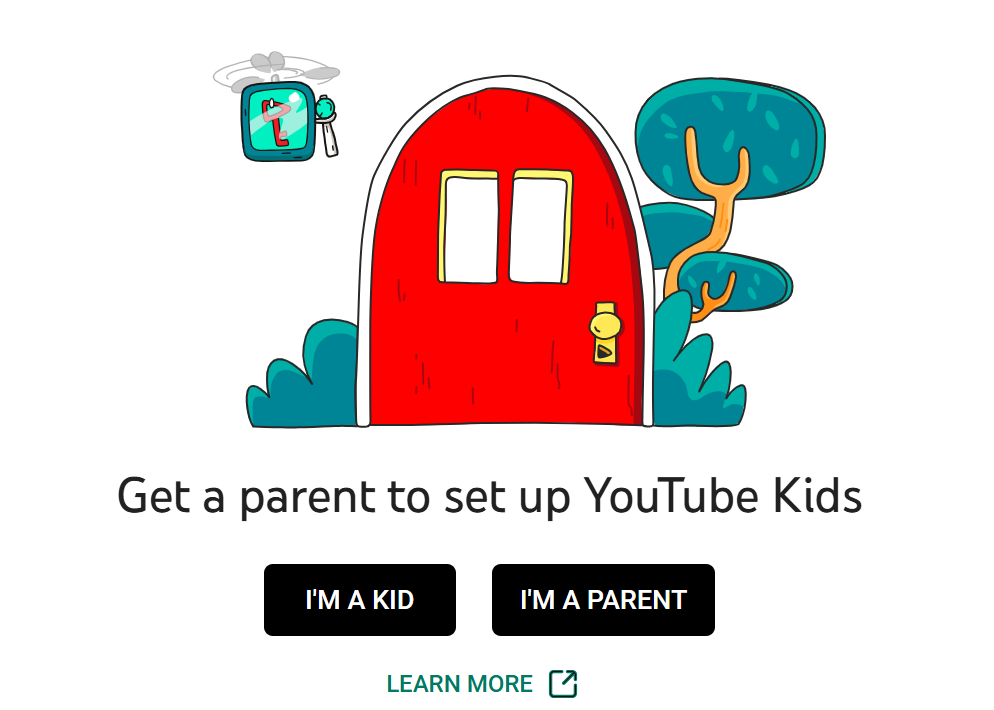
    YouTube kids

    Dominic Bayley / Foundry

    6. Have reliable antivirus software running

    Hackers are indiscriminate and will infect a PC with malware no matter who the user is. To prevent your child from unknowingly visiting websites with malware or downloading malicious files, you should always have antivirus software running in the background. We review antivirus software at PCWorld, so be sure to check out our current top recommendations.

    7. Instigate a device curfew

    This is an easy way to limit your kids’ online time and to stop them using devices when they’re unsupervised. The curfew should be a strict hour of the evening, say every night at 8pm, so your kids know what’s expected of them. A good way to uphold a curfew is to ask for devices to be handed in for charging, so that they can’t be used from that time onwards until the next day.

    Device curfew

    Pexels: Karolina Grabowska

    8. Turn on your browser’s safe browsing mode

    If your browser has a safe browser mode built-in, you should use it. If you’ve subscribed to an antivirus program like Norton 360 Deluxe, you will probably have access to another safe browser built by the antivirus company, so you should ensure this is switched on to prevent kids accessing inappropriate or malicious websites.

    Further reading:

    Easy Internet Kids Safer Ways
    Share. Facebook Twitter Pinterest LinkedIn Tumblr Email
    Previous ArticleThe World’s Best Air Fryer Is 40 Percent Off
    Next Article These are the best October Prime Day tech deals, updated live
    techupdateadmin
    • Website

    Related Posts

    Gadgets

    KTC H27P3 5K monitor review: easy to spot the faults, not the pixels

    December 16, 2025
    Gadgets

    Microsoft makes theming your Windows 11 PC as easy as phones, but not as much fun

    December 15, 2025
    Gadgets

    The easiest internet switch: Get up to $300 back with T-Mobile 5G home internet

    December 14, 2025
    Add A Comment
    Leave A Reply Cancel Reply

    Top Posts

    NYT Strands hints and answers for Monday, August 11 (game #526)

    August 11, 202545 Views

    These 2 Cities Are Pushing Back on Data Centers. Here’s What They’re Worried About

    September 13, 202542 Views

    Today’s NYT Connections: Sports Edition Hints, Answers for Sept. 4 #346

    September 4, 202540 Views
    Stay In Touch
    • Facebook
    • YouTube
    • TikTok
    • WhatsApp
    • Twitter
    • Instagram
    Latest Reviews

    Subscribe to Updates

    Get the latest tech news from FooBar about tech, design and biz.

    Most Popular

    Best Fitbit fitness trackers and watches in 2025

    July 9, 20250 Views

    There are still 200+ Prime Day 2025 deals you can get

    July 9, 20250 Views

    The best earbuds we’ve tested for 2025

    July 9, 20250 Views
    Our Picks

    My Health Anxiety Means I Won’t Use Apple’s or Samsung’s Smartwatches. Here’s Why

    December 22, 2025

    You can now buy the OnePlus 15 in the US and score free earbuds if you hurry

    December 22, 2025

    Today’s NYT Connections: Sports Edition Hints, Answers for Dec. 22 #455

    December 22, 2025

    Subscribe to Updates

    Get the latest creative news from FooBar about art, design and business.

    Facebook X (Twitter) Instagram Pinterest
    • About Us
    • Contact us
    • Privacy Policy
    • Disclaimer
    • Terms and Conditions
    © 2026 techupdatealert. Designed by Pro.

    Type above and press Enter to search. Press Esc to cancel.