


Home security technology doesn’t have to be in-your-face or cost hundreds of dollars to get the job done. In my tests I’ve found some of the most useful home safety devices stay out of the way, quietly doing the jobs that no other technology can.
If you’re looking for affordable ways add security products that don’t invade privacy or take up space, this tech can change how you monitor your home with minimal fuss and a few very clever tricks.
Light bulb security camera
Eversecu’s budget model is a cheap way to add a security camera.
A light bulb security camera removes all the hassles of a camera installation for a smaller, simpler setup. You simply screw the light bulb into a standard light socket, and it runs a security camera along with a spotlight. You don’t have to worry about power cables, placement, batteries or anything else. Plus, they’re affordable.
The only catch is finding the right socket for these basic little cams, preferably an overhead light on a porch or entryway. You can find several picks on my best of list, starting with a $50 Symynelec bulb.
Hidden smart lock
Level’s Lock Plus has smarts when you need them but isn’t intrusive.
Most smart locks are both large and feature-rich, which is great for some people but others don’t want all that — stuff, on their lock (or even have the room). I have a small, quiet solution: The Level Lock Plus (around $280). While expensive, it’s an elegant little lock for someone who wants a lock that looks completely normal but houses some useful smart features, including the ability to unlock with the tap of an included key card, unlock through Bluetooth, or enable Apple Home Key access. All those are optional; it also just functions like a regular deadbolt with a key.
Standalone motion sensor
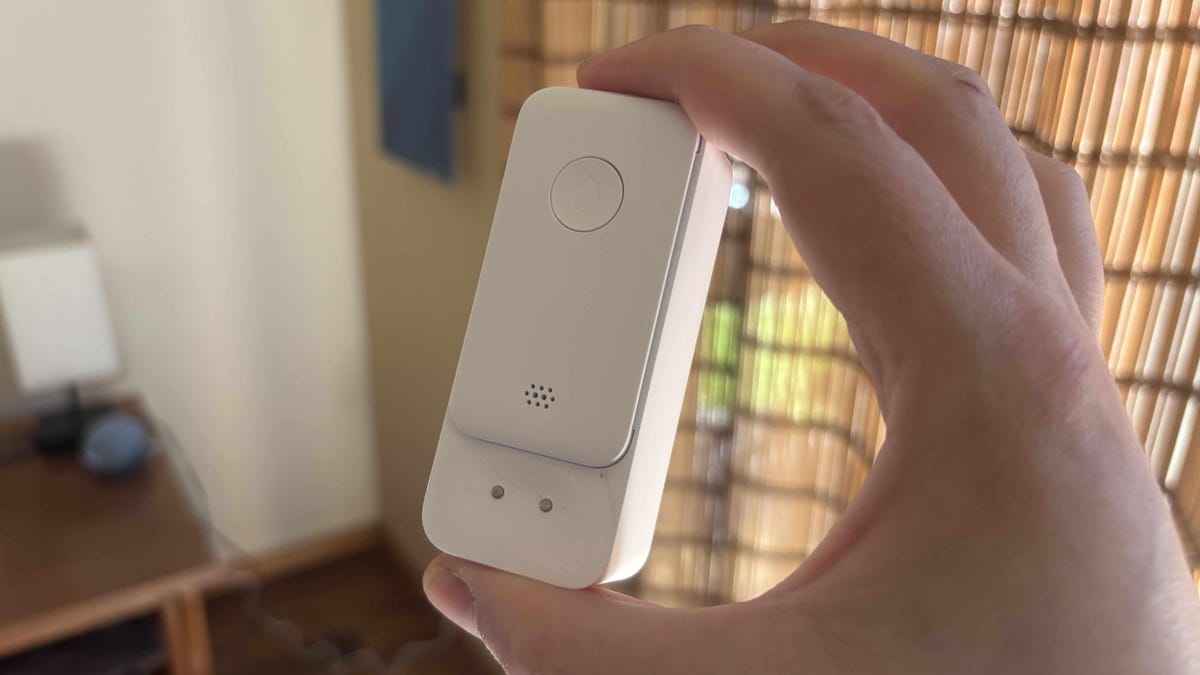
Tapo’s motion sensor requires a hub but together they’re under $50 and work very well.
You don’t need a whole security system to get a helpful sensor that can watch over one particular area in your home. Sensors like Eufy’s for $30 are powerful devices with batteries that can last for years and with sensitivity settings to get awareness just right. They do require a pricey hub, though. Tapo’s sensor is a more affordable option ($20) and with a hub that only costs $23.
Both sensors can activate phone alerts or sirens when motion is detected, like at an apartment entryway, toddler’s room, garage and so on.
Standalone vibration sensor
GE’s standalone vibration sensor can watch over any window or sliding glass door.
Vibration sensors are a common addition to home security systems, where they’re used to sense people tampering with safes or trying to break windows. But you can also find useful standalone versions that do the same thing for a fraction of the cost. This model from GE is $10 and quickly attaches to an important ground-floor window. Then it sounds a siren if it detects that the window is broken or pounded.
Smart smoke detector
Kidde’s new partnership with Ring has led to extra-easy app management.
You no doubt already have a few smoke detectors — it’s the law. But the smoke detectors placed during construction tend to be simple and annoying, chirpy devices (also, it’s recommended to replace them every 10 years). But there are modern solutions that look just like your old smoke detectors, can be wired in if your state or country requires it, and add a couple of extra handy smart features.
The best choices right now are the Kidde/Ring collaboration detectors ($75) that work with the Ring app for free, and the Nest/First Alert detectors ($130) that work with Google Home. They both send you alerts on your phone wherever you are, and offer in-app battery warnings. They also make testing and management easy.
Smart radon detector
If radon is a problem in your area, this smart sensor is a far better tool than complicated radon kits.
Radon is one of those annoying safety issues that’s hard to examine, even if you know it’s a problem in your geographical area. Testing and sending samples to labs for the radioactive gas is the sort of project that’s easy to forget about. But there’s an easier at-home option, a small device from AirThings called the Corentium Home 2 ($210).
This device is designed to measure the output of radon wherever you place it (like a basement). You can move it around your home to see where measurements are high and keep using it for years to come. Plus, there’s no need to handle a sample kit or trust a lab for proper analysis — or be surprised by unexpected lab fees. Just give the sensor a few hours to work, and you start seeing if radon is a problem in your home, which may need to be addressed with additional barriers. App connections are available for more info and control options.
Leak detector
ADT’s leak detector with an extended cord sensor to reach around hot water tanks.
A small leak detector fits in out-of-the-way places like under sinks, behind toilets and beside water heaters. There they wait for years to detect any spilled water on the floor, at which point they send out sirens and app alerts to let you know something is wrong. That’s an easy and cheap solution to stop leaks before they cause serious water damage.
I have a guide on leak detectors here, but overall, I like Eufy’s model for $35 and SwitchBot’s affordable option for $18.
Don’t stop quite yet — feast your eyes on the best security cameras without subscriptions and the best ways to get home security without Wi-Fi, too.
