


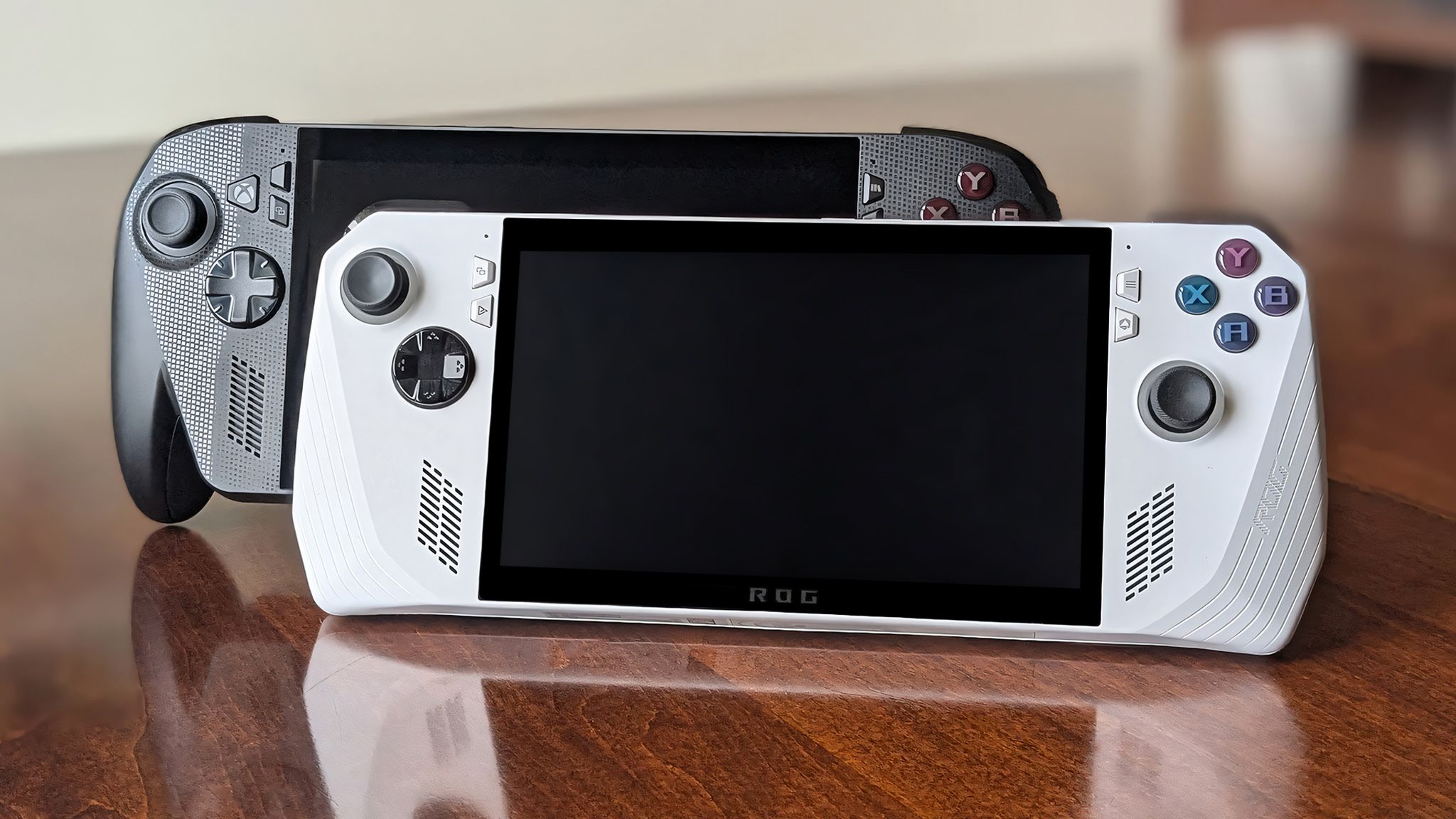
The gaming handheld space is properly heating up with the long-awaited arrival of the Xbox Ally, built in collaboration between ASUS and Microsoft. It’s the successor to the ASUS ROG Ally, our previous top pick for the best Windows-powered handheld.
It can be more than a little tempting to go for the latest and greatest hardware, but I wouldn’t rush to toss aside your trusty handheld just yet. Whether you have the original ROG Ally or the upgraded ROG Ally X, both handhelds can be massively improved with a handful of upgrades, some clever tricks, and an accessory or two.
1. Get the new handheld-specific Xbox interface
One of the biggest differentiators for the new Xbox Ally is its new handheld-optimized interface. It’s still powered by Windows 11, but Microsoft has done a ton of work to deliver a full-screen Xbox experience that works flawlessly with a controller, and disables unnecessary processes and parts of Windows (like the Start Menu and desktop) to improve gaming performance, battery life, and ease-of-use.
The Xbox app on PC can also aggregate your PC gaming library by connecting to other launchers, too. Pair that with the Xbox Game Bar, and your ROG Ally can finally feel like a proper console, rather than a Windows PC that happens to be shaped like a handheld.
It makes a huge difference, but this experience isn’t actually exclusive to the Xbox Ally — at least, it won’t be exclusive forever. Microsoft is planning to bring the same full-screen Xbox interface to other PC gaming handhelds, and it’s possible to try it out early. In fact, we’ve already checked out the new Xbox mode on the original ASUS ROG Ally.
If you’re enrolled in the Windows Insider Program and are running an in-development build, you may be able to enable the new Xbox mode by going to Settings > Gaming and looking for the “Full screen experience” option. If it’s there, opening that page will allow you to choose the Xbox app as your default home screen, and you can make your ROG Ally boot up into that experience, too.
If the option doesn’t appear for you (it’s possible Microsoft is A/B testing the feature), you can check out this guide at Reddit.com for some other tips and tricks. Expect the experience to evolve as Microsoft refines it, too, even after it leaves the Insider Program and rolls out to all users (we expect that to happen in early 2026).
2. Upgrade your storage for improved performance

For a physical upgrade, you can consider upgrading your ASUS ROG Ally’s storage. Whether you need more space to download games or you’re looking for faster load times, a new SSD can breathe fresh life into your ROG Ally.
The ASUS ROG Ally (and most PC gaming handhelds, honestly) uses smaller M.2 2230 SSDs. Our most trusted brand is Western Digital / SanDisk, and our top rated is the WD_BLACK SN770M SSD we reviewed. You can pick up the WD_BLACK SN770M for $239.99 at BestBuy.com, and it’s often on sale for much less than that.
We also have a full, in-depth guide on how to upgrade your ASUS ROG Ally’s SSD, including how to transfer all your data over to the new drive. It details every step, and even gives you guidance on what tools you’ll need. I highly recommend relying on that guide if you decide to upgrade your ROG Ally’s storage.
Of course, you can also consider one of the best microSD cards for gaming handhelds, like the SanDisk Extreme Plus (1TB) for $149.99 at BestBuy.com, if you simply want more storage for smaller games, documents, photos, and more. It won’t be as fast as an internal SSD, but a microSD card can be a great, affordable, and easy-to-install storage upgrade.

This is our favorite SSD for the ASUS ROG Ally (and other gaming handhelds), offering excellent performance and reliability. It’s often on sale, too, and it’s fairly easy to upgrade yourself if you follow our guide linked above.
👉See at: BestBuy.com or Amazon.com
3. Swap out your battery for longer gaming sessions

If you want to get even more serious about physical upgrades, it’s possible to swap out your ROG Ally’s battery pack for a bigger cell. This upgrade is aimed more at the original ROG Ally and its paltry 40Whr battery, not the ROG Ally X and its doubled 80Whr cell.
The merits of this upgrade are simple: better battery life and longer game sessions. We reviewed the JSAUX 65Whr Battery Upgrade Kit for the ASUS ROG Ally and found it to be a safe, reliable, and relatively straightforward modification for your handheld that results in approximately 50% more endurance. You can pick up that battery kit for $79.99 from JSAUX.com, and it’ll include absolutely everything you need in one kit.
We also have a complete, step-by-step guide on how exactly to upgrade your ASUS ROG Ally’s battery, so you don’t have to stress about making any mistakes. Upgrading your battery can be a little more strenuous than an SSD replacement, so I strongly suggest following that guide. Don’t forget that the JSAUX battery upgrade will also make your ROG Ally slightly thicker, so it may not play nice with some cases or other accessories.
It’s worth mentioning that you can find cheaper, generic battery upgrade kits for the ROG Ally on Amazon, but Windows Central can’t vouch for their safety, reliability, or installation process. There’s also the iFixIt 88Whr ASUS ROG Ally Battery Mod for $54.99 at iFixIt.com, but that upgrade is far more complicated to pull off.

JSAUX
ASUS ROG Ally Battery Upgrade
If you need more juice and you’re feeling brave, JSAUX provides everything you need to upgrade your ROG Ally’s battery, and we give you everything you need to know exactly how to pull it off.
👉See at: JSAUX.com
4. Make the most of AMD’s gaming features

One thing I didn’t talk about, though, was taking advantage of AMD’s suite of gaming features, powered by the AMD Ryzen Z-series chipset inside the ROG Ally (and most other gaming handhelds).
For example, enabling the AMD HYPR-RX performance profile enables features like AMD FidelityFX Super Resolution (an AI-powered upscaler that can dramatically improve performance), AMD Radeon Anti-Lag (a feature to help reduce latency), and AMD Fluid Motion Frames 2 (AFMF), which can artificially increase your framerate with AI generated frames.
AFMF can be particularly impactful, so it’s fortunate that we have a full guide on how to enable Fluid Motion Frames correctly on your ROG Ally, and the kind of performance gains you can expect. Setting up that feature properly will net you benefits from AMD’s other gaming-focused features, too.
5. Learn how to give your games more VRAM

Something I did mention in my aforementioned list of ASUS ROG Ally tips and tricks is how to manage your VRAM, or the memory assigned to your ROG Ally’s GPU. I can’t overstate just how much of a difference more graphics memory can make with your gaming performance, as this is one of the biggest single bottlenecks gamers run into.
The ROG Ally shares one pool of RAM across the system and GPU, and it does a fair job allocating memory as necessary. However, you can also manually assign VRAM, and it’s as easy as going into the ASUS Armoury Crate software > Settings > Operating Mode. You can also manage many AMD-specific gaming features (like the ones mentioned above) from here.
If you want more detailed information, we also have a guide on how to change your ROG Ally’s VRAM allocation.
6. Consider these accessories to customize your experience

Finally, something as simple as one of the best ASUS ROG Ally accessories can improve your gaming experience a substantial amount. Just to make it easy, here’s a quick list of some of my favorite recommendations:
A dock can expand your ROG Ally by letting you connect a keyboard, mouse, external monitor, external storage, and more. A good case and screen protector (the dbrand Killswitch is my favorite) is a must for protection (and style). An external battery pack can prevent you from running dry when out and about, and a good headset or pair of AR glasses can provide a more private, immersive gaming experience.
There are a lot of great ROG Ally accessories out there, and just one could have quite the impact. The ROG Ally is still a fantastic PC gaming handheld, and these tips can make it last longer for you. Of course, when you do want to upgrade, the Xbox Ally is now here.

If you’re still rocking the original ASUS ROG Ally, the new Xbox Ally X would be a massive upgrade… but it’ll cost you a lot. Before adding this handheld to your cart, it’s worth asking if you can upgrade your existing handheld instead.
👉See at: BestBuy.com

The base Xbox Ally is the more direct successor to the original ASUS ROG Ally, and it’s a solid entry-level gaming handheld for those just getting into the category or looking to replace their handheld or gaming PC that hasn’t aged as gracefully as some original ROG Allys have.
👉See at: BestBuy.com or Amazon.com

Follow Windows Central on Google News to keep our latest news, insights, and features at the top of your feeds!
