



Rather than struggling to keep your old laptop running, getting a new one is often the smarter choice. Batteries fail, software runs painfully slow, and Windows sometimes refuses important updates. How do you know when it’s time for a new device? These six clear warning signs will tell you.
Sign 1: No more updates available
A laptop without updates is a security risk. If Windows or other important programs no longer receive updates, it’s probably time to replace it. It becomes particularly critical when the operating system itself no longer receives security patches, as will be the case with Windows 10 from 2025.
Without updates, dangerous security vulnerabilities arise and many new programs only run optimally under the latest Windows versions. An outdated laptop quickly becomes a digital island dweller.
Tip: Check the update settings regularly. If your system reports “everything up to date” even though a newer version of Windows has long been available, this is a clear sign that you should consider a new laptop.
Sign 2: Memory space is constantly full
If Windows is constantly complaining that it’s running out of storage, this is not just annoying: new programs can no longer be installed, and even simple updates fail. Of course, you can move data to the cloud or use external storage space, but in the long run, this is just a tedious workaround.
Tip: Check Explorer to see how much space is still free on the system drive. If it’s permanently full and can’t be expanded, there’s hardly any way around a new laptop in the long run.
Sign 3: Laptop takes forever to start
Does your laptop feel like it takes an eternity to boot up, programs open with an agonizing delay, and even multiple browser tabs make the system break out in a sweat? This is a clear sign the hardware is aging.
Adding more RAM or an SSD can help, but if performance doesn’t improve, the laptop is simply too old for today’s demands.
Tip: Pay attention to how often you have to wait for your device when working. If even everyday tasks are sluggish, it’s definitely time for an upgrade.
Sign 4: Constant overheating and noisy fans
When the laptop’s cooling system can’t keep up, problems arise. If the fan runs loudly even during simple tasks, or the laptop gets very hot, it’s a clear warning sign. Constant heat not only damages the components, but can also lead to sudden crashes.
Tip: Clean the ventilation slots regularly and check the temperatures with tools such as HWMonitor. If your laptop is still constantly overheating, it is probably worth buying a new one rather than making expensive repairs.
Sign 5: Limited upgrade options
With desktop PCs, it’s often still possible to replace individual parts, but this is much harder with laptops. Many models don’t allow upgrades to the SSD or RAM. If nothing can be upgraded and the device is running at its technical limit, the only option is to switch to a more modern model.
Tip: Check the upgradeability of your laptop. If neither storage nor RAM can be expanded, it’s usually better to invest in a new device than to cling to an overtaxed old laptop.
Sign 6: Short battery life
Of course, a laptop relies on its mobility. If the battery needs a power socket after just a few minutes, or if the device is always plugged in, its main advantage is lost. The battery can be replaced on some models, but not all of them. And even if it can, replacing individual components is hardly worthwhile if the rest of the hardware is also outdated.
Buying tip: Three laptops for every need
If you realize that your old laptop has really had its day, it’s worth taking a look at the latest models. We have selected three devices that offer excellent value for money: from affordable entry-level devices to high-performance gaming powerhouses. By the way, you can find more top models in our best laptop roundup.
Lenovo IdeaPad Slim 3: Affordable, mobile all-rounder for the home office
Lenovo
The IdeaPad 3 is a solid companion for everyday use, studying, and working from home. With AMD Ryzen 5, 16 GB RAM and a fast SSD (512 GB), it masters office applications, streaming, and light multitasking without any problems. The slim design and low weight also make it a comfortable traveling companion. However, it’s not suitable for intensive gaming or complex video editing.
Features:
- Processor: AMD Ryzen 5 7430U (6 cores, 2.3 to 4.3 GHz)
- Memory: 16 GB LPDDR4
- Storage: 512 GB SSD
- Display: 16 inch WUXGA Full-HD (1920×1080 pixels)
- Connections: 1x USB 3.2 Type-C, 2x USB 3.2 Type-A, SD card slot, 3.5 millimeter jack connection
- Graphics: integrated AMD Radeon Graphics
- Battery: 42 Wh (up to 10 hours of operation)
- Operating system: Windows 11 Home
- Special feature: Slim, lightweight design.
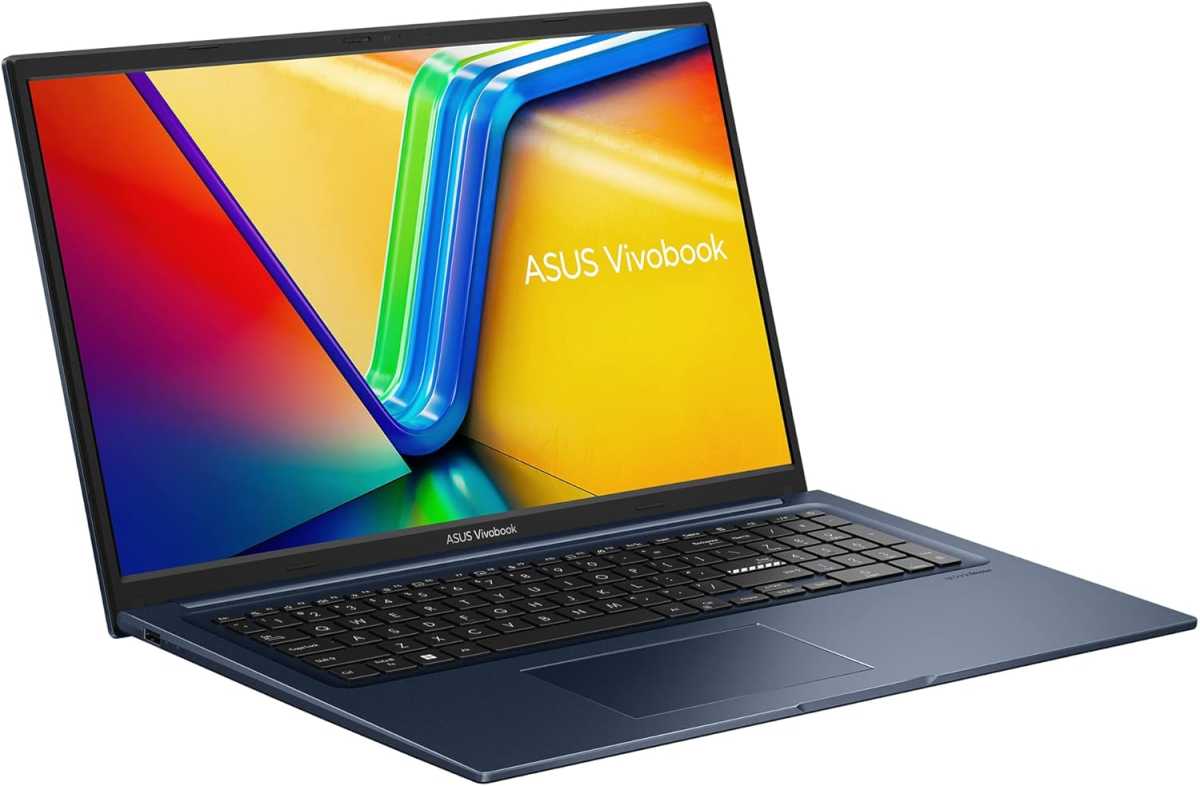
ASUS
The Asus Vivobook 17 in “Quiet Blue” is a 17.3-inch laptop for office, multimedia, and flexible working. With the Intel Core i7-1355U, 16 GB RAM in dual-channel mode (8 GB onboard 8 GB SO-DIMM), and a fast 1 TB NVMe SSD, it handles multitasking, video playback, and everyday applications with ease. The 17.3-inch 1920×1080 panel also ensures clear images. Despite the large screen diagonal, the device remains pleasantly light and portable at 4.62 pounds.
Features:
- Processor: Intel Core i7-1255U, 10 cores, up to 4.7 GHz Turbo, 12 MB cache
- Memory: 16 GB (8 GB DDR4 onboard 8 GB DDR4 SO-DIMM, dual-channel capable)
- Storage: 1 TB M.2 NVMe PCIe 3.0 SSD
- Graphics: Intel Iris Xᵉ Graphics
- Display: 17.3 inch FHD (1920×1080 pixels), IPS level, 60 Hertz, 250 nits, anti-glare, 86 percent screen-to-body
- Connections: 1× USB 2.0, 1× USB 3.2 Gen1 Type-C, 2× USB 3.2 Gen1 Type-A, 1× HDMI 1.4, 1× 3.5-millimeter audio, 1× DC-in
- Camera & audio: 720p HD webcam with privacy shutter, SonicMaster speakers, integrated microphone
- Keyboard & touchpad: Backlit chiclet keyboard with Num-Key, 1.4 millimeter key travel, Precision touchpad
- Network & communication: Wi-Fi 6E (triple band), Bluetooth 5.3
- Battery: 50 Wh, 3-cell Li-Ion
- Weight: 4.62 pounds
- Operating system: Windows 11 Home
- Special feature: Large 17.3-inch display, dual-channel RAM, 1 TB SSD.
MSI Crosshair 17 HX: High-end gaming laptop for high demands
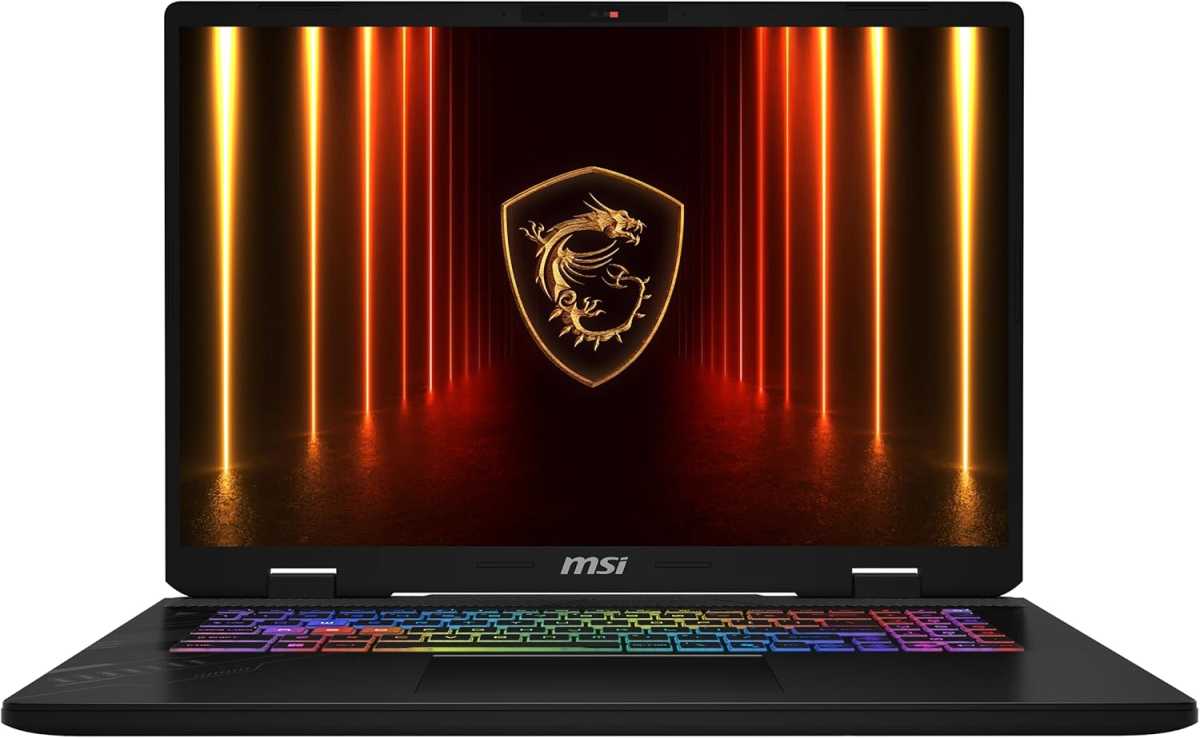
MSI
Ready for any adventure: The MSI Crosshair 17 HX is a 17-inch gaming laptop built to deliver full performance for gaming, streaming, and other demanding tasks. Powered by an Intel Core Ultra 9 275HX processor and an NVIDIA GeForce RTX 5070 GPU (Blackwell architecture, DLSS 4, Max-Q), it handles the most demanding games and multimedia projects with ease. The Cooler Boost 5 system, featuring dual fans and an advanced heat pipe design, keeps performance consistently high when things get hot.
Features:
- Processor: Intel Core Ultra 9 275HX
- Graphics: NVIDIA GeForce RTX 5070 Laptop GPU, Blackwell architecture, DLSS 4, Max-Q
- Memory: 32 GB RAM
- Storage: 1 TB NVMe SSD
- Display: 17-inch QHD (2560×1600 pixels), 240 Hertz, 16:10 format, 100 percent DCI-P3 color gamut
- Connections: 1× USB-C, 3× USB-A (USB 3.2 Gen 2), HDMI 2.1
- Keyboard: 24-zone RGB (Mystic Light), QWERTY layout
- Network & connection: Wi-Fi 6E, Bluetooth 5.x (depending on model)
- Operating system: Windows 11 Home
- Special feature: MSI Center with AI Engine for intelligent system tuning, Cooler Boost 5 cooling, high refresh rate for particularly smooth gaming.
Conclusion: Know when it’s time to upgrade
A laptop that no longer receives updates and is constantly full, slow, loud, or hot is rarely worth saving. Once the battery finally dies or upgrades are no longer possible, it’s time to move on. Investing in a modern device not only saves frustration but also provides better security and greater comfort in everyday use. Buying a new laptop today also comes with the added benefits of improved energy efficiency, quieter operation, and significantly higher performance.
This article originally appeared on our sister publication PC-WELT and was translated and localized from German.
