


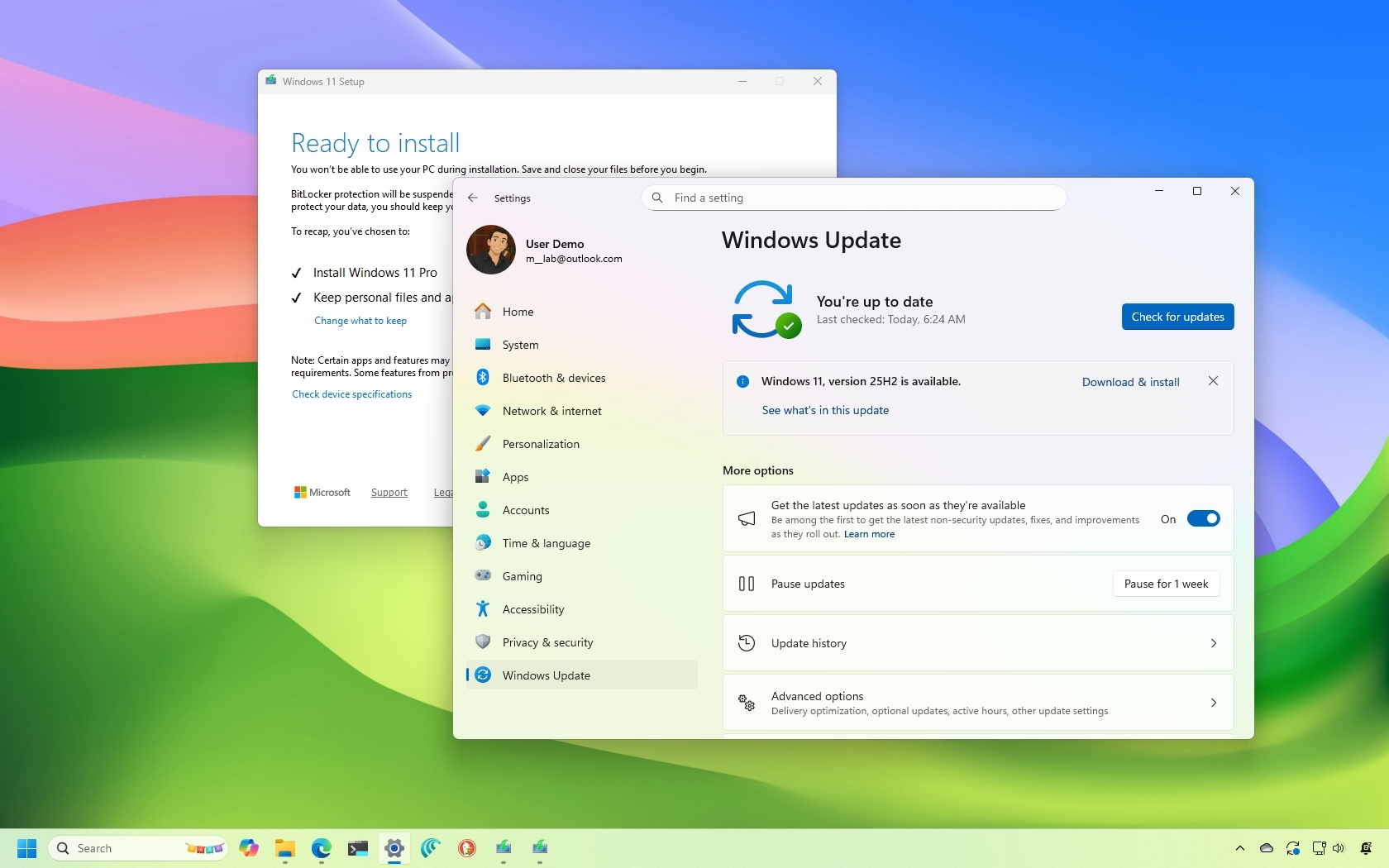
In the coming days, Microsoft is expected to launch the 2025 Update for Windows 11 (version 25H2), which marks the fourth feature update for the desktop version of the operating system. However, this release isn’t as significant as version 24H2, but it’s still important not to skip it.
In this guide, I’ll walk you through 10 interesting facts about Windows 11 version 25H2 that you need to know before upgrading.
Facts you may not know about Windows 11 version 25H2
These are some of the facts regarding the new feature update for Windows 11.
1: Same operating systems
Although Microsoft is touting Windows 11 version 25H2 as a new release of the operating system, it shares the same platform as version 24H2, which means that both operating systems are identical under the hood.
2: Same feature set
Since the two operating systems are identical, they both share the same set of features and changes, which is one of the reasons the company has been releasing the same improvements for both the Dev and Beta Channels.
If you notice, even though the previews for version 25H2 and 24H2 have different build numbers (26220.xxxx and 26100.xxxx), they usually have the same KB number. This is because they are both virtually identical operating systems.
It’s important to note that the company will continue to roll out the same improvements for both operating systems, at least for the foreseeable future. However, at least initially, the Windows 11 2025 Update is not expected to include any new features or big improvements.
3: Enablement Package
Microsoft plans to release version 25H2 as an Enablement Package (eKB), but only for devices already running version 24H2, which means that the installation will be similar to applying a monthly cumulative update, without the need for reinstallation.
An Enablement Package is a tiny update that works as a key to enable previously downloaded improvements that are dormant in the current version of the operating system. In addition, this update changes the version number from 24H2 to 25H2.
This update won’t be forced automatically on your computer. It’ll be available (at least initially) as an optional install. In the future, when version 24H2 nears the end of support, the company may roll out the feature update automatically on supported devices.
If you want to upgrade early, you can enroll your computer in the Release Preview Channel of the Windows Insider Program, or you can download the ISO file.
4: Full reinstallation upgrade
If you have a computer running Windows 11 version 23H2 or an older release, the upgrade process to version 25H2 will require a complete reinstallation.
Actually, if you want to upgrade from version 23H2 and you choose to use the “Windows Update” settings, you’ll have to upgrade to version 24H2. After the installation, you’ll have the option to download and install version 25H2.
5: Upgrade from Windows 10
Similar to upgrading the operating system from version 23H2, if you have a computer running Windows 10, you’ll have to upgrade to version 24H2 before the option to install version 25H2 becomes available through the “Windows Update” settings page.
6: Direct upgrade from older version
If you want to upgrade directly from Windows 11 version 23H2, 22H2, or an older release or from Windows 10, you can use the Installation Assistant tool or the official ISO file of version 25H2.
Although switching from version 24H2 to 25H2 doesn’t require reinstallation, if you use the Installation Assistant tool or the official ISO file, any of these tools will perform a complete reinstallation of the operating system.
8: Reasons to upgrade to version 25H2
If you’re wondering why to upgrade when both operating systems are identical this time around, then know that the main reason is for support.
Although Windows 11 version 24H2 is still a supported version, the end of life for this release is October 13, 2026. When you upgrade to version 25H2, the support will continue through October 2027.
Usually, new releases of Windows 11 Home and Pro are supported for 24 months, while organizations can use the same version of the operating system for 36 months.
This also means that while it’s recommended to upgrade to this new version, you don’t have to switch versions immediately. You can always wait a few months, but you should install version 25H2 before version 24H2 retires.
9: Same hardware requirements
Windows 11 version 25H2 doesn’t change the hardware requirements. The same TPM 2.0, Secure Boot, and supported processors are required.
These are the minimum requirements to upgrade to Windows 11:
- CPU: 1GHz or faster or System on a Chip (SoC) with two cores minimum.
- RAM: 4GB.
- Storage: 64GB or larger.
- Firmware: UEFI with Secure Boot capable.
- TPM: Trusted Platform Module (TPM) version 2.0.
- Graphics: Compatible with DirectX 12 or later with WDDM 2.0 driver.
- Display resolution: High definition (720p) display greater than 9-inch diagonally, 8 bits per color channel.
This means if your device can already run 24H2, it can run 25H2 without issue.
10: Rollout strategy will be gradual
Although the Enablement Package is small, Microsoft typically rolls out new feature updates gradually through controlled feature rollouts (CFRs). This means not everyone will see 25H2 immediately through the “Windows Update” settings page, and availability may expand over several weeks.
More resources
Explore more in-depth how-to guides, troubleshooting advice, and essential tips to get the most out of Windows 11 and 10. Start browsing here:
